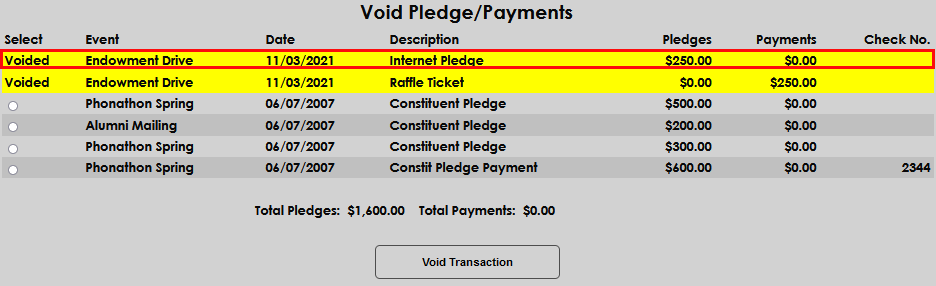
Void Pledges/Payments
Overview
The Users hub page, Void Pledge/Payments, is used to void and remove previously recorded development pledges and/or payments. If events are voided after the payment has been processed by the institution's finance office, the payment reversal will be sent to be reversed in the financial records, as well. Voided transactions will remain in the history list on the page and be highlighted for attention.
For more information on fundraising processes, visit the Development Overview page.
Voiding Pledges and Payments
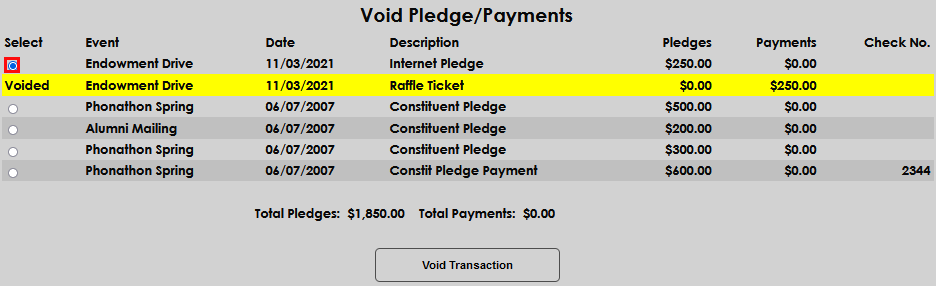
To void a previously recorded pledge or payment, enter the page from the constituent's Records menu and select the radio button that corresponds with the transaction to be voided. Select Void Transaction.
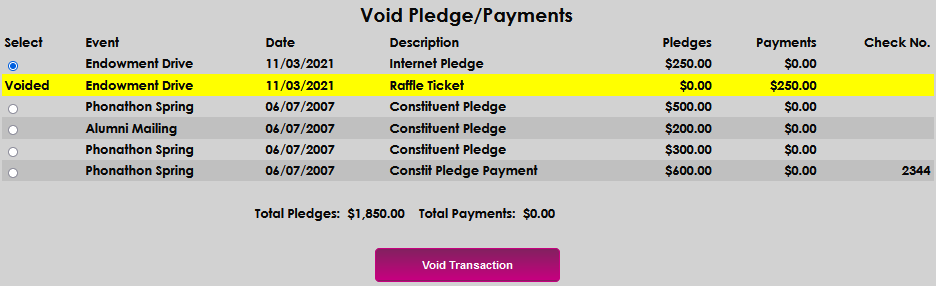
Confirm and complete the void by clicking the Confirm Void button.

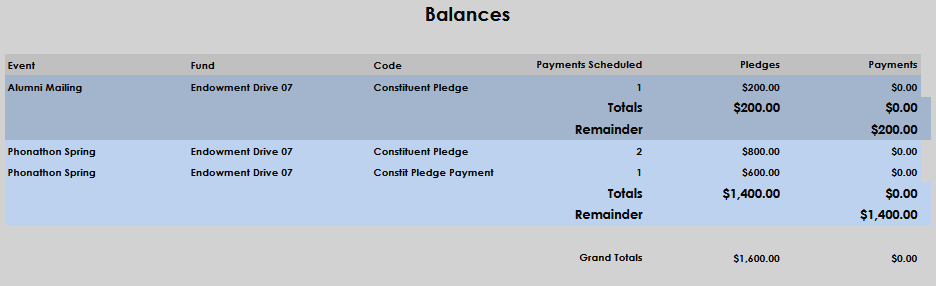
The constituent's Balances summary will display, confirming that the voided transaction no longer displays in the ledger for the constituent.
Selecting the Void Pledge/Payments page from the Records menu shows the updated pledges and payments, with the transaction(s) that were voided highlighted in yellow.