Default Publishing Options
Overview
The Default Publishing Options utility allows institutions to control the personal data that is displayed in the student directory when a new user is added to the system. Once a new user has been created, administrators can edit that individual's publishing options from their Biographic page. Students can also change which of their details are published, if any, from the Update Bio page of the Student portal.
Note
These options apply to entirely new student users as well as to existing users who are given a Student status. While other users may have publishing options on their Biographic page, the defaults set on this page only apply to users with a module status of Student.
Setting Defaults
To set publishing defaults, navigate to Default Publishing Options under the Systems hub.
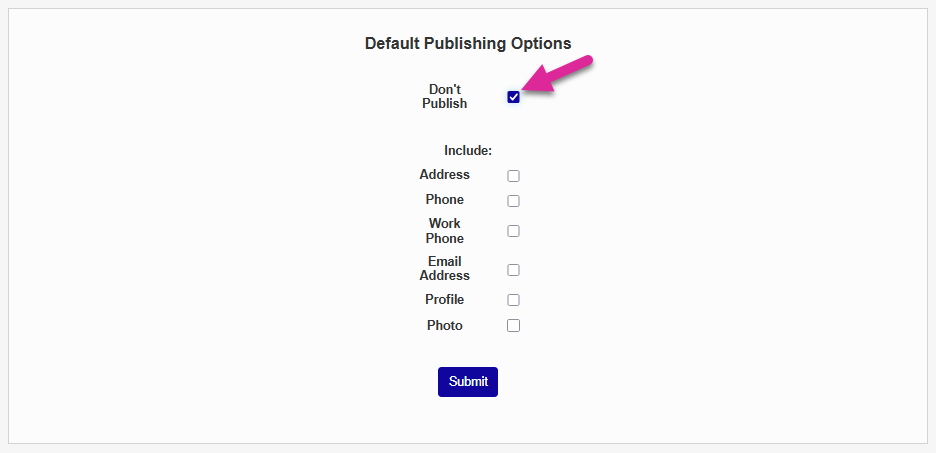
Check Don't Publish if you wish to keep new students out of the student directory until they opt in by making changes on their Update Bio page.
Or check one or more options the Include list.
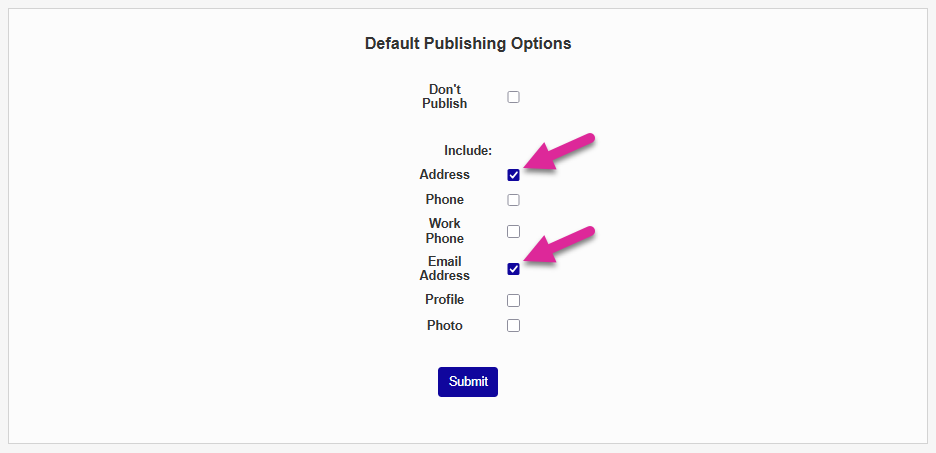
Click Submit to save the changes. Newly added students will now have these options set when their account is created or given a student status.