Jenzabar SONIS Version 3.6 Delivery Method Update
Overview
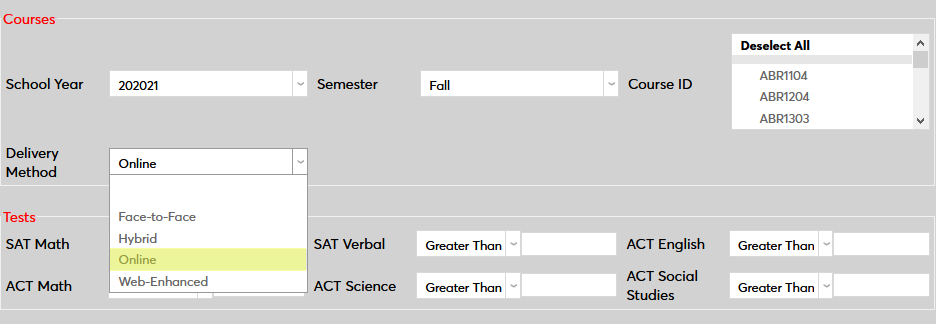
Delivery method has been added as a search filter in multiple places throughout the Jenzabar SONIS system. Courses can be filtered by delivery method when using the Course Search function after the option has been activated. Additionally, four preexisting reports now offer delivery method as a filter and the filter can be used in Query Builder.
Delivery Method Table
Before delivery methods can be assigned, they must be created in Table Maintenance. Click Add New Record to begin.
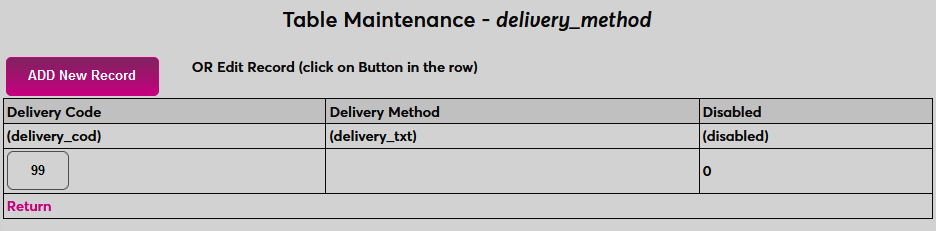
On the following page, create a description of the delivery method in the Delivery Method field. This field has a 50-character limit.
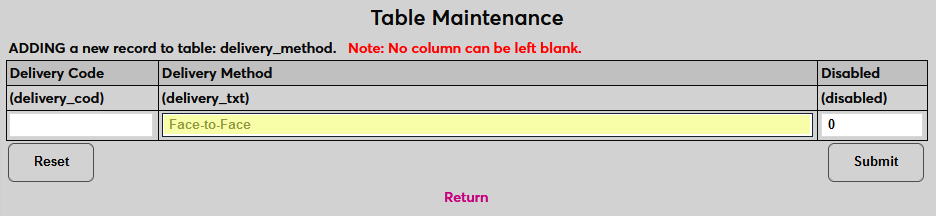
Next, create a two-character code to be identify this delivery method in the database. This value will not appear in the SONIS system.
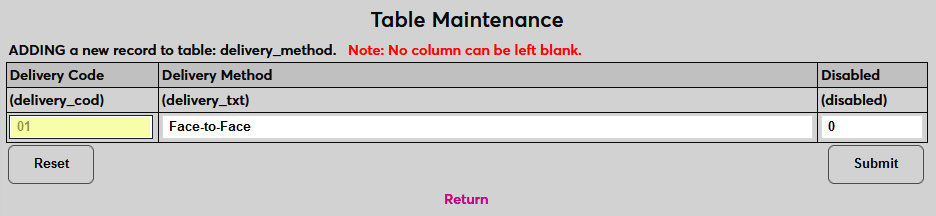
Click Submit to save the changes.
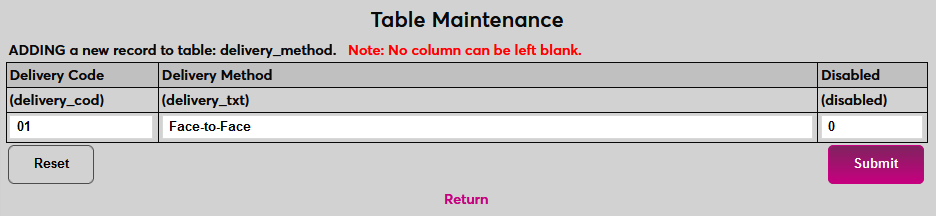
Repeat the process until all needed values have been created.
Course Section Setting
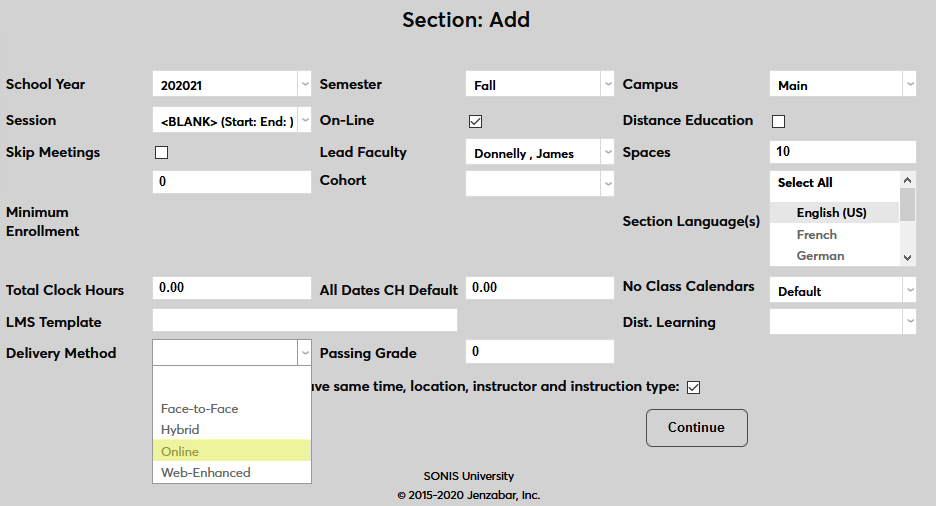
A delivery method can be added to a course section either when the section is being created on the Section Add page or after the fact using the Section List page. Select an option from the Delivery Method dropdown menu and click Continue or Submit to save the change.
Course Search
Web Option
Before delivery method can be used as a filter on the Course Search page, it must be activated on the Web Options page. Locate the Course Delivery Method Filter and check the box to turn it on. Click Submit to save the change.


Searching
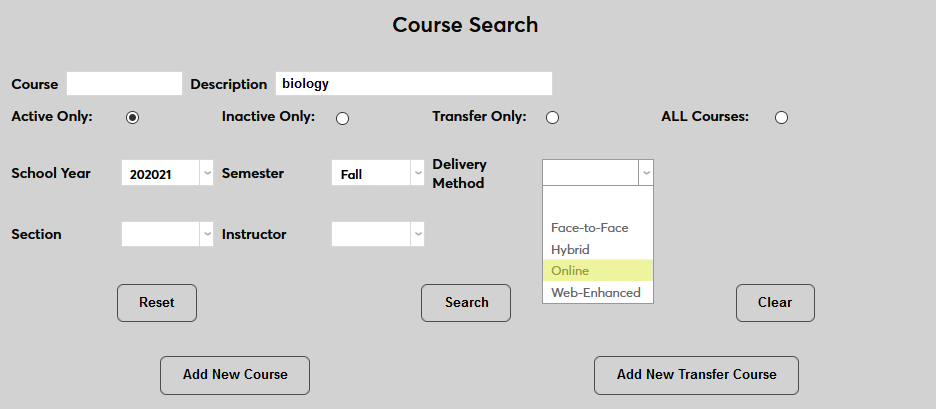
Once the delivery method option has been activated, a Delivery Method dropdown will be available on the Course Search page. Select an option to filter the results and only show courses with the selected delivery method.
Reports
The delivery method filter has been added to four Jenzabar SONIS #reports-596985Reports.
• Course Section Listing
• Course Section Listing with WD
• Course Section Roster
• Course Section Roster of Enrolled Student Details
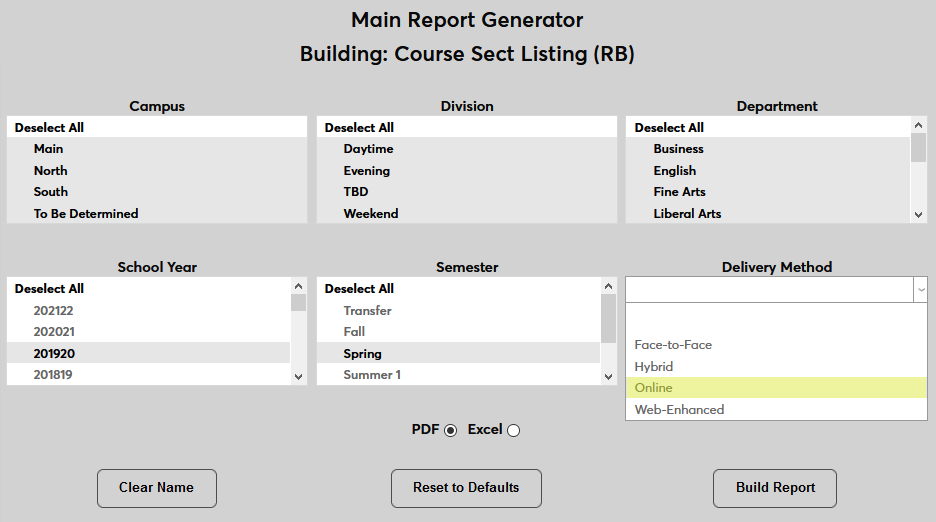
Select an option from the Delivery Method menu when building a report to use this filter.
Query Builder
The delivery method filter has also been added to Query Builder. To use the filter, scroll down the Courses section and select an option from the Delivery Method menu. Click Submit to create the query.