Pledges By Event
Overview
The Systems hub page, DE Pledges By Event functions similarly to the Pledges By Event report, in that details are provided about pledges associated with specific fundraising events. The page is different, however, because actions such as follow-up emails can be taken based on the information presented.
Using Pledges By Event
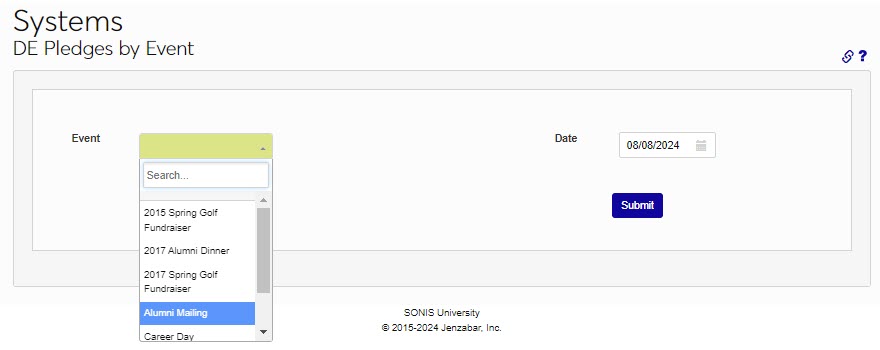
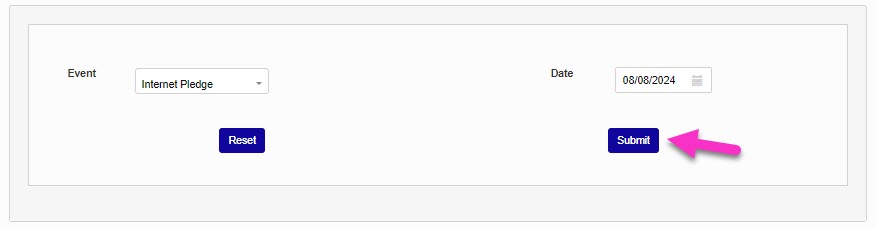
After entering the DE Pledges by Event page from the Systems hub, select an event to view pledges for from the dropdown menu. In the Date field, select or enter the as-of date for the pledge(s) to the event.
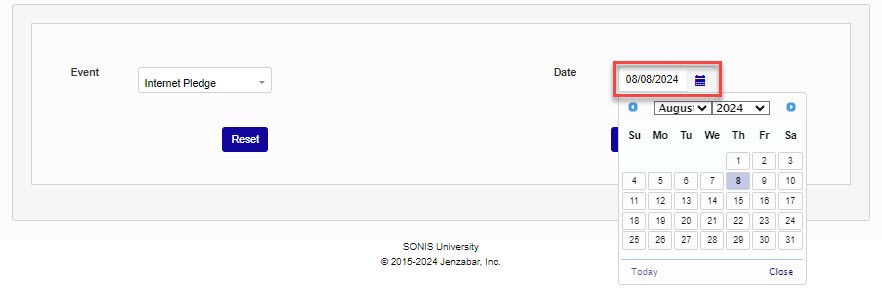
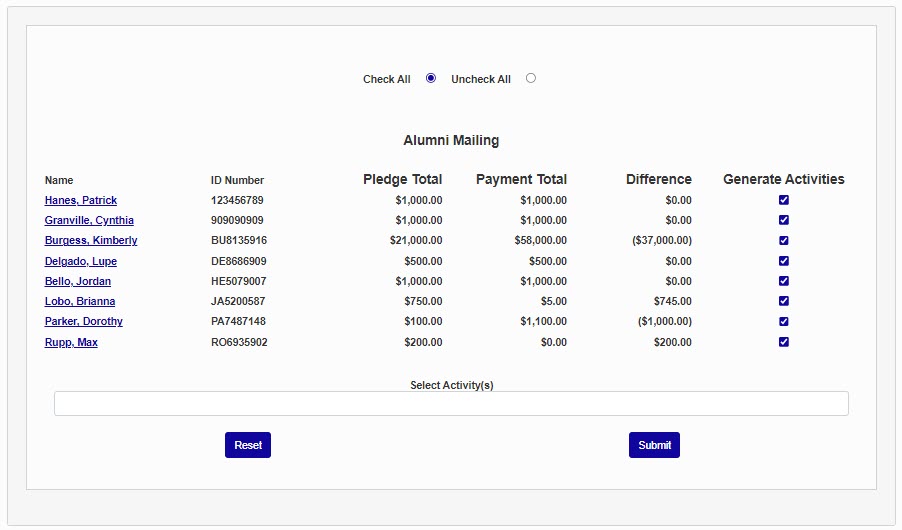
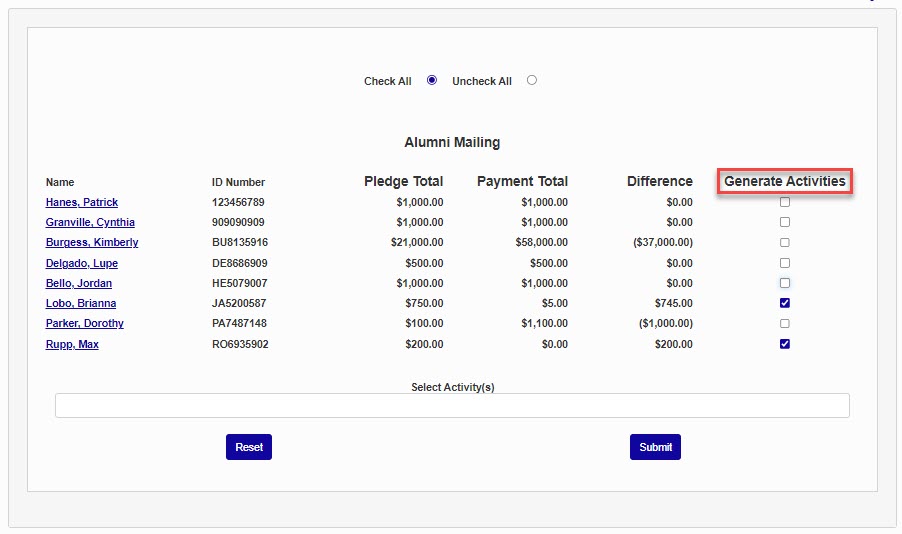
Click Submit. If pledges are associated with the event, a page will open with detailed information about who made the pledge and the amounts paid towards the pledge.
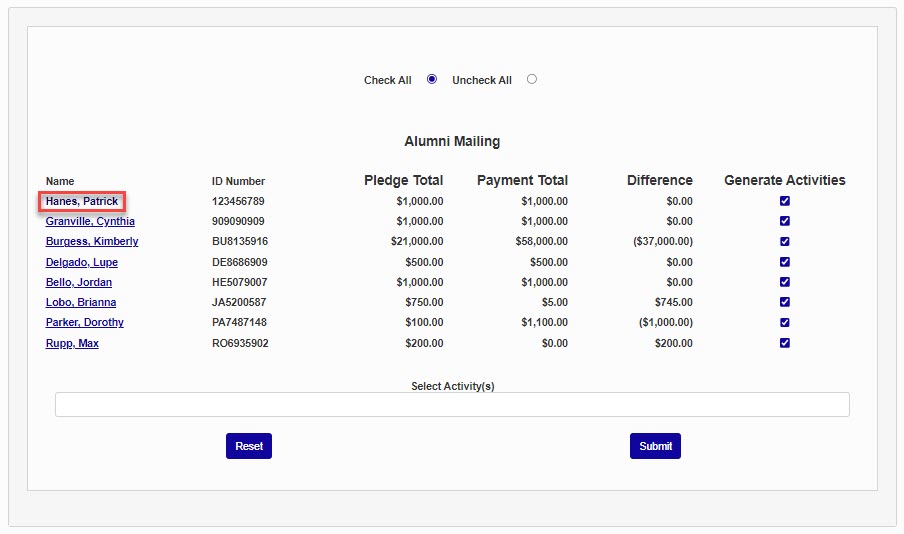
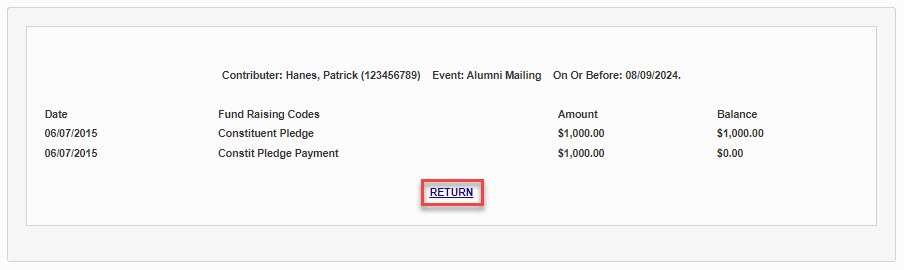
To view more specifics about a particular donor and their associated pledge(s), click the name of the donor. Click Return to go back to the results page.
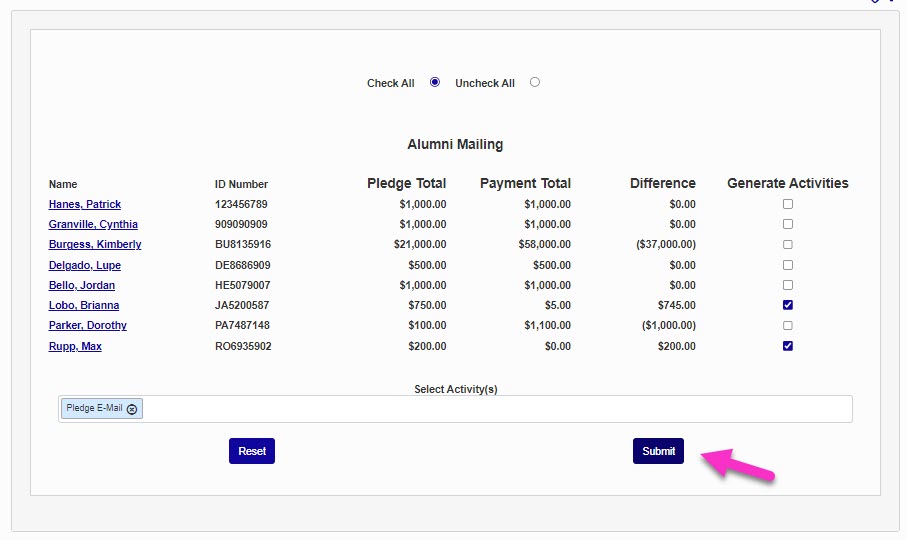
To add an activity to a donor, ensure each donor that should receive the activity is checked in the Generate Activities column; uncheck any that should not receive the activity, and click in the Select Activity(s) field to pick the desired activity.
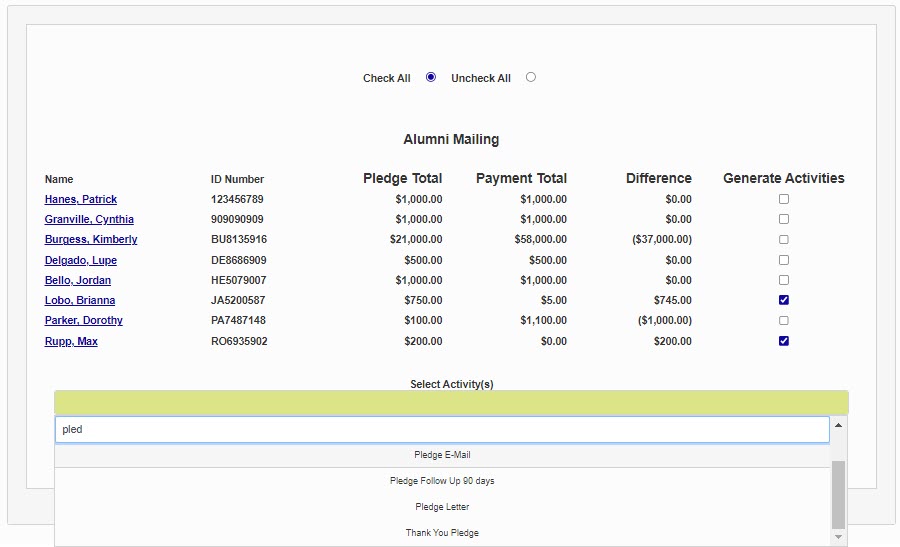
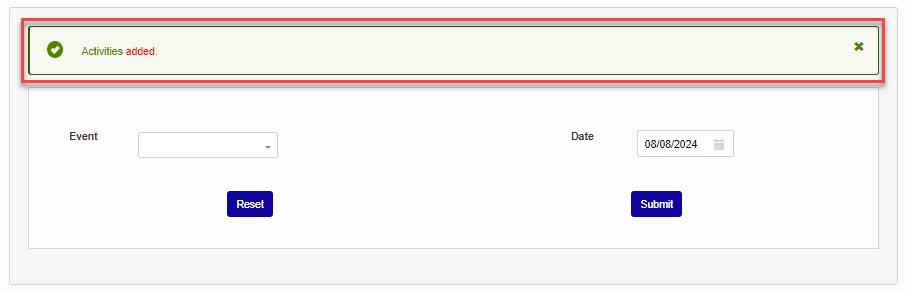
Click Submit. A confirmation message will display confirming that the activities were added to the donor(s).