General Ledger Mappings Import Utility
Overview
The Jenzabar SONIS General Ledger Mappings Import Utility allows institutions to set up general ledger mappings outside of the system and import them using an Excel spreadsheet. While there are a variety of reasons that a school may want to set up their mappings in this manner, the utility is particularly useful for institutions with multiple campuses that share the same general ledger.
Note that once general ledger mappings have been imported, changes to these codes must be made through the Transaction Code Mappings utility. New values can be imported, but attempting to import the same code again will result in an error message.
Spreadsheet Creation
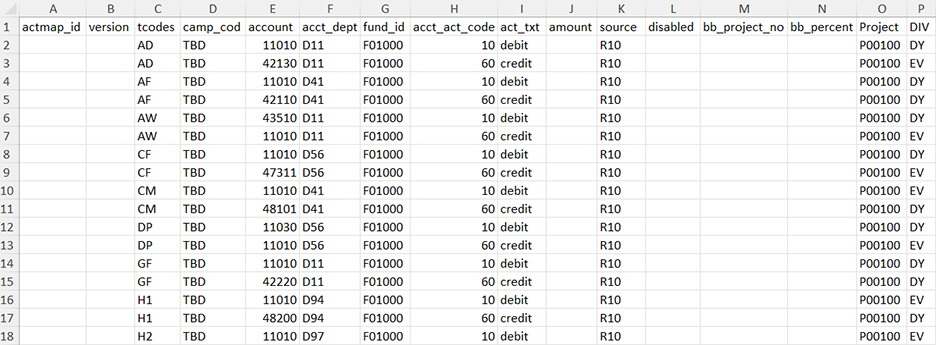
The general ledger mapping import spreadsheet must be in .XLS format and must have the following columns:
• actmap_id - The primary key for the code. Leave blank.
• version - The version being used. Leave blank.
• tcodes - The transaction code. Can be letters or numbers. Two-character limit.
• camp_cod - The campus code for the mapping. Can be letters or numbers. 10-character limit.
• account - The account number. Can be letters or numbers.
• acct_dept - The account department. Optional. Can be letters or numbers or blank.
• fund_id - The fund identification code. Optional. Can be letters or numbers or blank.
• acct_act_code - The account code. Should be "10" for debit or "60" for credit
• act_txt - The account name. Can be letters or numbers. 30-character limit.
• amount - The amount. Optional. If not blank, must be a number.
• source - The source. Optional. Can be letters or numbers or blank.
• disabled - Checked to disable the code. Optional. Must be "1" (on), "0", (off) if not blank.
• bb_project_no - The project number for Blackboard. Optional. Can be letters or numbers or blank.
• bb_percent - The percent for Blackboard. Optional. Can be letters or numbers or blank.
• Project - The project code. Optional. Can be letters or numbers or blank.
• Division - The division code for the mapping. Required. Two-character limit.
Most institutions will not use every column.
Click here to download a sample file.
All Campuses Options
Jenzabar SONIS offers the option through a database instruction to use the same general ledger codes for all campuses. Institutions using this option should configure their sheet with a single set of codes with TBD as the campus.
All Divisions Option
Jenzabar SONIS also offers the option through a database instruction to use the same general ledger codes for all divisions. Institutions using this option should configure their sheet with a single set of codes with TB as the division.
Import
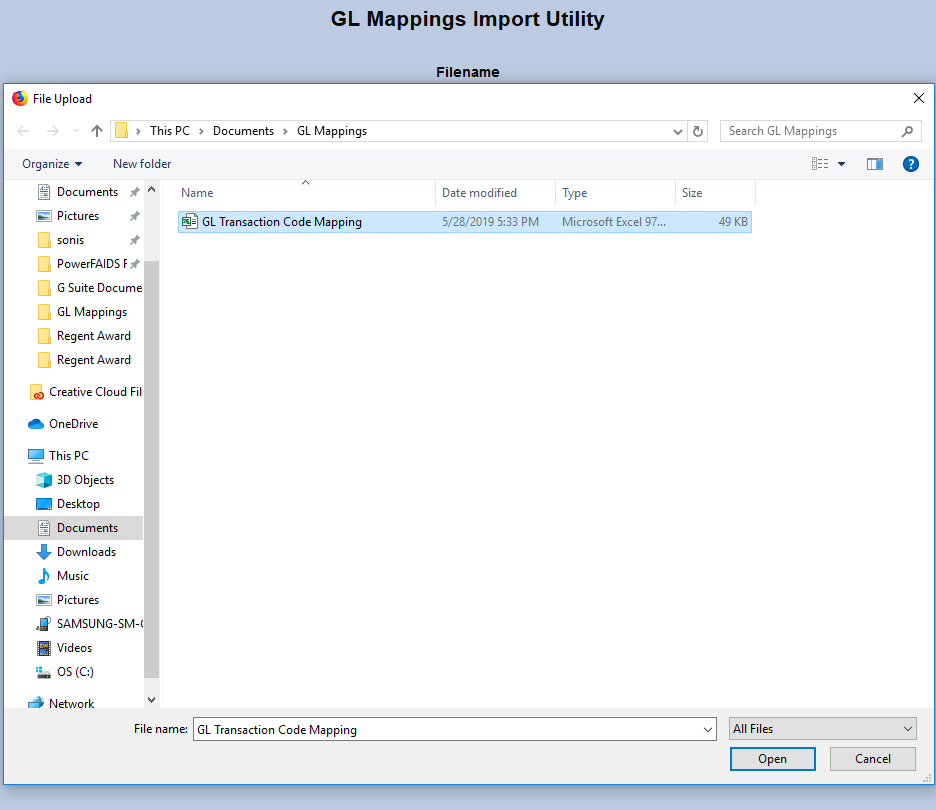
To import the mappings to SONIS, navigate to the GL Mappings Import Utility page in the Systems hub and click Browse. Locate and select the saved mapping file and click Submit to upload it.


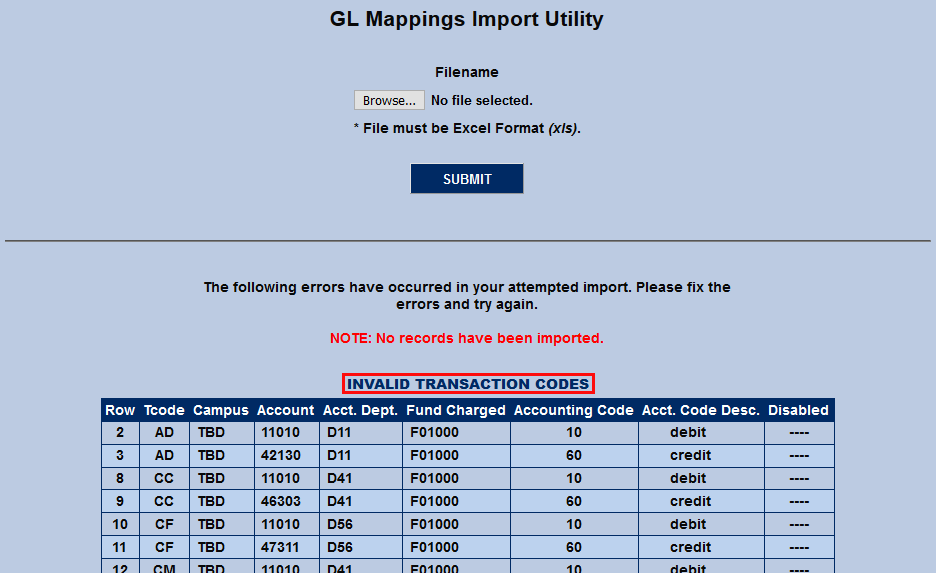
After the file has been uploaded, SONIS will check it for errors. The file is first checked for Invalid Transaction Codes, then Invalid Campus Codes, and finally Potential Duplicate Records. No records will be imported until all three areas are free from errors.
Note
An error labeled Truncated Acct Code Dest/Acct Text will appear if the act_text field contains over 30 characters. This error must also be resolved before the process can continue.
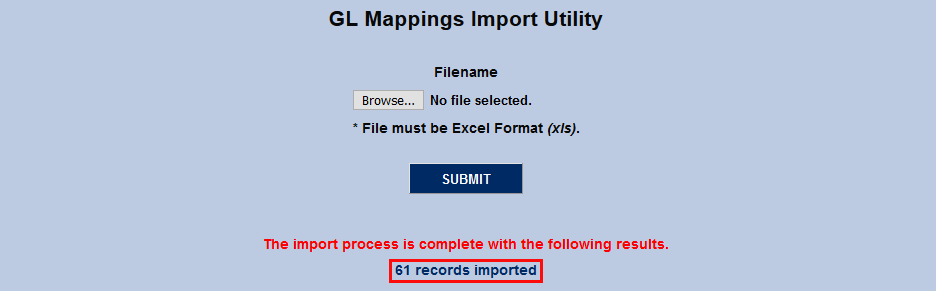
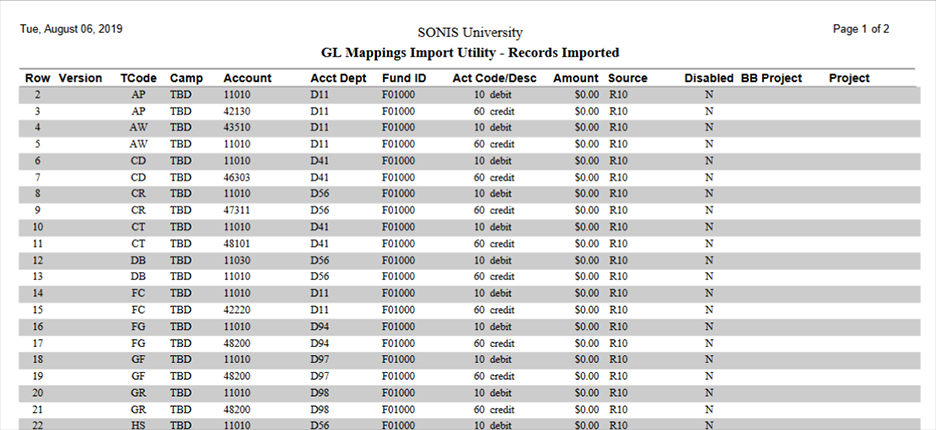
Once the error checking has completed successfully, the records will be imported and the results will be displayed. Click the results message to view the imported records in a new tab as a PDF report.