Health
Overview
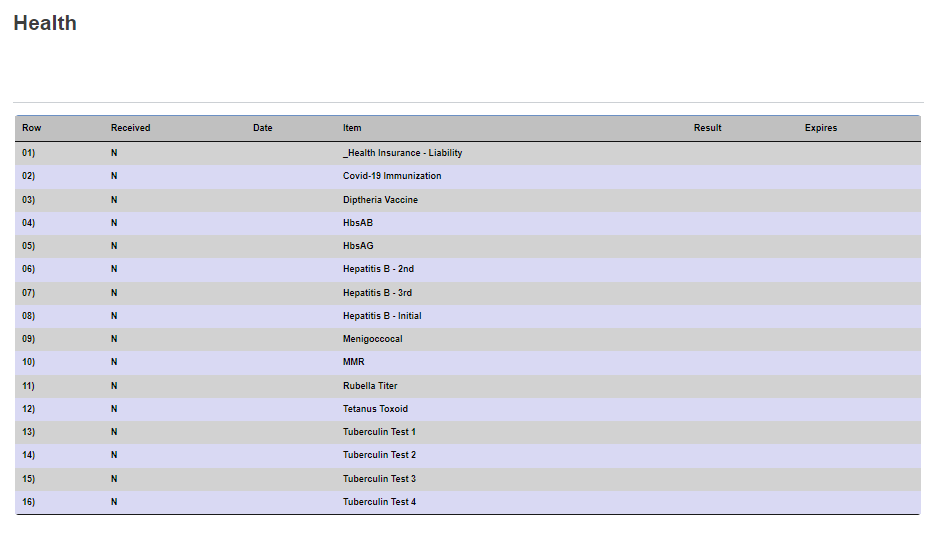
The Health page within the Jenzabar SONIS portals provides a list of vaccinations and other important health records for users. The page lists each required vaccination or test whether it has been completed or not along with the date of completion, the result, and the expiration date, if applicable.
The Health Records menu page within the SONIS administrative system stores the same information and is used to populate this page.
Viewing Health Records
When the user enters the Health tab from the General menu, the display populates with any health items that have been requested. The user cannot make any updates to the records or view further details. The display provides the same details as the SONIS administrative system includes for each item.
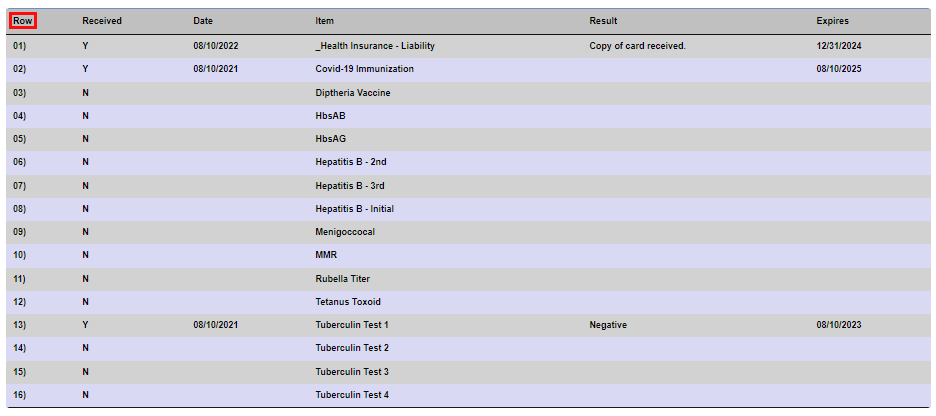
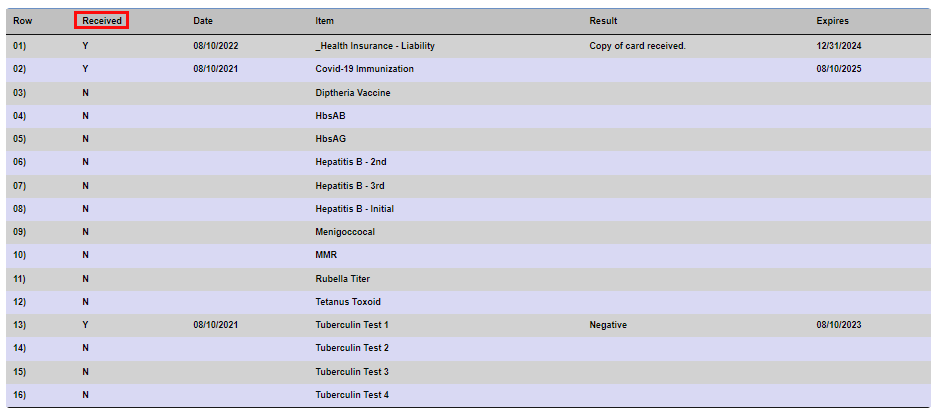
The Row column represents the order the items were added to the user's record. The Received column displays a Y to indicate the item has been marked as complete in the administrative portal and an N indicates the item is still needed.
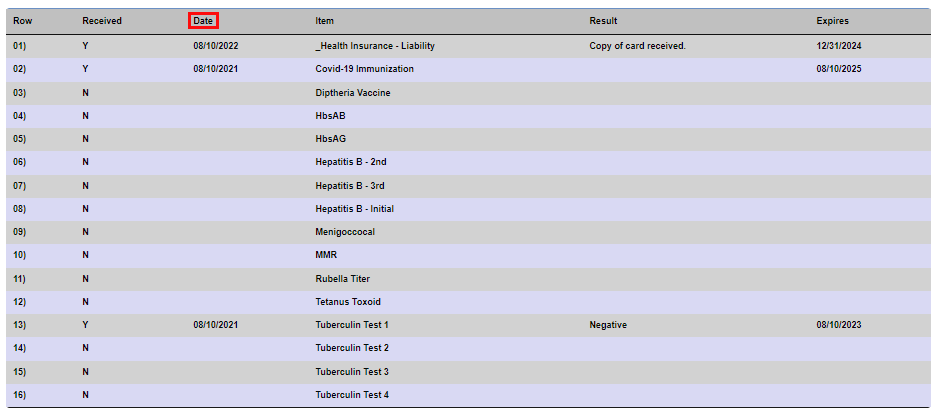
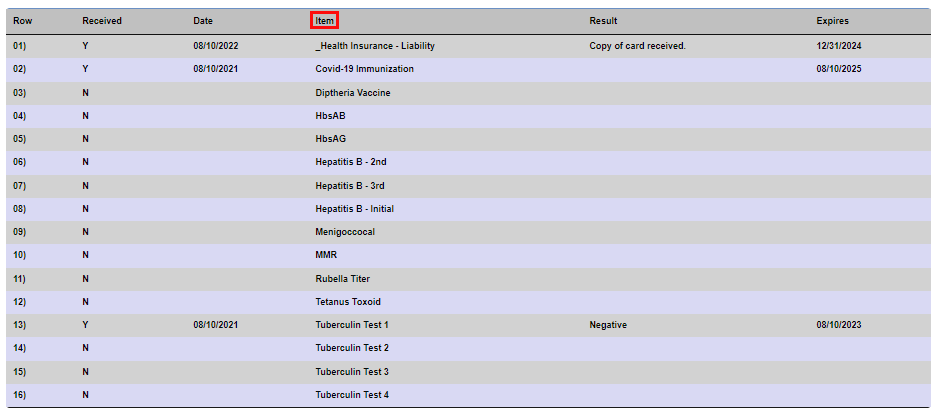
The Date column displays the date on which the item was received or marked as no longer needed. The Item column displays the name of the needed or requested health item.
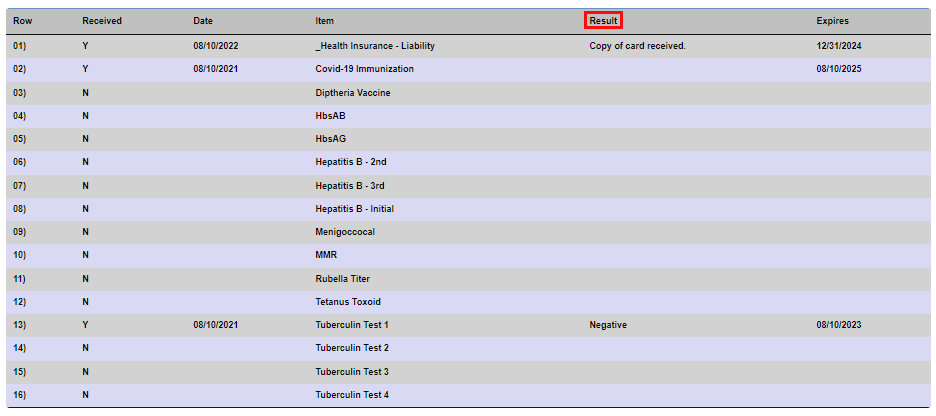
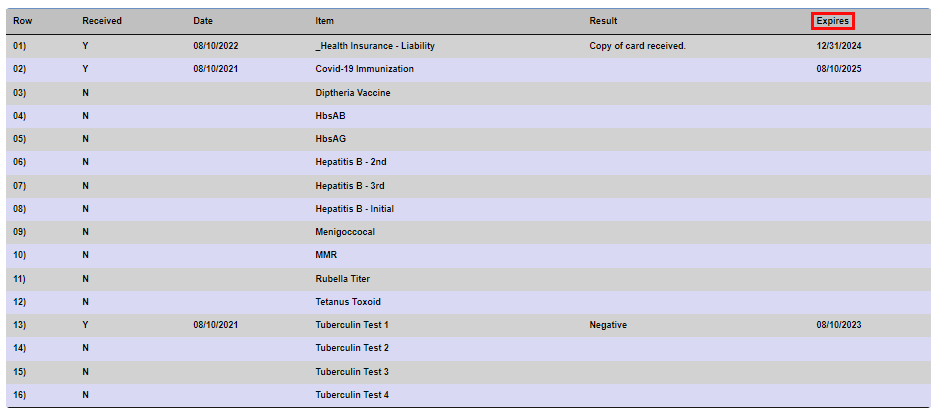
The Result column displays the value that was entered by the user when acknowledging receipt of the item. It is possible this field will be blank. The Expires column displays the date that was entered by the user acknowledging receipt of the item. In general, this should be the date on which this item is no longer valid.