Emergency Contact
Overview
The Emergency Contacts portal page is designed to allow advisors to view the contact information for parents, guardians, spouses, and other people who should be contacted in the event of a student emergency. The Faculty & Advising portal Adv: Emergency Contact page provides users the ability to view any Emergency Contacts that are associated with the selected advisee.
For administrators, this data is stored on the Emergency Contacts page under the Users hub.
Viewing Emergency Contacts
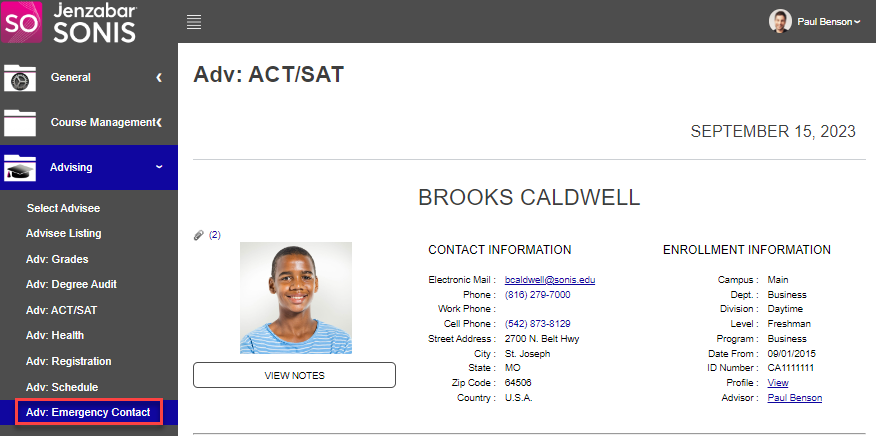
To view emergency contacts, click the Adv: Emergency Contact link. If no advisee has been selected before clicking, the search option displays. If an advisee is already being worked with, the Emergency Contact section will be populated with any emergency contacts that are associated with the user.
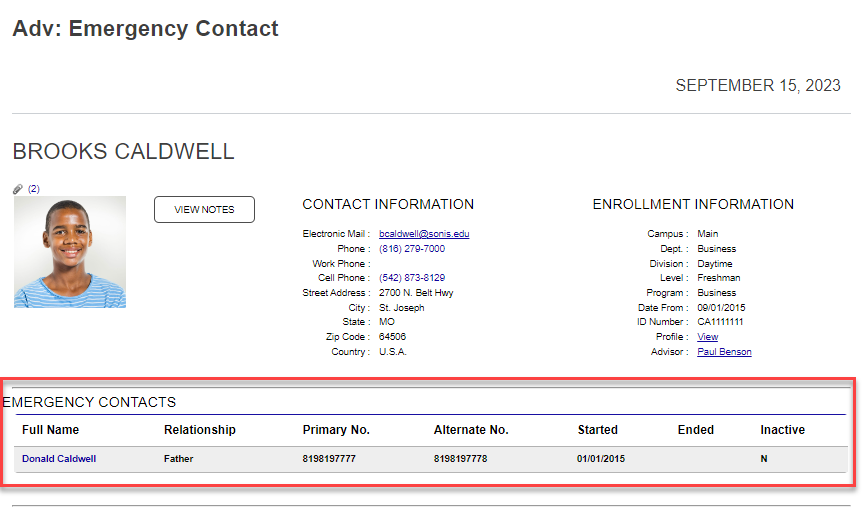
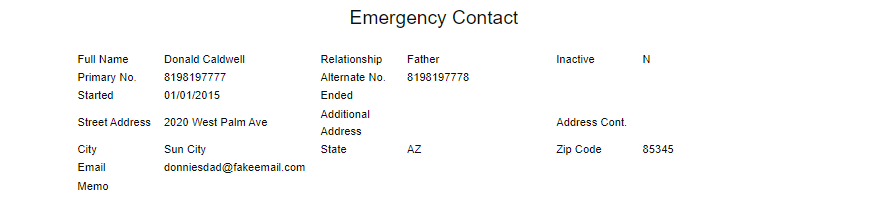
To view more details of the emergency contact, click the Full Name. A popup window opens and displays all of the information associated with the contact in the administrative portal.