Bio
Overview
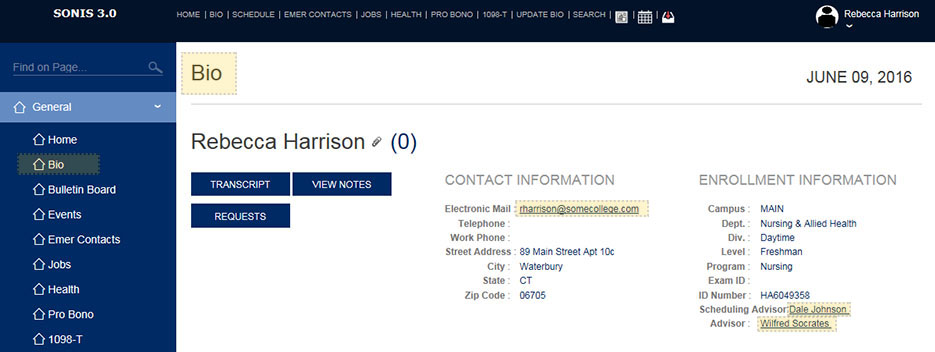
The Bio page, available within the General folder or from the top menu, contains selected information from the user's demographic and academic records. Alumni can view their contact and enrollment information, access a list of their local courses and transfer courses, view notes added by administrators, and make requests for transcripts or other needs.
The Bio page is turned on and set up using the Portal Menu Utility in the Systems hub.
Contact, Enrollment Information, and More
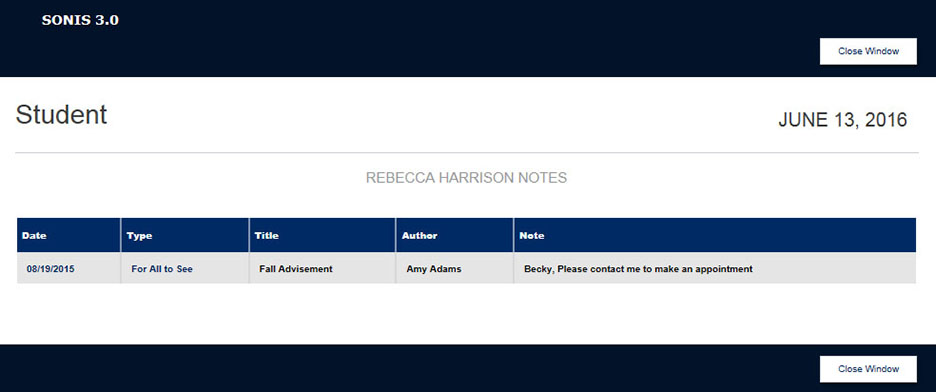
View Notes
All notes addressed to the student will list when the button is clicked.
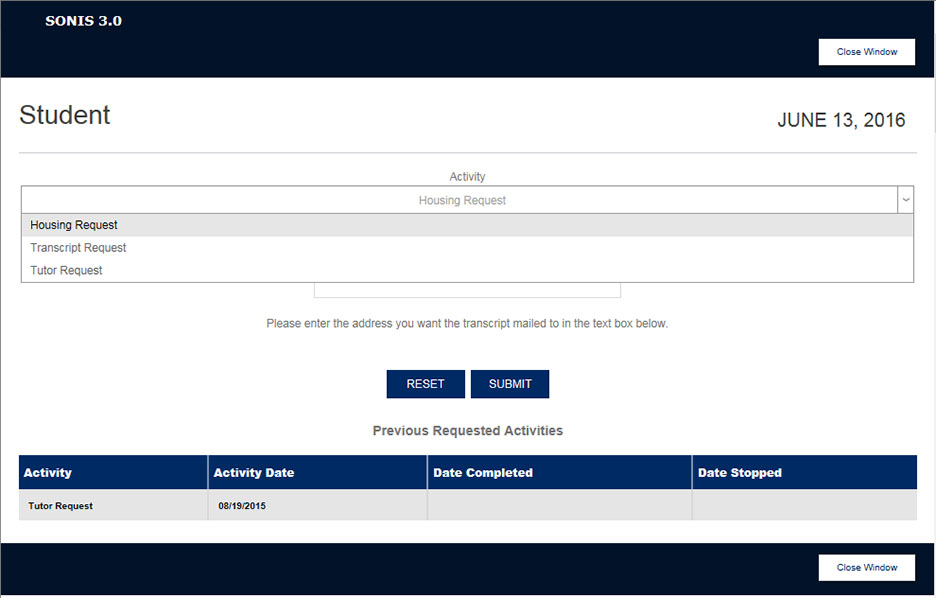
Requests
To request the school take a specific action, the student must click the Requests button and select a request type from the drop list. A Comments box is available for adding any additional information that would assist in completing the request. For example, the user may want to request housing in a specific dormitory, and they would definitely need to include a mailing address to which the requested transcript should be sent.
Contact Information
This section of the page lists the information needed to contact the student. It serves as a way to view information the student may need to update.
Advisors
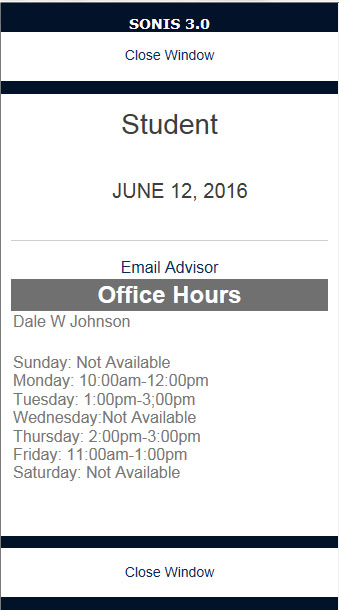
The student's advisors are listed as links, preceded by their advisor types. Clicking on an advisor opens a separate window that displays that advisor's office hours.
Transfer Courses Accepted for Credit
This section shows a student the transfer courses have been accepted for credit. This information allows a student to monitor the progress and status of the transfer credits they are hoping to count toward graduation.

Completed Courses
This section lists the courses that the student has officially completed. It includes official grades and serves as a means for the student to monitor their academic progress and catch any mistakes early on.

Withdrawn Courses
This section shows any courses from which the student has officially withdrawn. It is not uncommon for students to believe they have withdrawn from a course when they haven't. If the withdrawal is not officially completed within the school's add/drop period, that course could have an adverse effect on the student's GPA.

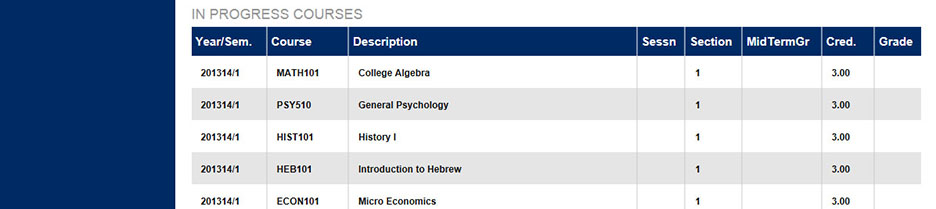
In Progress Courses
This section shows the courses in which the student is currently enrolled. Again, the student should monitor this section during the registration period to confirm that the course sections for which they believe they registered are listed under "In Progress Courses."