Holds
Overview
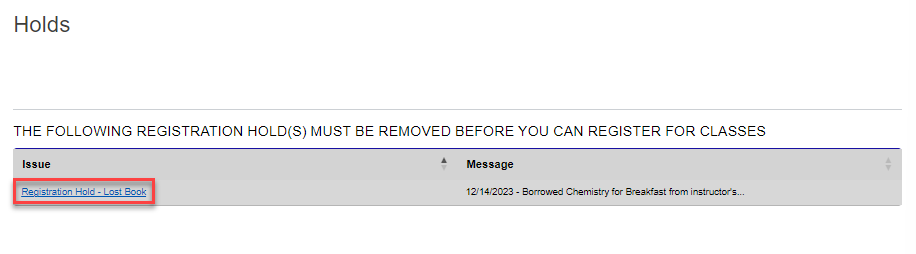
Holds are blocks that prevent students from registering for classes, viewing their course schedule, and performing other assorted activities. They could be triggered due to academic difficulty, delinquent payments, required tasks that have not been fulfilled, or another pressing issue. The Holds page displays any active holds on your account so you can address the issue and have the hold removed. Contact your school administration for further details if the cause of the hold is unclear.
Administrators, visit the Holds documentation page to learn more about setting up and managing holds.
Viewing Holds
When a student with holds logs into the portal and navigates to the Welcome or Biographic page, a banner notifying them that they have holds displays. The banner can be clicked to view the hold(s). A text box with the type of hold also displays on the Biographic page.
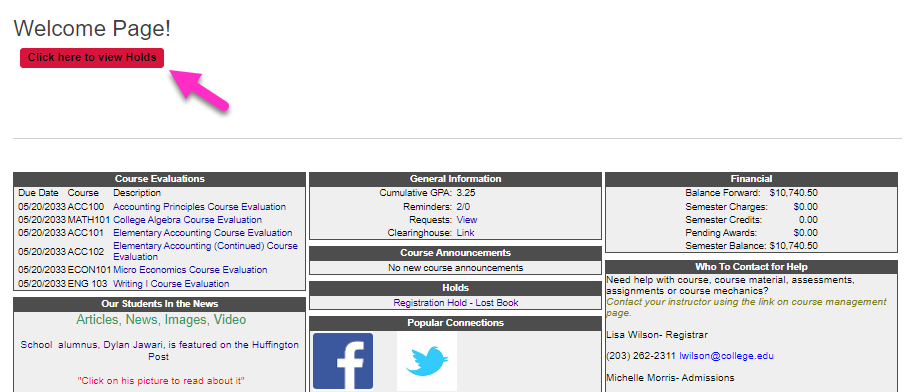
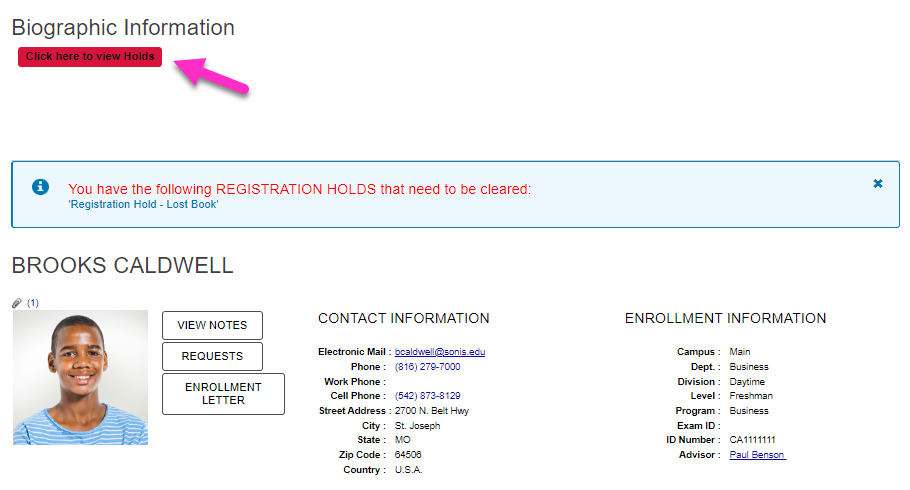
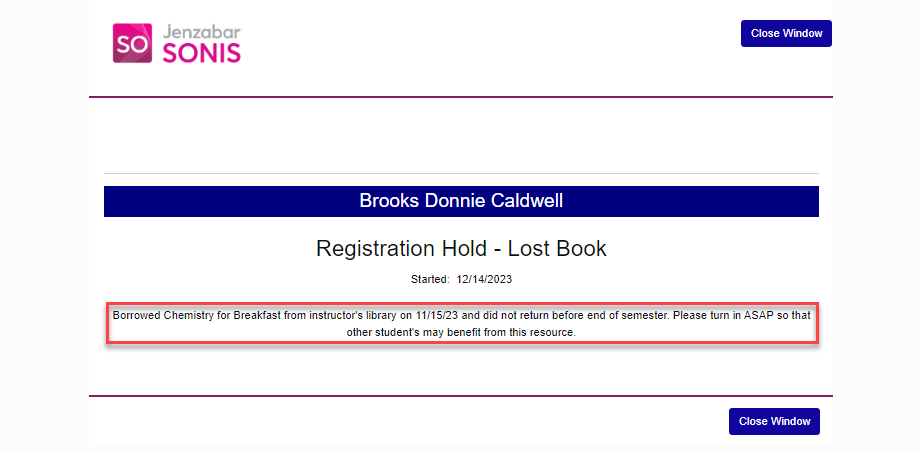
When the student clicks the banner, the Courses menu Holds page opens. Clicking the title in the Issue column displays more information about the hold and how to resolve it.