Development Pledge Activities
Overview
Pledge activities are standard Activities that are triggered when a development activity such as a pledge, payment, or volunteer activity occurs. For example, the Jenzabar SONIS member institution may want a "Thank You" email to send automatically when a pledge payment is received. The activities are set up in Table Maintenance, Activity Type, and associated on the Systems hub page, DE Pledge Activities. For more information on fundraising functions and processes, visit the Development Overview page.
Adding Pledge Specific Activities
To add an activity that should occur when a development activity is recorded in SONIS, enter the DE Pledge Activities page from the Systems hub, and click Add Pledge Specific Activities.

Select the appropriate Fund Raising Code from the menu. If the desired code is not available, it must be created by an administrator on the Fund Raiser Codes table.
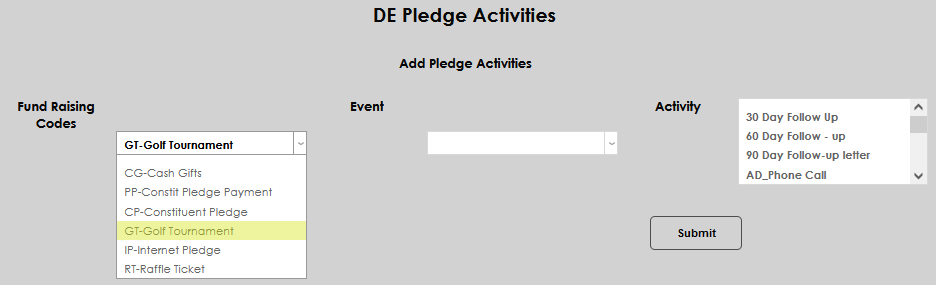
Select the appropriate Event from the menu. If the desired event is not available, it must be created by an administrator on the Events table.
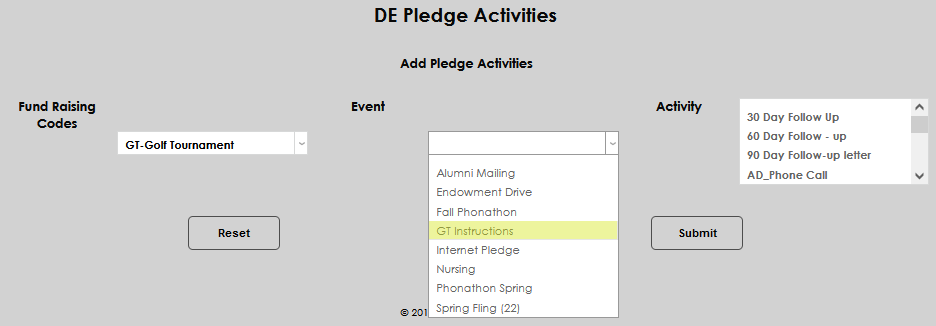
Select the appropriate Activity from the menu. If the desired activity is not available, it must be created by an administrator on the Activities table.
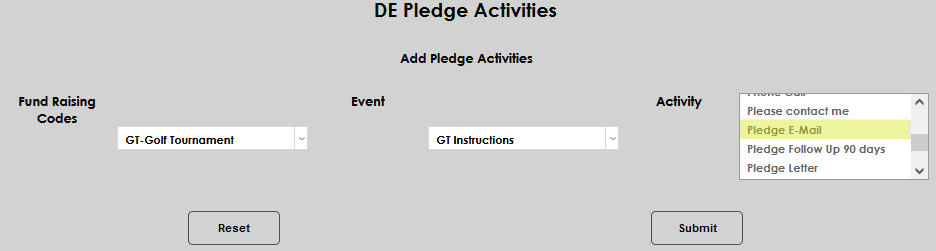
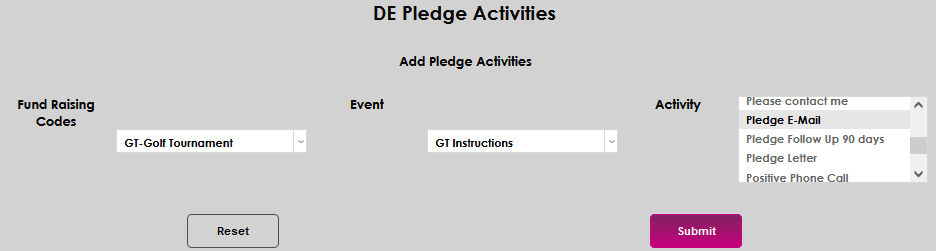
Click Submit to save the pledge activity.
Editing Existing Activities
To edit an existing pledge activity, simply click the Delete located next to the activity to be removed.
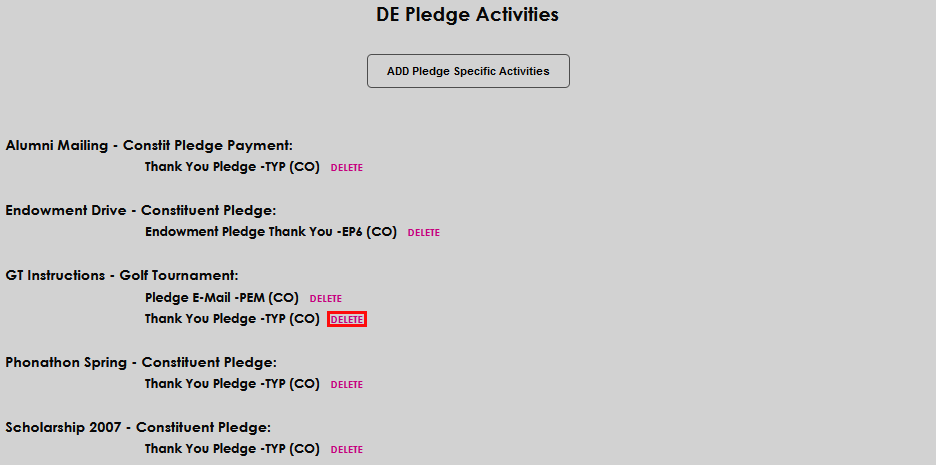
Confirm the removal by clicking Confirm Delete.

If the activity was the only one associated with the pledge action, the pledge activity will now be deleted, as well. The user can proceed with creating a new pledge specific activity.