Emails & Mailings
Overview
The Emails/Mailings/Subscriptions function allows Faculty/Advising portal users to subscribe and/or unsubscribe to an assortment of school-related publications delivered by email and mail. This allows users to decide which publications they wish to receive, if any, rather than continuing to receive what they consider to be junk mail or spam.
Enter Publications Using Table Maintenance - Lists
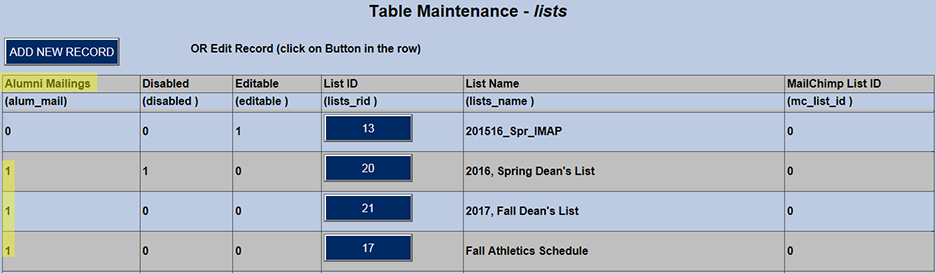
First, the titles of the school's publications must be entered in SONIS in the Systems hub Table Maintenance - Lists utility. Publications are either emailed using the institution's email processor or mailed via postal service. The first column indicates which type of delivery is associated with each publication.
Activate Using the Portal Menu Utility
Next, an administrative user must use Portal Menu Utility to add Subscriptions to the Faculty/Advising portal menu.
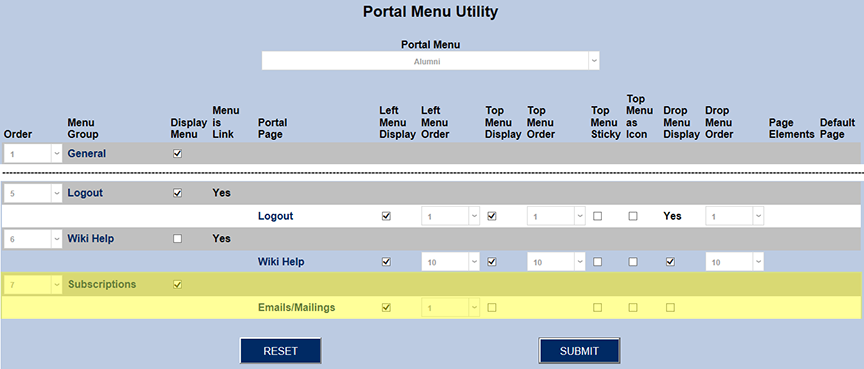
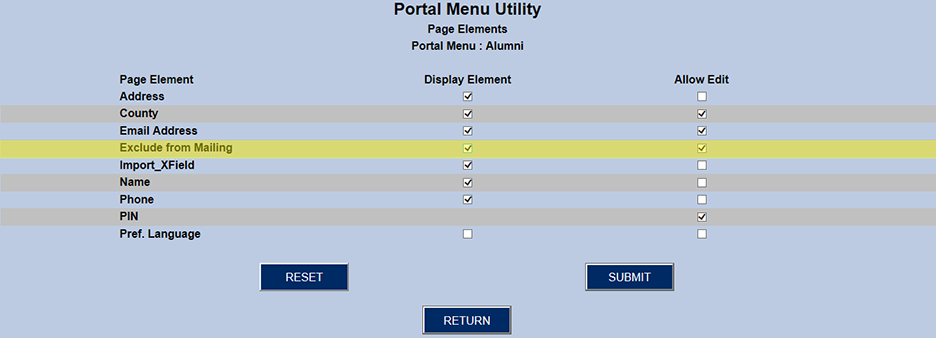
The next step is to scroll up near the top of Portal Menu Utility and locate the Menu Group General, and then Portal Page Update Bio. At the end of the row, locate the Edit button and click it.
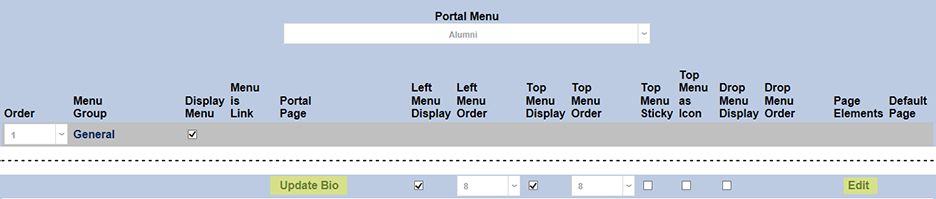
This list of elements on the Faculty/Advising General/Update Bio page includes the element Exclude from Mailing. Check the Display Element checkbox. This setting displays the Exclude from Mailing checkbox on the Update Bio page. Then check the Allow Edit checkbox. This setting allows the display of the check and uncheck boxes for the Exclude from Mailing option.
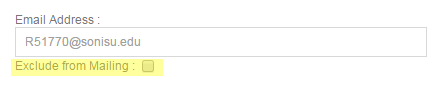
Below is how Exclude from Mailing will display on the Faculty/Advising Update Bio tab when both of the checkboxes are selected.
Managing Subscriptions
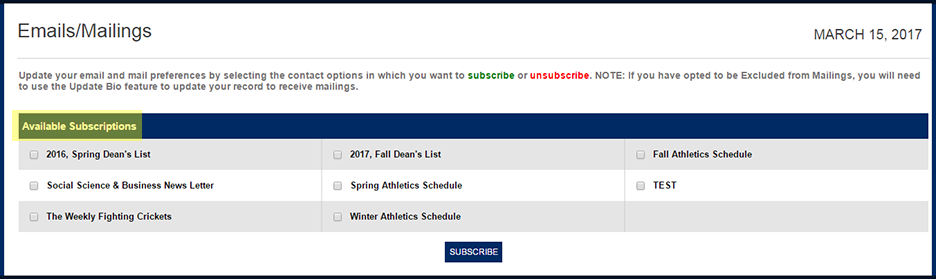
The image below shows Subscriptions from the user's perspective the first time they go to the function. Subscriptions and Emails/Mailings have been set up on the LEFT menu, and all of the Emails/Mailings available for subscriptions are listed. Simply check the desired publications and click Subscribe.
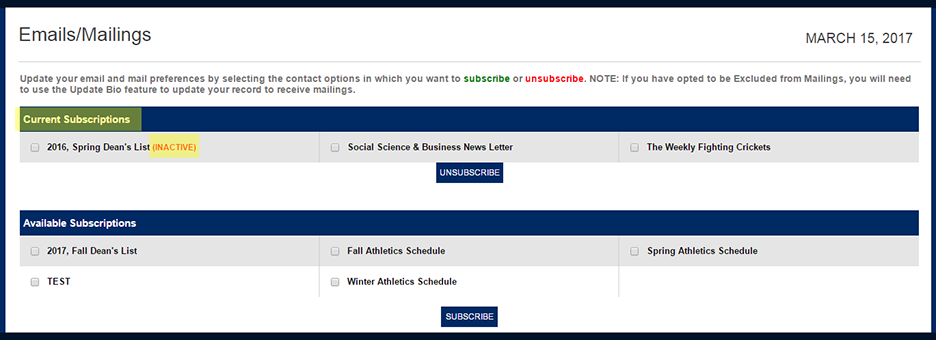
The next time the user enters the tab, their subscribed publications are listed at the top, and the unsubscribed publications are listed at the bottom.
After the 2016 Spring Dean's List, INACTIVE indicates that this publication was disabled after the user subscribed to it. For example, once the 2017 Fall Dean's List is published, a school may decide that users will no longer need to receive the previous list.
In the the Users hub, Lists will display any subscriptions the user has active. From this page, an administrator can click on the List Name and edit the item or click on the ADD button and assign the selected individual additional lists from a dropdown menu.
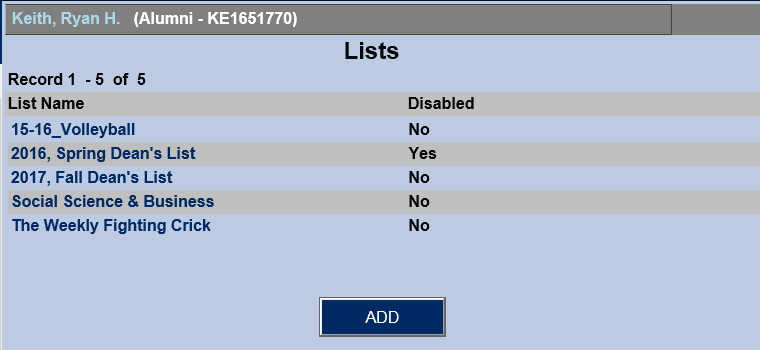
If an attempt is made to add a list item that already exists (i.e., one with the exact name), that addition will be prevented with an alert.