Bulk Transaction Codes
Overview
To assist with efficiency in setting up and maintaining t-codes that will used in Gainful Employment reporting calculations, the Bulk: Transaction Codes utility, in the Systems hub, has been provided. Values defined for t-codes can be quickly viewed and set, in bulk. Whether values are defined on this page or at the individual transaction code level, the settings will be considered when the Gainful Employment processes are run.
Using the Utility
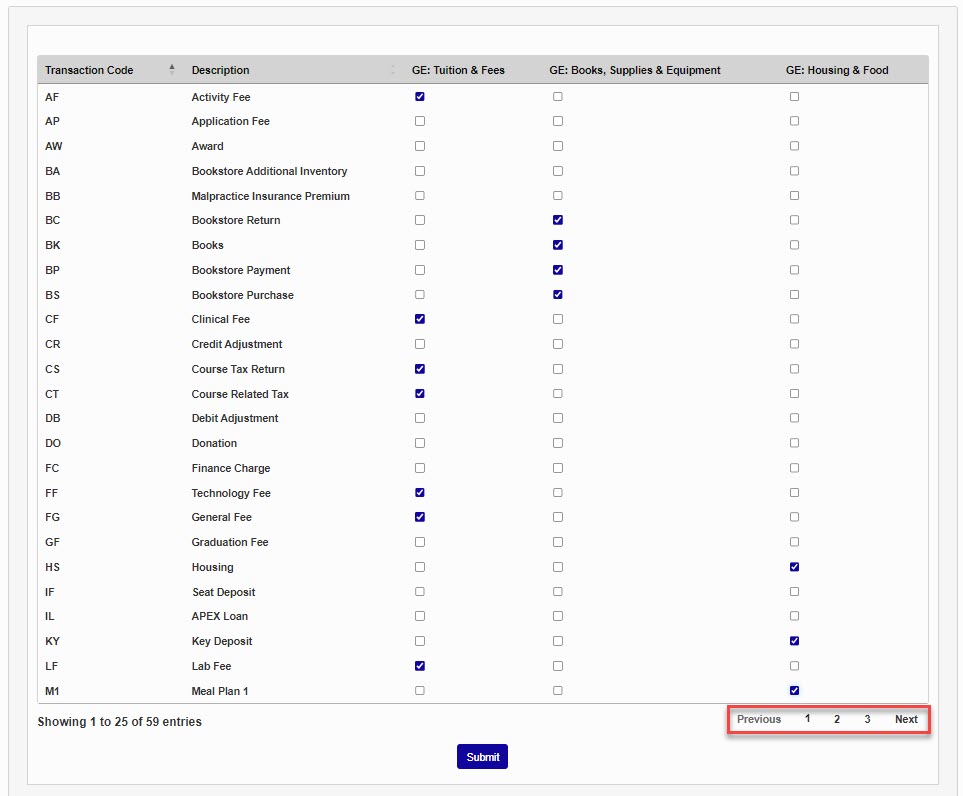
When the user enters the Bulk: Transaction Codes page, it will be populated with all existing, active, t-codes and will display a check in any box already associated with a GE field for the t-code. An explanation of the three Gainful Employment cost categories can be found in Federal Student Aid regulations.
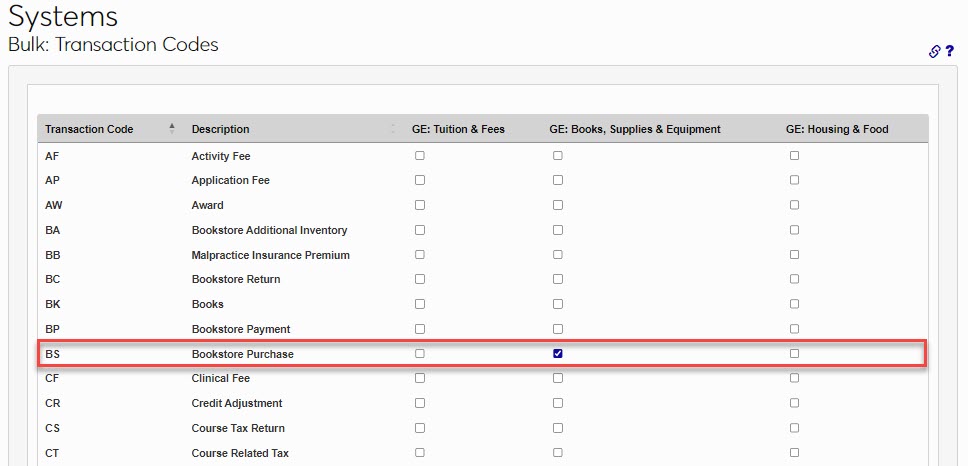
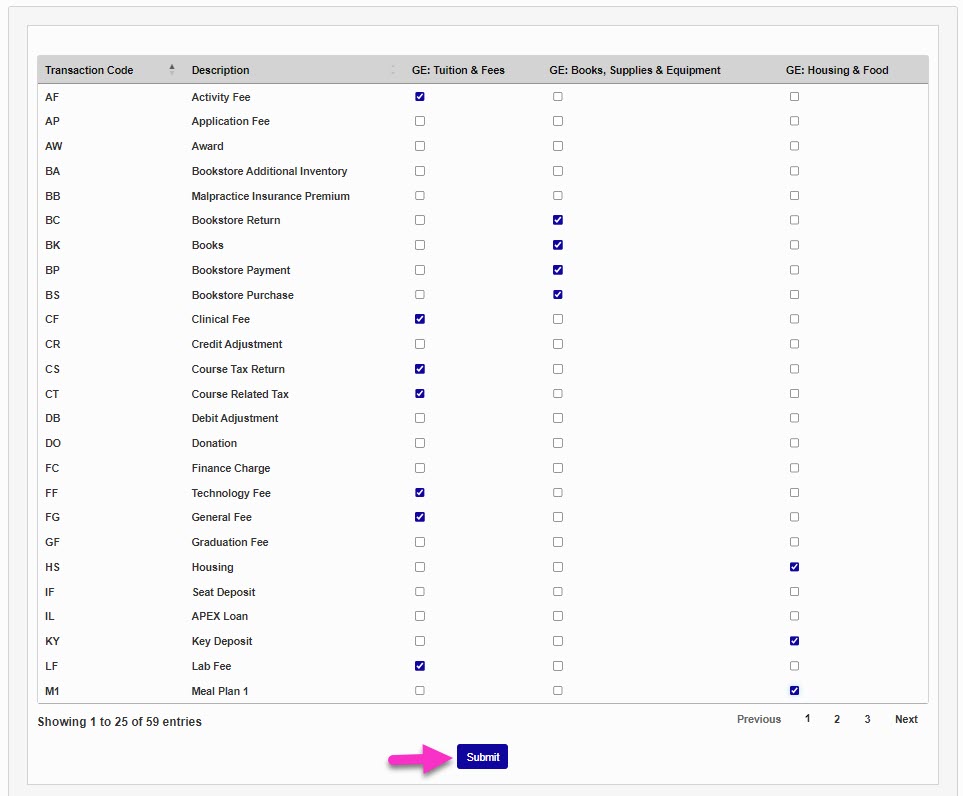
In this example, the Bookstore Purchase t-code has a check in the box for GE: Books, Supplies & Equipment. Both removals of checks and additions can be accomplished with this utility. To add or remove associations for t-codes, check the appropriate boxes and click Submit.
Note
Each page of t-code updates must be saved before moving to additional pages.