Report: Payables
Overview
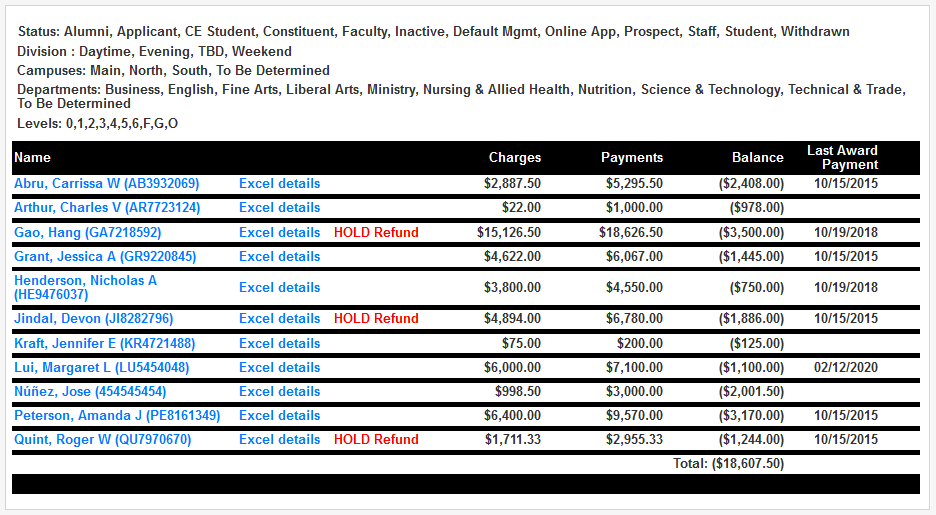
SONIS administrators can use the Financials menu item Report: Payables to produce a list or an Excel export of payables. Filters include First and Last Names, ID, Record Status, Division, Campus, Department, Level, School Year, Semester, and As of Date. An option to exclude previous semesters is provided. The created list includes Name, Charges, Payments, Balance, and Last Award Payment, with a direct link to each record and Excel details. More information on financial processes and functions can be found on the Financial Search and Financials pages.
Hold Refund Request
If the option has been activated, students can request that their financial aid refund money held by the school and applied to future transactions rather than being returned to them. If a student has a hold refund request on file, this information will appear on the Payables report.
See Hold Refund Request for more information on this process.