Parking
Overview
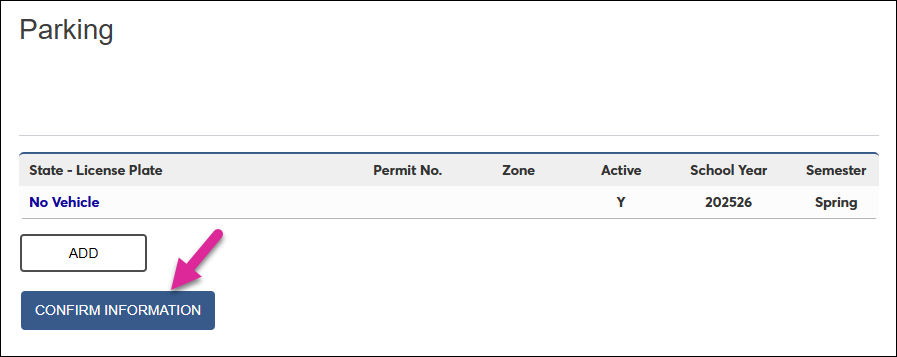
The Parking page in the Jenzabar SONIS Student portal allows students to enter vehicle information that can be accessed by parking staff. Once parking staff has this information, they can create a parking pass number that will be viewable on this page as well.
Note
The Student portal Parking page can be turned on through the Portal Menu Utility. Parking data is stored on the Parking Users page in the SONIS Admin system.
Adding Vehicle Information
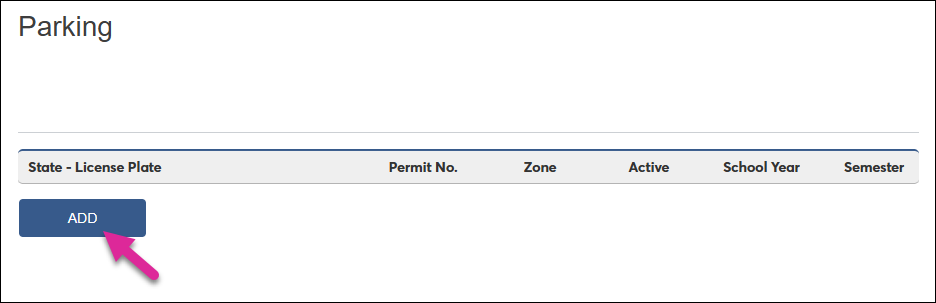
To enter your vehicle information, begin by clicking the Add button.
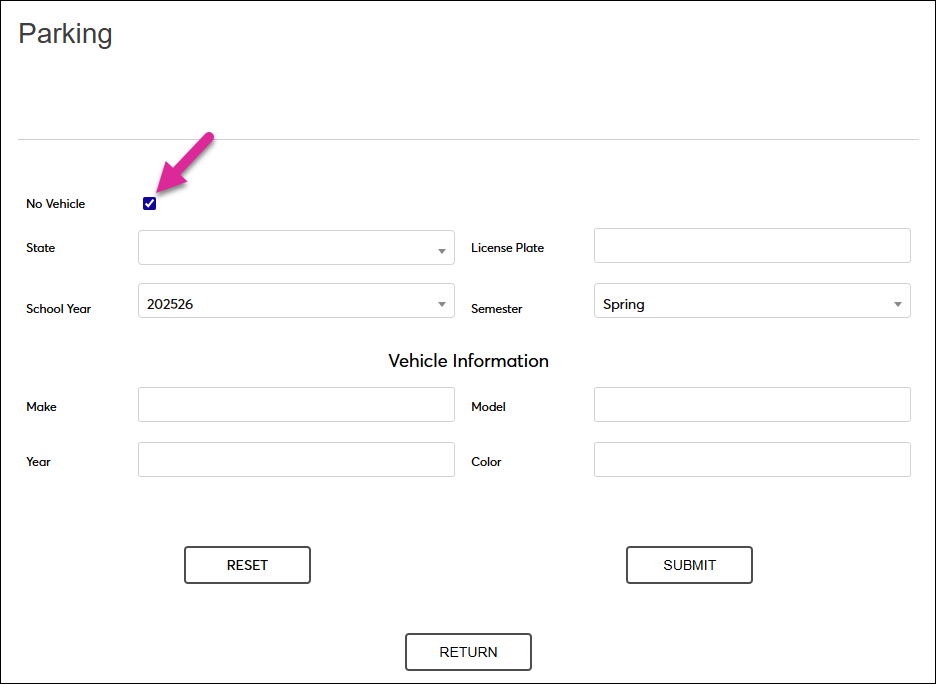
If you do not have a vehicle at all or will not be parking your vehicle on campus and your school requires this information, chcek the No Vehicle box.
Note
If you check this box, you do not need to enter additional information since it does not apply to you. If you have data in the other fields when you check this box, it will be automatically removed.
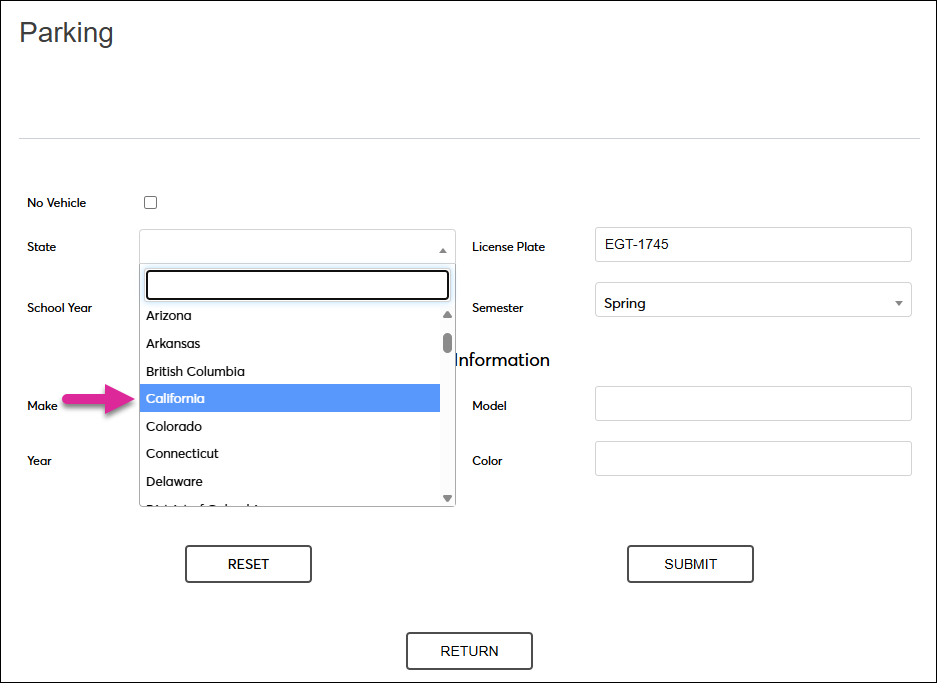
If you have a vehicle that you will be parking on campus, enter the Lisence Plate number and select the State where your vehicle is registered.
Note
If the state or province where your vehicle is registered is not listed, contact your school's parking administration to have it added.
Select the term when you will be parking using the School Year and Semester drop-down menus.
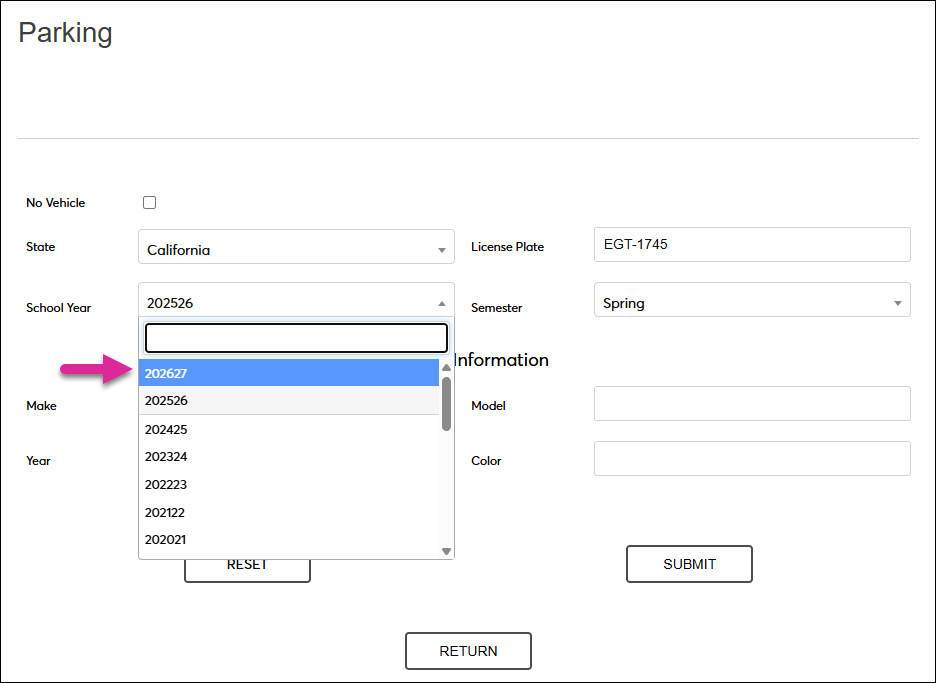
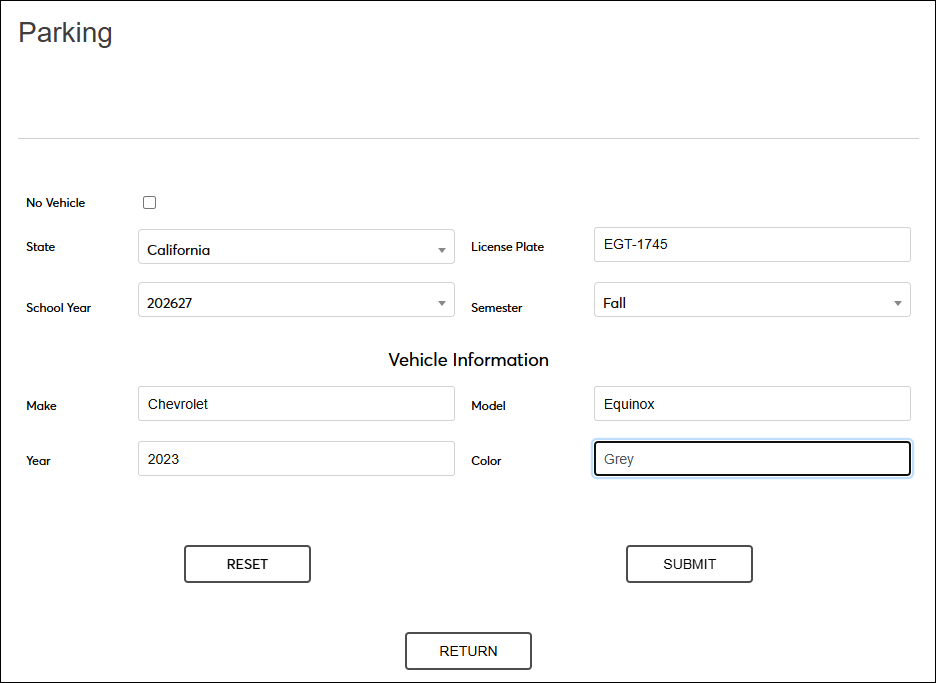
Under the Vehicle Information section, enter the Make, Model, Year, and Color of your vehicle.
Note
The Make is the manufacturer of the car, e.g. Toyota, Ford, Honda, etc. The Model is the specific product name, e.g. Corolla, F-150, CR-V, etc. The Year is the year of manufacture.
Click Submit to send your vehicle data to your school's parking administration team.
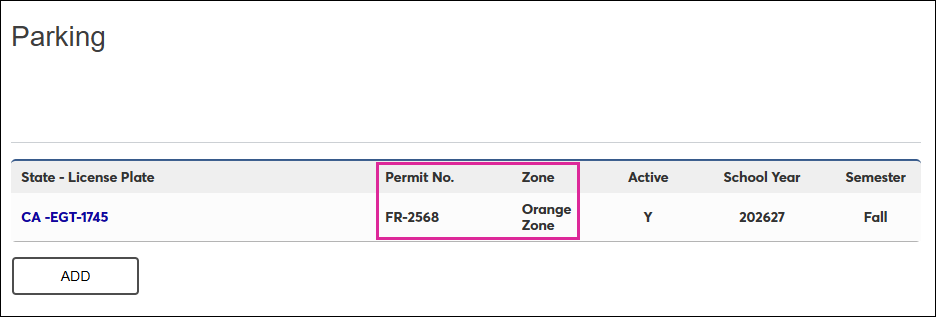
Once you have been assigned a parking permit, the Permit No. and Zone will be listed on this page. You can edit your vehicle information if you change vehicles, but only school staff can edit these fields.
Note
You may need to notify school parking staff directly if you change vehicles since updating this page does not automatically trigger a notification.
Holds
Your school may institute a parking hold that prevents you from accessing registration. To remove the hold, enter your vehicle information as detailed above if you haven't already and click Submit. Then return to the Parking landing page and click Confirm Information.