Registration
Overview
Sponsors are users connected to, but not employed by, the school. They advise and support the educational endeavors of students who are affiliated with their organization. The students may be connected to an organization because it's paying all or a portion of the student's tuition (such as an employer, a church, or a civic group). Some institutions may wish to allow these users to register their students for classes. This feature is simple to activate and once activated, behaves identically to the registration process for faculty advisors.
Setup
Portal Menu Utility
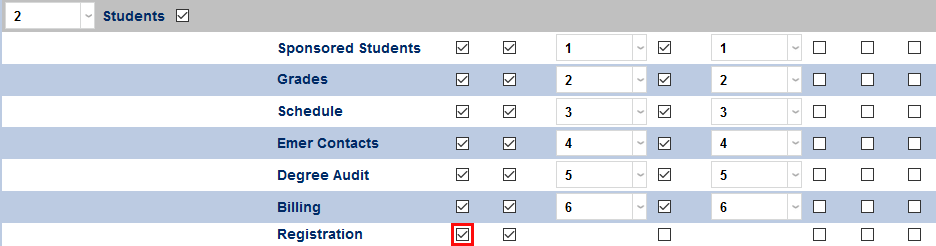
To make registration an option in the sponsor portal, navigate to the Portal Menu Utility in the Systems hub and select Sponsor from the dropdown menu.

Once the sponsor portal has been selected, check the Registration box under the Left Menu Display column. Click Submit to save the change.
Records Page
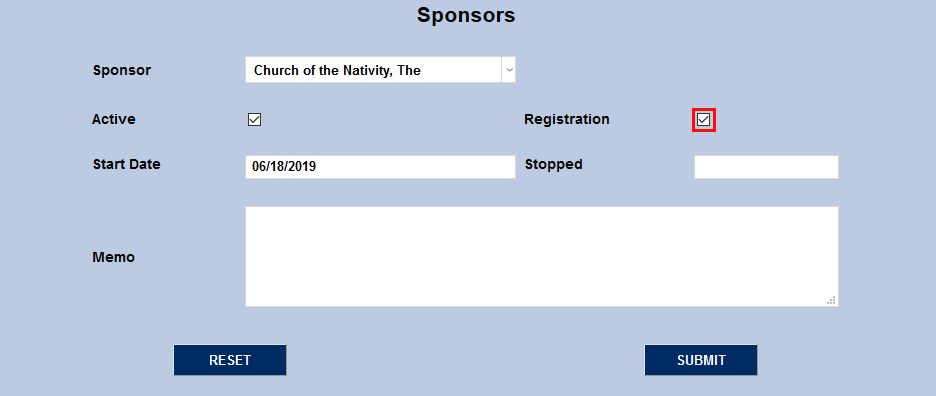
Permission to register a student for classes is given to sponsors on a student by student basis. To allow a sponsor to register a specific student, navigate to that student's Sponsors page and either add the sponsor or edit their existing relationship with the student. Check the Registration box and click the Submit button to save the change.
Registering Students
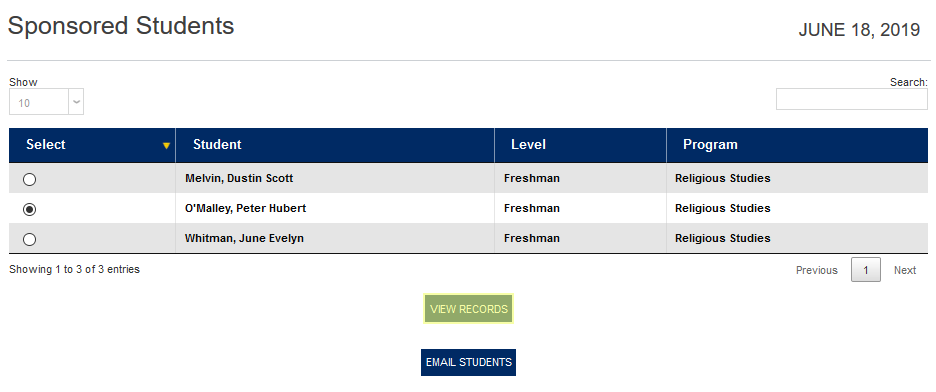
To register a student through the sponsor portal, select a student either by expanding the Students menu and either selecting the Sponsored Students list or by navigating to the Registration page and searching for the student to be registered. Click on the radio button in the Select column and click View Records.
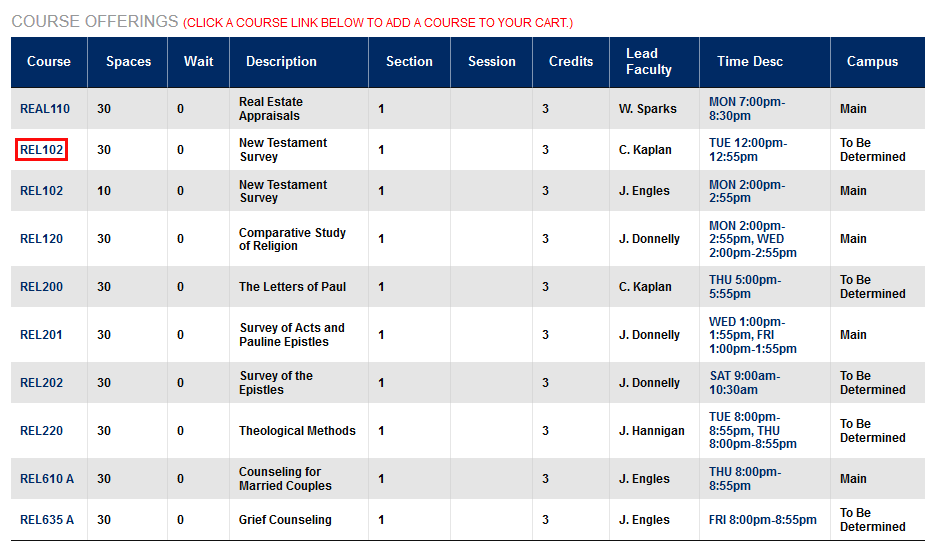
Once a student has been selected, navigate to the Registration page and proceed with the registration process. Search for courses using the search box or the course letters and click on the course number to register for it.