Billing
Overview
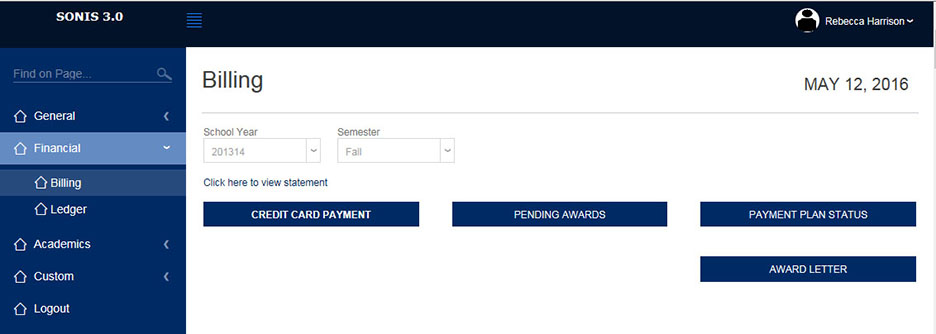
This billing page allows a student, alumnus, or applicant access to various financial functions. They first must select the school year and semester about which they wish to see information. Next, they must click the appropriate button.
The following documentation covers all of the possible buttons an individual will see. However, each button appears only if there is data of that type. For example, only those students who have awards will see the Awards button. The status of the individual also determines the likeliness of a button appearing. For example, a student is far more likely to have a payment plan than is an applicant.
Credit Card Payments
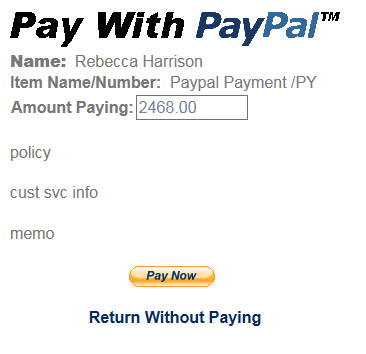
This button takes the individual to the online payment source contracted by the school. In the example below, the school uses PayPal for making payments. Naturally, the individual would have to have a PayPal account to use their service. The amount defaults to the total charges of the individual. The amount of the payment can be changed to accommodate partial payments. If for some reason the payment is not successful, the individual should first check to make sure their PayPal account is active.
Pending Awards
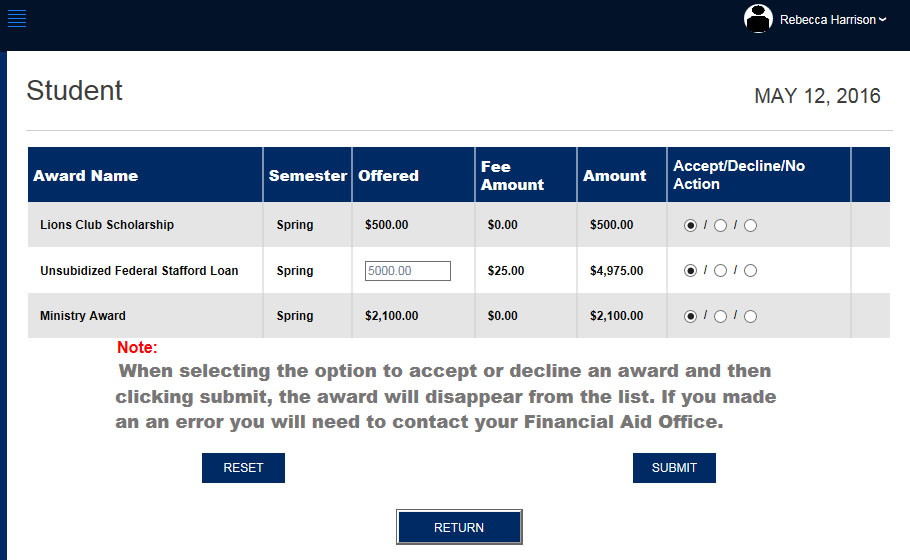
This button takes you to a page that lists the awards the individual has been offered. It is here where an individual accepts each award (or not) as desired. The first time an individual sees this page, No Action is selected. As stated on the page, if an individual selects the wrong action, they can only undo it by contacting their Financial Aid office.
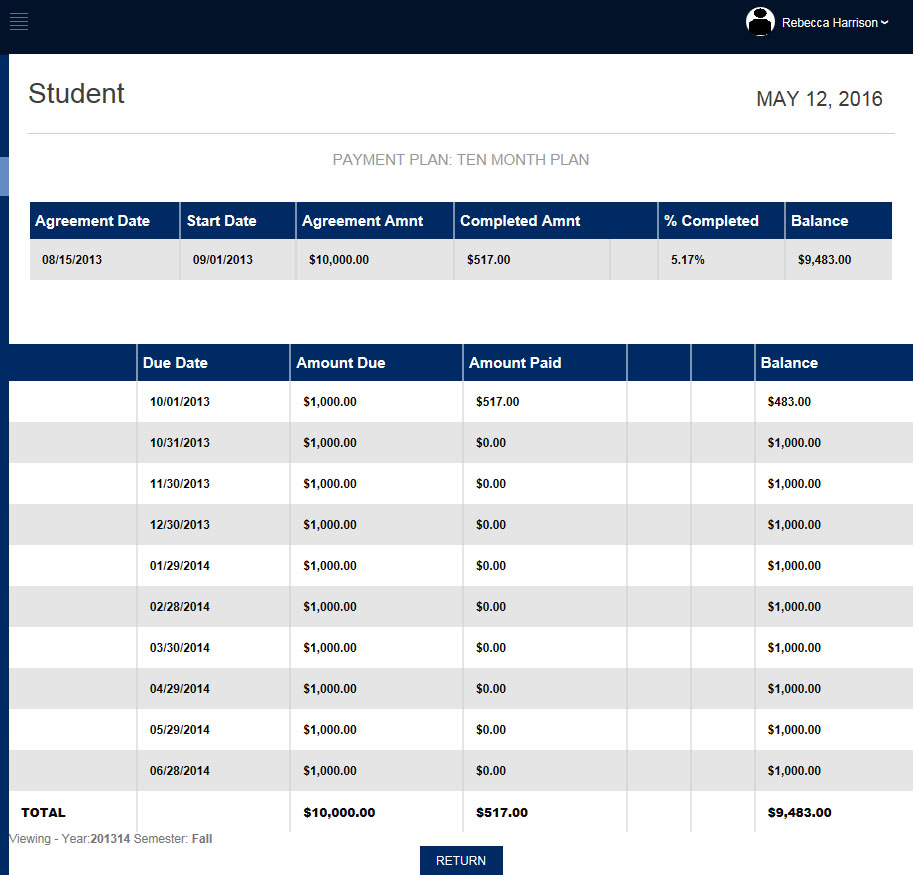
Payment Plan Status
If a payment plan has been setup for the individual, the details of that payment plan will display.
Award Letter
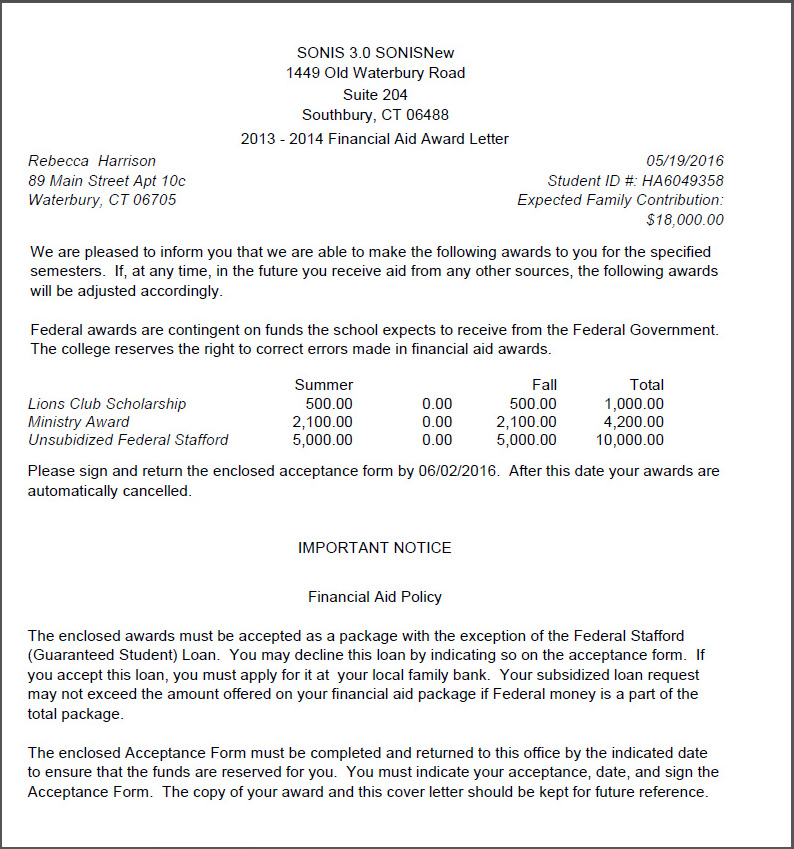
If an individual has received awards for the chosen school year/semester, they will be able to see them itemized in the "Award Letter" accessible from the appropriate button.