Alternative Name Search Table
Overview
The Jenzabar SONIS Name Search allows administrators to locate a SONIS user by searching for their SONIS ID, Last Name, First Name, and/or Middle Initial as well as their Module Status, Division, Campus, Department, and/or Level. If none of these methods of narrowing down the are viable for whatever reason, administrators can use the Name Search feature, which provides additional search options. Some schools make use of some features in the Alternative Search but have no need for others. For example, a school that's not in the US would likely not need the Social Security Number search. The Alternative Name Search Table allows system admins to turn off parts of the Alternative Search function that are not needed for their institution.
Editing Search
By default the Alternative Name Search feature includes the following searches: Birthdate, Disposition, Email Address, Exam ID, Home/Work/Cell Phone Numbers, Last/Maiden/Other/Preferred - First Name, Maiden Name OR Other Name OR Last Name, Social Security Number.

To exclude a type of search from the standard Alternative Name Search options, navigate to Alternative Name Search Table under the Systems menu. The available search options are listed on the page. All options are turned on by default. To exclude an option, check the Exclude From List box and click Update.
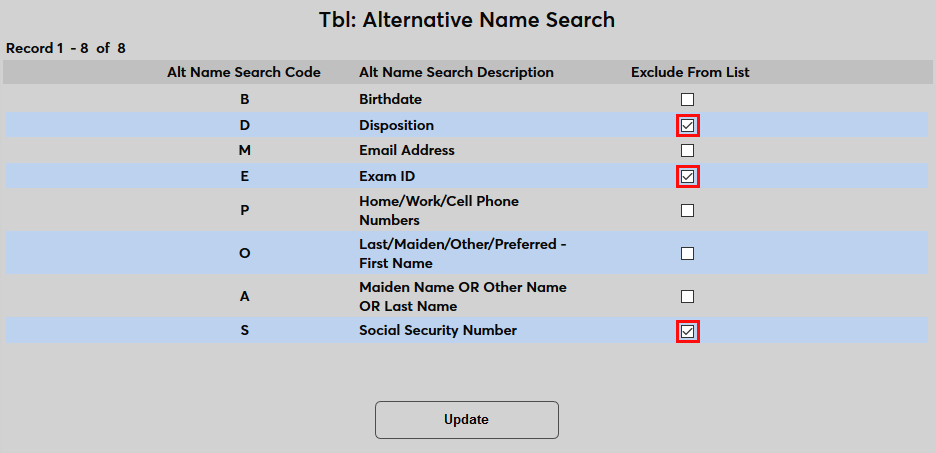
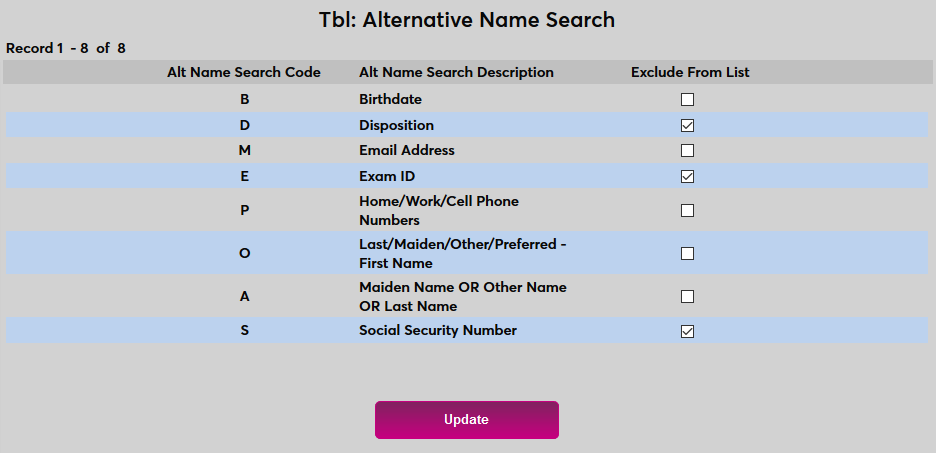
Once the list has been updated, the Alternative Search dropdown menu will no longer contain the excluded options.

Uncheck the Exclude From List boxes and click Update again to reactivate search options if preferences change.