Graduated Student Archiving
Overview
Once students have been marked as graduated, either individually or in bulk using the Graduation Processing utility, they can have their module status changed in bulk using the Reg: Graduated Student Archiving utility in the Systems hub. This process of changing the Users from a Student to an Alumni and/or Constituent status is called archiving.
Using the Archive Utility
Users with an Alumni status will be given access to the Alumni portal. Users with a Constituent status will have access to the Sponsor portal. Users with both will have access to both portals. Users with an Alumni, Constituent, and Student status will have access to all three portals. The pages that display within these portals can be altered using the Portal Menu Utility.
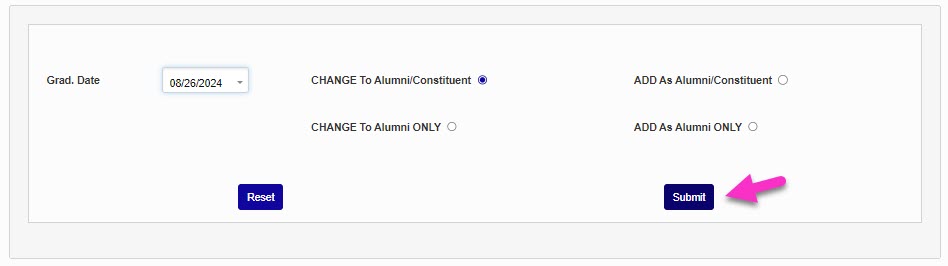
To run the utility, select a Graduation Date and one of the four options:
Change to Alumni/Constituent - Removes the users' Student module status and gives them both Alumni and Constituent module statuses.
Change to Alumni Only - Removes the users' Student module status and gives them an Alumni status.
Add as Alumni/Constituent - Adds both Alumni and Constituent module statuses in addition to the current Student status.
Add as Alumni Only - Adds an Alumni module status in addition to the current student status.
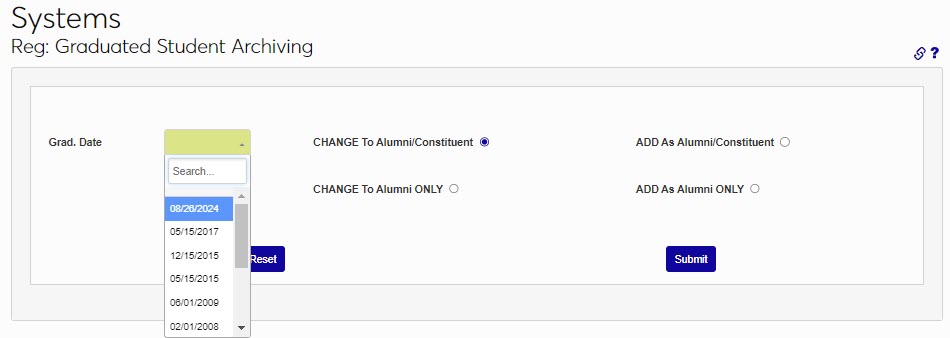
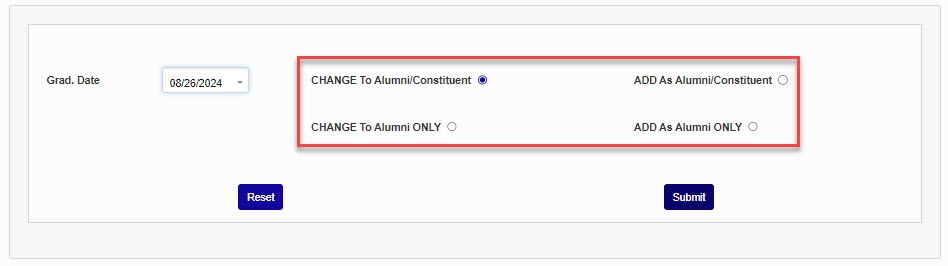
Click Submit to make the selected update to the identified records.
Note
Some institutions add a Constituent status to all Alumni to open up additional Development pages within the Users hub menu for these Alumni. For schools who do not wish to add a Constituent status for Alumni, these pages can be added to the Alumni Users hub using the Page Add/Edit utility.
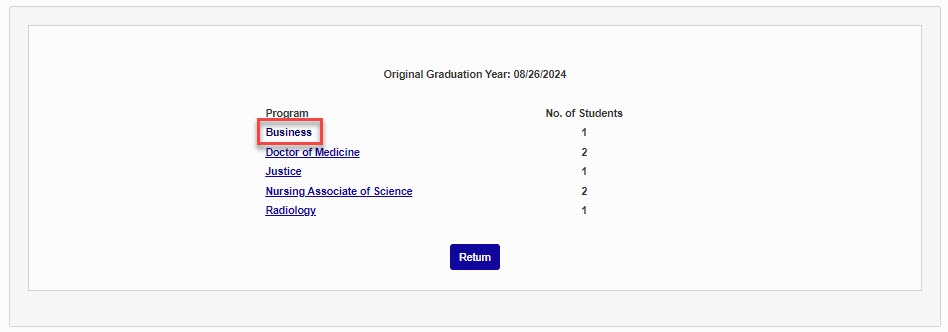
The next page displays the students who had their status updated, broken down by program. Click the name of the program to view the statuses that are now associated with the user.
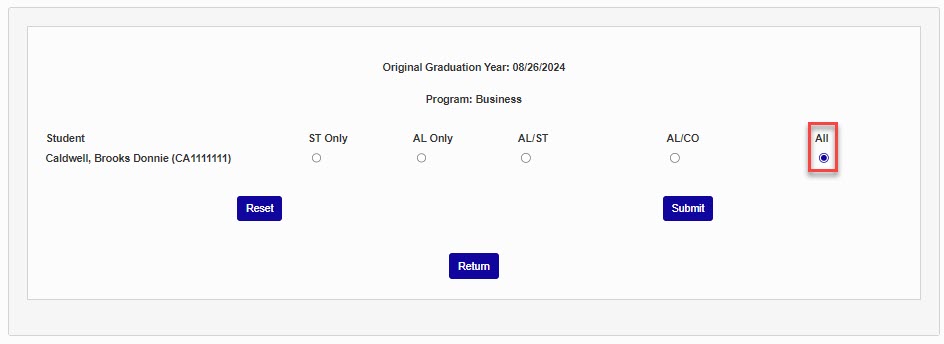
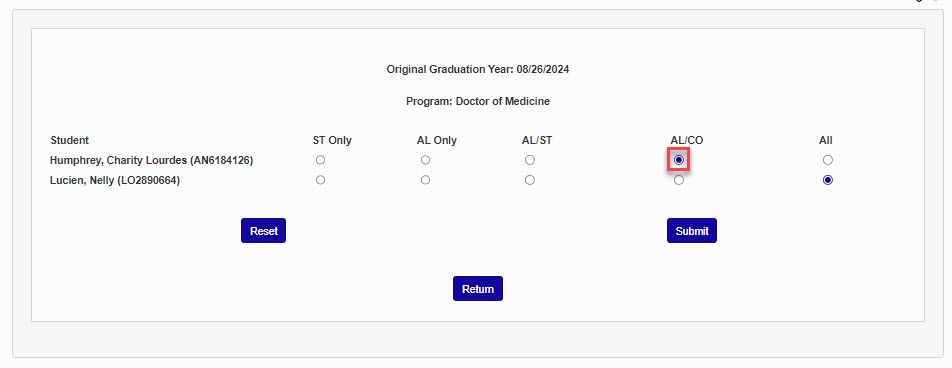
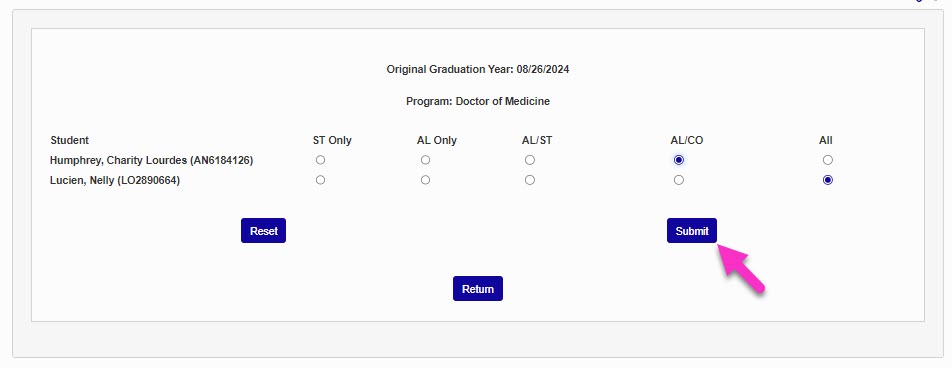
If users within a specific program, or specific users within a program, should not have the previously selected change applied to them, click on the program name, then update the users to the desired module status by selecting the radio button associated with the desired status and clicking Submit.