Timed Task Scheduler
Overview
The Jenzabar SONIS Timed Task Scheduler allows administrators to set-up specific manually-run functions to run automatically on specified dates, times, and frequencies. Timed tasks are integrated with numerous system functions to complete important processes with little or no oversight needed. Many of the tasks are designed to run Notification Assignments and setup must be performed in both locations in order for the tasks to serve their function.
Note
Timed Task for automated reports will appear as options to schedule when these notifications are created. See the Report Automation section on the Notification Assignments Help Hub page for more information on this process.
Scheduling Tasks
To schedule a new task, navigate to the Timed Task Scheduler in the Systems hub and click Add to begin.
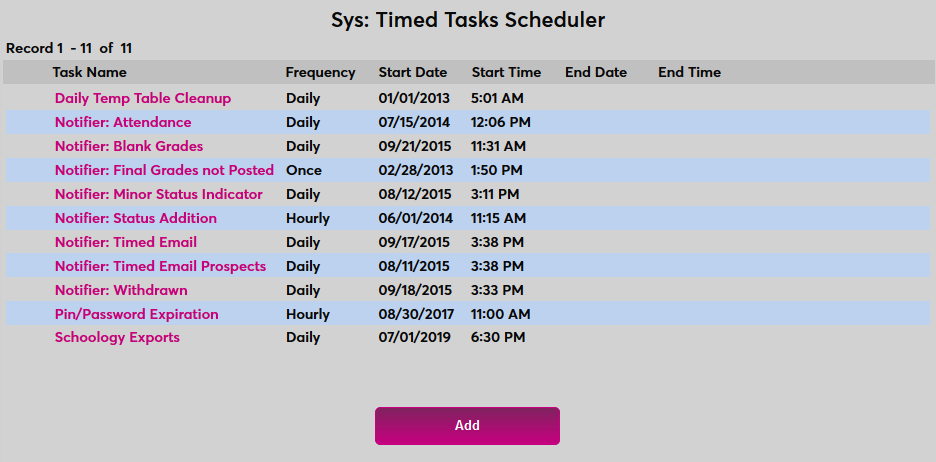
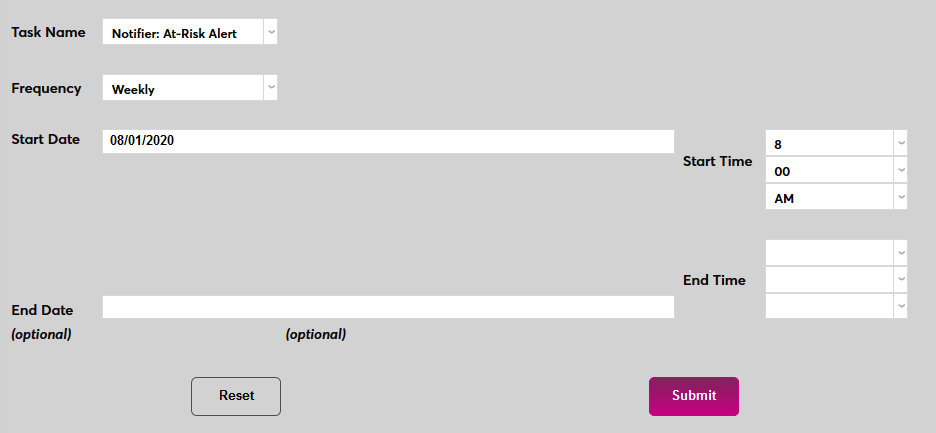
Select a notifier from the Task Name dropdown menu.
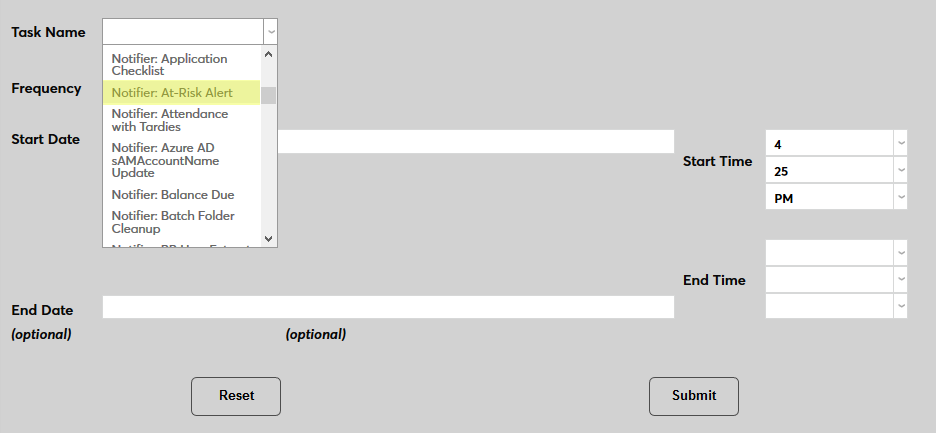
Set how often the task should occur with the Frequency dropdown. The frequency should be carefully considered based on the task being chosen.
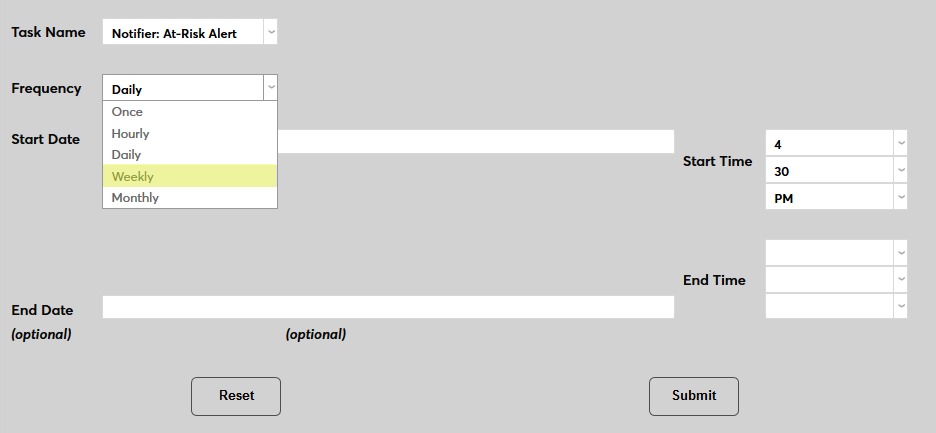
The Start Date and Start Time will automatically be set to the current date and time but can be changed to suit individual preferences and in some cases, they should be set to off hours to avoid overloading the server. The End Date and End Time are optional.
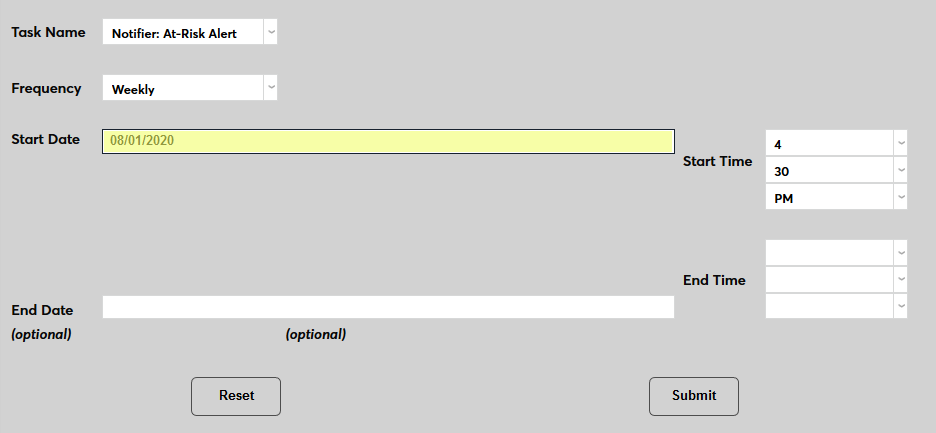
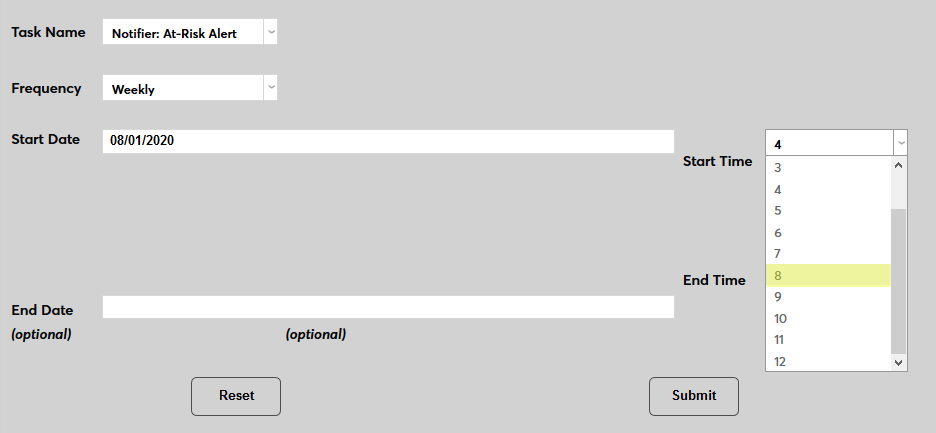
Click Submit to save the changes and activate the timed task.
Individual Timed Tasks
Individual timed tasks are available for the following functions:
Billing Summary
The Billing Summary Timed Task is designed to allow SONIS administrators to automatically create and export a custom version of their Billing Summary Report at regular intervals. The primary purpose for the task is to aid in paperless billing, but it can be useful for numerous other reasons.
Conclusive Export
Advisor by Conclusive Goals is a degree audit program. This task will send an export file to Conclusive on a regular basis so Advisor degree audits stay updated. Visit the Conclusive Goals integration page for more details.
Daily Temp Table Cleanup
When running certain processes, the SONIS system creates temporary tables that are deleted as the process completes. A table exists in each database that tracks these temporary table changes as an error-checking tool. Over time, this table can become very large and take up too much memory. The Daily Temp Table Cleanup task deletes the data from this table to keep this from happening. As the name suggests, this task should be run daily.
Nelnet Batch Downloader
The Nelnet Batch Downloader timed task contacts Nelnet to download the End of Day files for all transactions and agreement (payment plan) additions/edits for the purpose of reconciliation before the next day. Sometimes updates aren’t captured by the real-time connection with the API due to network disruption, so having this redundant catch-all helps keep the two systems in sync. ACH payments also don’t come through the real-time process and therefore need to be captured in batch file format since they normally post several days after initiation. Visit the Nelnet Enterprise Integration page for more details.
Nelnet Batch File Import
The Nelnet Batch File Import timed task imports any files that were brought in by the Nelnet batch file download process. Typically, the task is set to run in 10 minute intervals to ensure enough time has elapsed between grabbing the files from Nelnet and importing them into the SONIS system. Visit the Nelnet Enterprise Integration page for more details.
Nelnet Current Balance Export
The Nelnet Current Balance Export process is another redundant process for reconciliation that attempts to ensure that every Nelnet user's balances are in sync between the two systems. Balances are pulled through the API every time a student logs into Nelnet via SONIS, but connection issues can always occur, so this helps safeguard against errors. Visit the Nelnet Enterprise Integration page for more details.
Nelnet eBill File Export
For clients utilizing the eBill module of Nelnet, the Nelnet Ebill File Export creates an export file that updates the eBill module with all of the individual transactions that the student has made in SONIS so that bills can be produced on the Nelnet side. Visit the Nelnet Enterprise Integration page for more details.
Nelnet Refund Response File Import
The Nelnet Refund Response File Import timed task is only needed by clients utilizing the refund module of Nelnet and have chosen to export refunds out of SONIS and into Nelnet using the Systems utility. This process bundles all of the response files that are generated on Nelnet's side as a result of importing a SONIS refund export file. These responses will indicate if a refund was unable to be sent from Nelnet to the student or parent, possibly due to Nelnet having incorrect bank account or credit card information on file. If a refund payment fails, the refund can be charged back to the student's account in SONIS to keep the two systems in sync and continue to indicate the institution owes the student money. Visit the Nelnet Enterprise Integration page for more details.
Nelnet Refund Response Process Files
The Nelnet Refund Response Profess Files timed task imports the response files that were obtained from the Nelnet refund response file import when running the Nelnet Refund Response File Import timed task. These two tasks should be set to run about 10 minutes apart. Visit the Nelnet Enterprise Integration page for more details.
Notifier: Activities
The activities notifier allows administrators to set up an alert that will trigger whenever a specific activity has taken place. Notifications can be created for a single activity or for multiple activities if the notifications will go to the same group. Click here for more details.
Notifier: Address Check
The Address Check Notifier verifies that every SONIS user that has a street address defined in their preferred address record also has an address type of the value selected. The persons being looked at can be limited by their status, if desired. For anyone who does not have the selected address defined, their preferred address record will be copied to the selected address type with the preferred address record left as the preferred address.
Notifier: Alumni Employment
The Alumni Employment notifier sends an alert when employment records have been added by alumni and have not yet been confirmed by an administrator.
Notifier: Application Checklist
The Application Checklist notification alerts the members of the selected group when new application checklist items have been received. It will create a notification for any application checklist items received since the last time the instance was run. Visit the Application Checklist page for more details.
Notifier: At-Risk Alert
The Jenzabar SONIS At-Risk Alert system is a retention and prospect ranking tool. When set up and activated, SONIS users each are given a score based on their grades and attendance as well as adjusting activities and notes that are added to their account. The notification assignment alerts administrators when a user drops below a certain threshold. Visit the At-Risk Alerts page for more details.
Notifier: Attendance
The Attendance notifier alerts a group of administrators when any students have class absences greater than or equal to a selected threshold. The notification can be limited to a chosen start date as well as by Division, Campus, Department, and/or Level.
Notifier: Attendance with Tardies
The Attendance with Tardies notifier alerts a group of administrators when any students have class absences or tardies greater than or equal to a selected threshold. The notification can be limited to a chosen start date as well as by Division, Campus, Department, and/or Level.
Notifier: Auto Jotform Import
This timed task allows users to schedule automatic data imports from Jotform. Click here for more information.
Notifier: Auto Waitlist Enroll
When a course has no available seats, a student can be added to Wait List, either by an administrator or from Student or Faculty Advisor registration. The Auto Waitlist Enroll notification assignment checks the waitlist for all courses and automatically enrolls any students on those waitlists when there is space available.
Students are added to courses based on the order they were added to the waitlist. The only exception is students who have registration holds. These students are skipped, with the next person on the list who does not have an active registration hold taking their spot.
The Auto Waitlist Enroll notifier should be run frequently during the registration and add/drop periods and should be set to end on the last day of add/drop.
Notifier: Azure AD SAMAccountName Update
The SAMAccountName attribute is a value used in the Azure Active Directory sync process. This notifier sends an alert to the members of the notification group showing the results of the SAMAccountName update with Azure AD.
Notifier: Balance Due
The Balance Due notifier is designed to inform staff members that a student has an outstanding balance that needs to be paid. Click here for more details.
Notifier: Batch Folder Cleanup
The Batch Folder Cleanup notifier sends an alert to the members of the notification group informing them that old files have been deleted from the Batch Folder. Files older than the Number of Days Threshold are deleted when the associated Timed Task is run.
Notifier: Below Full-Time Status
The Below Full-Time Status notifier alerts staff members when a students who was previously above the full-time threshold drops below it. Click here for more information.
Notifier: Birthday
The Birthday notifier sends an alert to the members of the notification group showing the individuals that have birthdays for the day it is run. Optionally, it can be set to send out a birthday greeting to the individual having the birthday. The notifier can be limited by Module Status, Division, Campus, Department, and/or Level. The notifier can also be configured to only send a notification about, or a greeting to, users turning a specific age.
Notifier: Blackboard LMS Export
The Blackboard LMS Export notifier is used to send student and course data to the Blackboard learning management system on a regular interval. Visit the Blackboard Integration page for more details.
Notifier: Blackboard User Extract
The Blackboard User Extract, also known as the Student/Teacher Extract, is used to periodically send student and instructor data to Blackboard Student Services. Visit the Blackboard Integration page for more details.
Notifier: Blank Grades
The Blank Grades notifier alerts the notification group that there are blank grades when a user-defined number of days after the end of a course have passed. It also, optionally, notifies the faculty member who was listed as the lead instructor on the course via email or a reminder. The notifier can be limited by Division, Campus., Department, and/or Level as well as by the start date of the course section.
Notifier: Canvas LMS Export
The Canvas LMS Export is a notifier designed to send faculty, student, and course records to the Canvas learning management system. Visit the Canvas Integration page for more information.
Notifier: Course Audit Notification
The Course Audit Notification sends out an automated alert to select Jenzabar SONIS users when a student registers to audit a course. Click here for further details.
Notifier: Credit Balance
The Credit Balance notifier sends an alert to the members of the notification group showing the students that have credit balances and the date the last financial aid payment was applied to their accounts. The notifier only includes T-codes that have the Post Award box checked. It calculates balances and shows dates based on the current system variables in the current school year/semester and before.
Notifier: Disposition Addition
The Disposition Addition notifier sends an alert to the members of the notification group when a new disposition is added to an application. Each notifier can be filtered by the Module Status, Division, Campus, Department, Level, Cohort Code, and Disposition. Depending on selected notification options, group members will be alerted of Disposition updates as they are added or updated in the system.
Notifier: DMS Bulk Upload
This timed task is used to automate bulk uploads to the SONIS Document Management System upload process. See Document Management System Bulk Upload for more information.
Notifier: DMS Notifications
The DMS Notifications notifier alerts the members of the selected group when a new document has been uploaded to the Jenzabar SONIS Document Management System. It will notify of all documents uploaded since the last time the instance was run or the start time has been updated. The notifier can be limited by Module Status, Division, Campus, Department, and/or Level as well as by the DMS Category.
Notifier: Edvance360 Attendance Import
The Edvance360 Attendance Import notifier sends an alert to the members of the notification group showing the status of the Edvance360 Attendance Import Process. This notifier will import the Excel file provided it is named 360attend.xlsx and in the Batch directory at the time the notifier runs. Visit the Edvance360 Integration page for more details.
Notifier: Edvance360 LMS Export
The Edvance360 LMS Export notifier can be used to automatically send student and course information to the Edvance360 learning management system on a regular interval. Visit the Edvance360 Integration page for more details.
Notifier: Element451 Import
The Element451 Import notifier can be used to automatically import files from Element451, a prospect management software. Visit the Element 451 Utility page for further details.
Notifier: Enrollment Confirmation
The Enrollment Confirmation notifier sends an alert to the members of the notification group showing the students that have courses starting on the date specified. Optionally, it can send out a notification to the students themselves, letting them know the courses they are registered for that are starting on that day. The notifier can be limited by Module Status, Division, Campus, Department, and/or Level. The administrator can also set a Number of Days Threshold to determine when the notifier is sent out.
Notifier: Financial Aid Verification
The Financial Aid Verification notifier alerts the group when there is an ISIR imported that has been selected for verification. The notifier can be limited by Division, Campus, Department, and/or Level.
Notifier: Final Grades Not Posted
The Final Grades Not Posted notifier alerts the notification group that there are grades that have not been finalized by a faculty member after a specified number of days have passed since the end of the course. Courses that have all official grades are ignored. Optionally, it can notify the faculty member via email or a reminder. The notifier can be limited by Division, Campus, Department, and/or Level. The notifier can only be used if the Use Gradebook Final Grades option has been enabled in Web Options.
Notifier: Form Builder Forms Submitted
The Form Builder Forms Submitted notifier sends a notification when forms created using the Jenzabar SONIS Form Builder utility are submitted. Click the above link for more details.
Notifier: GPA Reset
The GPA Reset notifier is used to automatically delete and rebuild the GPA table on a regular interval to eliminate potential errors. Click here for more information.
Notifier: Grades Not Official
The Grades Not Official notifier alerts the notification group that unofficial grades remain after a user-defined number of days past the end of the course. Optionally, it can notify the faculty member via email or a reminder. The notifier can be limited by Division, Campus, Department, and/or Level.
Notifier: Immunization Expiration
The Immunization Expiration by Status notifier will automatically notify SONIS students once when their immunizations are near expiration based on the threshold chosen. For example, if a threshold value of 30 days is entered, the notifier will alert any student with an immunization expiring within 30 days of the day that the notifier is run. Once the notification is sent to a user, they will not receive additional notifications. Expiration is based on the data stored in each user's Health record.
Notifier: Immunization Expiration by Status
The Immunization Expiration by Status notifier will automatically notify Jenzabar SONIS users once when their immunizations are near expiration. Unlike the standard Immunization Expiration, which applies solely to students, the Immunization Expiration by Status Notifier applies to all statuses within SONIS. Click here for more details.
Notifier: Import Names
The Import Name Records function is used to bring outside user data into SONIS and create new records. This data can be created in a spreadsheet or imported from another system. The timed task scheduler and accompanying notifier are used to automate the processing of the file and notify appropriate users of the results.
Notifier: Incomplete Grades
The Incomplete Grades notifier sends an alert to the members of the notification group showing the individuals that have outstanding incomplete grades within the date limits set by the notifier. Optionally, it can be set to send out a notification to the students and lead faculty member letting them know the courses that have an outstanding incomplete with which they are associated. The notifier can be limited by Division, Campus, Department, and/or Level as well as by the start date and the delta days since the end of the course. There is also a checkbox to determine whether only official grades should be looked at or all grades. Care should be taken in determining how often to run the notifier as the individuals will get the reminder as long as they meet the criteria. In other words, if the notifier is run daily, the individuals will get a notification daily.
Notifier: JFA Awards
The JFA Awards notification assignment is designed to alert users when there are outstanding awards that are waiting to be processed. See the JFA Integration documentation for more details.
Notifier: JFA User Export
The JFA User Export notifier is used to automatically export user data from SONIS to the Jenzabar Financial Aid system. See the JFA Integration documentation for more details.
Notifier: LMS Sync Log Pruning
When SONIS data is automatically synced with the Schoology learning management system, a log of the sync is created. This log must be pruned periodically to preserve storage space. The LMS Sync Log Pruning notifier informs users that this pruning has occurred and old records have been removed.
Notifier: Loan Disbursement
The Loan Disbursement notifier sends out an automated alert to students when their loans have been disbursed and provides a list of the students whose loans were disbursed to another group of SONIS users. Click here for more details.
Notifier: Mailchimp Sync
The Mailchimp Sync notifier synchronizes changes to Mailchimp designated lists and sends an alert to the members of the notification group showing the status of the Mailchimp synchronization. It syncs all individuals with an enabled list record along with those that have an email address or name change.
Notifier: Minor Status Indicator
The Minor Status Indicator notifier sends an alert to members of the notification group showing students that have had a new Minor status indicator added. The minor status is automatically assigned to any student who is under 18 based on their date of birth as stored on their Biographic page. Those with a minor status indicator at the time of the last notifier run will be ignored. The end date of the indicator will be the date that each user turns 18. The notifier can be limited by Division, Campus, Department, and/or Level.
Notifier: Moodle Attendance Import
The Moodle Attendance Import processes available import files created by the Moodle export process. See the Moodle Integration documentation for more details.
Notifier: Moodle LMS Export
The Moodle LMS Export notifier is used to automatically export user data to the Moodle learning management system. See the Moodle Integration documentation for more details.
Notifier: Name CSV Export
The Name CSV Export notifier is used to create a .csv file that contains the First Name, Last Name, Email Address, and Cell Phone Number of every user with a Student or Faculty status. Click here for more details.
Notifier: Nelnet Payment Plans Enrollment Import
The Nelnet Enrollment Import notifier alerts the selected group when a user enrolls in a Nelnet payment plan. The notifier can be limited by Module Status, Division, Campus, Department, and/or Level.
Notifier: NMTRACK Delete Task
The NMTRACK Delete Task notifier is used to delete breadcrumbs records. Breadcrumbs are a Jenzabar SONIS tool that provides links to recent pages that an admin user has visited. As part of the process, the system creates a record of every page that is visited and stores these records in the NMTRACK table. This table can become very large over time and should be periodically cleaned out to save space and processing speed. Click here for more details.
Notifier: No Attendance Record
The No Attendance Record notifier is designed to alert group members when attendance records have not been submitted for courses that have attendance checking activated. The notifier will run once the Number of Days Threshold has passed. The notifier can be limited by Division, Campus, Department, and/or Level.
Notifier: PeopleSoft Export File
The PeopleSoft Export File notification alerts members of the selected group when an export has been sent to the PeopleSoft accounting software. The notification includes the date and time of the export and whether or not it was successfully transmitted.
Notifier: Prospect Import Notifier
The Prospect Import notifier imports all prospect request records received through the Jenzabar SONIS Prospect Inquiry Card and sends an alert to members of the notifier group of the individuals that have been added. It also indicates within the alert if there any individuals who could not be imported.
Notifier: Registration Email Reminder
The Registration Email Reminder notification triggers a reminder to enrolled students that classes are starting. The date that the notifier is sent is determined by the Days Before Classes Begin field. The notifier can be limited by Module Status, Division, Campus, Department, and/or Level.
Notifier: SchoolMessenger
SchoolMessenger is a third-party notification system that can be used to alert students, faculty, and staff of emergencies and important school events. When the notifier and timed task are set up, they create a file that includes the SONIS ID, Last Name, First Name, Email Address, Phone Number, and Cell Phone Number of every student, faculty member, and staff member in the batch folder. This file can then be sent to SchoolMessenger. The notifier also notifies the selected group that the process has run.
Notifier: Schoology Sync Notifier
The Schoology Sync Notifier is used to automatically sync user data with the Schoology learning management system using an API. This process involves extensive setup. Contact SONIS Support for assistance.
Notifier: Status Addition
The Status Addition notification alerts the selected group when any users have been added to SONIS since the last run of the notifier. The notifier can be limited by Module Status, Division, Campus, Department, and/or Level. Multiple notifiers can be created, each with their own module status(es) and other demographics.
Notifier: Student Schedule Changes
The Student Schedule Changes notifier sends an alert to the members of the notification group showing the students that have made changes to their course schedule either by dropping, adding, or withdrawing from a course. The notifier displays the date of the most recent schedule change along with the current number of enrolled credits. Students who have made more than one change will only appear once. The report can be limited based on the Look Back Days field, which controls how many days prior to the day the notifier is run are included. The notifier can be limited by Division, Campus, Department, and/or Level. It is recommended that this notifier only be activated after the scheduling period has ended, such as during the drop/add and withdrawal periods.
Notifier: Timed Email
The Timed Email notifier can be used to send out timed emails to a selected group of SONIS students. The emails are created as Activities with each email activity listed on the notifier setup page. Multiple activities can be selected. A single timed task will send out all configured emails. The notifier can be limited by Division, Campus, Department, and/or Level.
Notifier: Timed Email Prospects
The Timed Email notifier can be used to send out timed emails to a selected group of SONIS prospect. The emails are created as Activities with each email activity listed on the notifier setup page. Multiple activities can be selected. A single timed task will send out all emails configured in the notifier. The notifier can be limited by Division, Campus, Department, and/or Level.
Notifier: Transfer Credit Notifier
The Transfer Credit notifier sends an alert to the members of the notification group showing students who have received transfer credits since the last time the notifier ran.
Notifier: User Defined Hold
The User Defined Hold notification alerts the members of the selected group when the holds begin for students who have holds on their accounts. It will also notify notify the students with holds on their accounts. The notifier can be limited by Division, Campus, Department, and/or Level.
Notifier: Withdrawn Notifier
The Withdrawn Notifier sends an alert to the members of the notification group showing the individuals that have a withdrawn process date for a course with the date specified by the notifier. Optionally, it can be set to send a notification to the students and lead faculty members letting them know the courses that have a withdrawal in which they are associated. The notifier is processed based on a Day to Look At value, which controls whether the notifier looks at the current day, a previous day, or a day further in the past. The notifier can be limited by the student's Division, Campus, Department, and/or Level.
PIN/Password Expiration
The PIN/Password timed task triggers the expiration of PINs and passwords that have passed the set threshold. This task should run at least daily. Click here for more details.
PowerFAIDS Export
The PowerFAIDS Export timed task can be used to create a PowerFAIDS export file on a regular interval. This "flat file" with a .txt extension is automatically saved in the designated batch folder when the process is run. Note that this is a separate process from the XML export.
Purge Saved ISIRs
Jenzabar SONIS allows administrators to save unmatched ISIR records for import at a later date. Once the option has been activated, a new section titled Manage Saved Records appears on the Import ISIR launch page. The Purge Saved ISIRs timed task deletes these records automatically on a set schedule. Click here for additional details.
Reconcile Course Section Seats
During the registration period, when large numbers of students are signing up for classes, the number of available seats shown to students can sometimes lag behind the actual number. The Reconcile Course Section Seats timed task was created to address this issue by bringing these numbers up to date. This timed task should be run hourly during the registration period to prevent errors.
Regent Award Disbursement
The Regent Award Disbursement notifier can be used to pull files automatically from the Regent Award financial aid management software. See the Regent Award Integration documentation for more details.
Schoology Exports
The Schoology Exports notifier is designed to notify staff members when an automatic export has been sent from SONIS to the Schoology learning management system. See the Schoology documentation for more details.