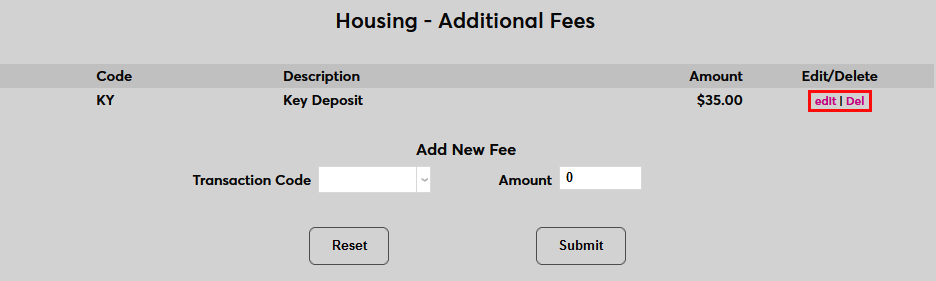
Housing Additional Fees
Overview
The Housing Additional Fees page is a utility that can be used to charge fees to students who live on campus in addition to their standard room cost. This can include things like meal plans, deposits, utilities, and miscellaneous upkeep fees. The standard cost for renting the room is set through the Rooms and Buildings table.
For more information on other fee types that Jenzabar SONIS offers, visit the Fees overview page.
Transaction Codes
Each housing fee that's created must have a corresponding transaction code. These codes must be created in the Transaction Codes table and marked with an h to designate that they are housing T-codes. Only transaction codes with a type of h will be available to be selected in the Housing Additional Fees utility.
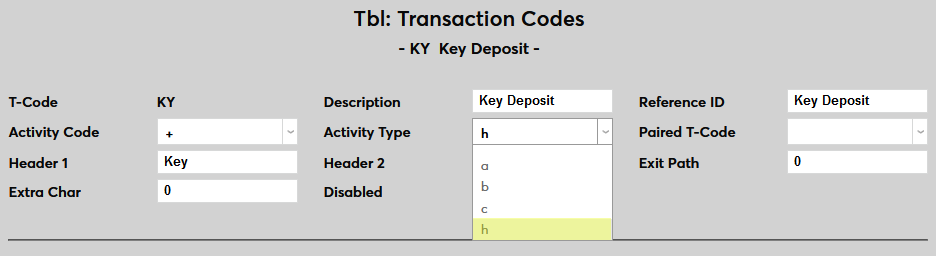
Each fee that will be instituted should have its own descriptive transaction code as these codes will be the only designation for the fee both within the system and on student billing.
Creating Fees
To create an additional housing fee, navigate to Housing Additional Fees in the Systems hub. Begin by selecting a Transaction Code.

Next, set the Amount for the fee.

Click Submit to create and activate the fee.

Once a fee has been created, click the Edit button to make changes or the Delete button to remove it altogether.