Navigating the Sponsor Portal
Overview
Sponsors are users connected to, but not employed by, the school who advise and look after enrolled students. These may be people who are connected to an organization that's paying all or a portion of the student's tuition such as an employer, a church, or a civic group. Sponsors have a Constituent status in Jenzabar SONIS and can log into the system through the Sponsor Portal to view student information.
Navigating the Sponsor Portal
Once logged in, the Sponsor has access to any page activated to the school administration. The default start page in this instance is the "Biography" page.
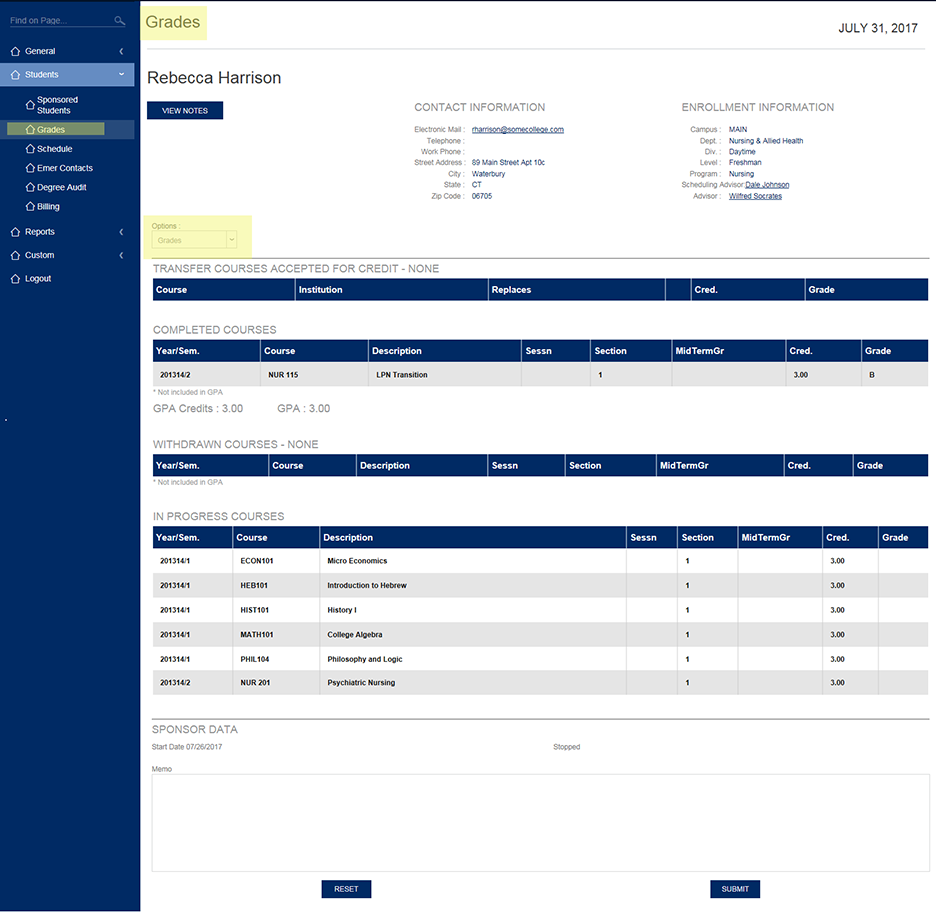
The sponsor must select a single student from their list of their sponsored students by clicking on Students/Sponsored Students, clicking on a radio button and then clicking on "View Records".
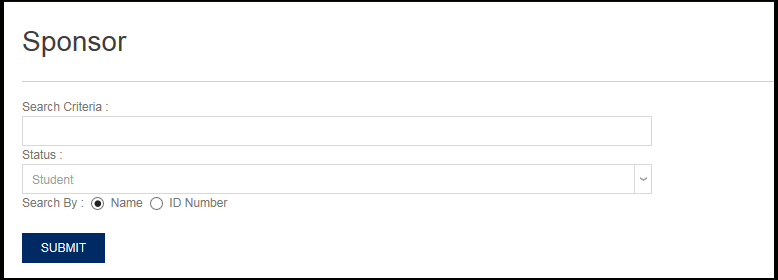
If a sponsor attempts to go to another link without first selecting a sponsored student, they will be expected to search for a sponsored student.
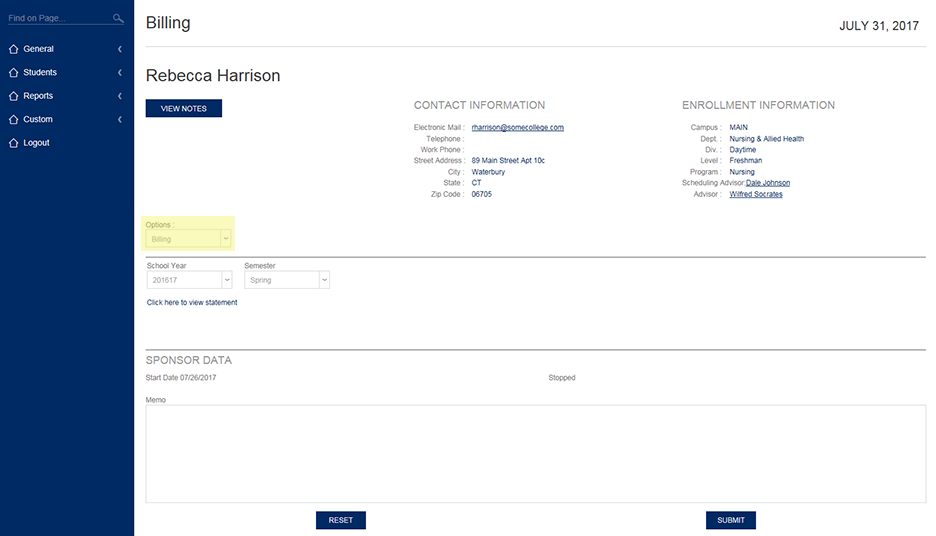
The screenshot below shows what a sponsor will see in terms of a student's Billing information when the OPTION "Billing" is selected.
The screenshot below shows what a sponsor will see in terms of a student's Grades when the OPTION "Grades" is selected.