Sponsors
Overview
Sponsors are users connected to but not employed by the school who advise and look after enrolled students. Often, these users are connected to an organization that's paying all or a portion of the student's tuition such as an employer, a church, or a civic group. Sponsors have a Constituent status in Jenzabar SONIS and can log in to the system through the Sponsor Portal to view student information.
Creating Sponsors
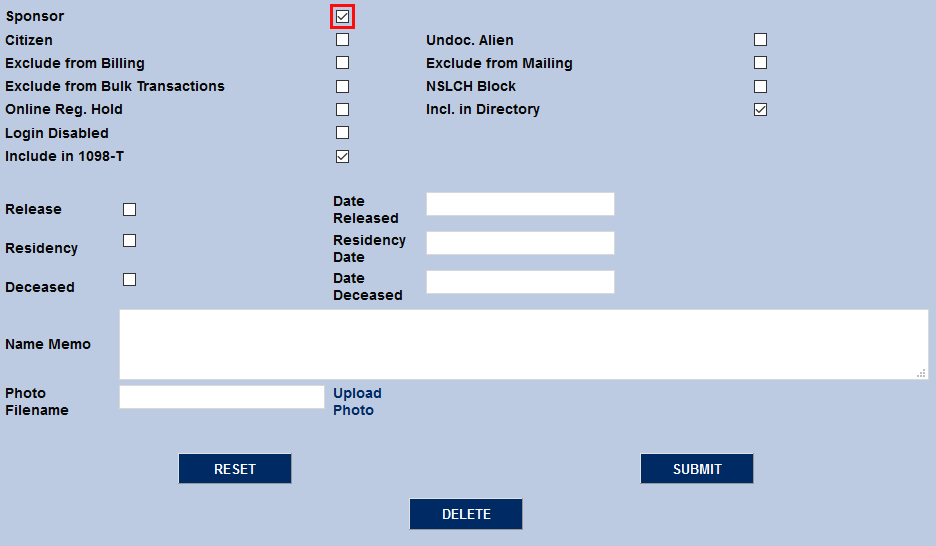
Any Constituent in the SONIS system can be a sponsor. To allow a constituent to be a sponsor and grant access to the Sponsor Portal, simply check the Sponsor box on the user's Biographic page and click Submit to save the changes.
Assigning Sponsors
To assign a sponsor to a student, navigate to the Sponsors page under the student's Users hub and click Add.

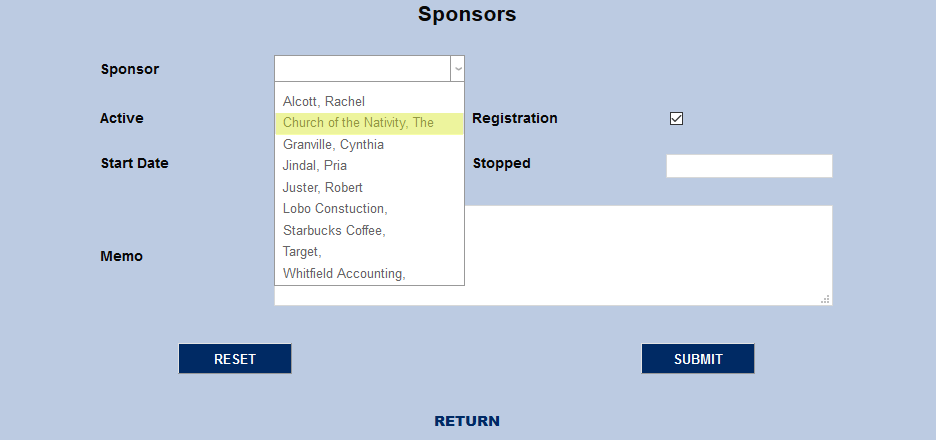
On the following page, select a Sponsor from the dropdown menu.
Leave the Registration box checked if this sponsor should have the ability to register this student for courses.
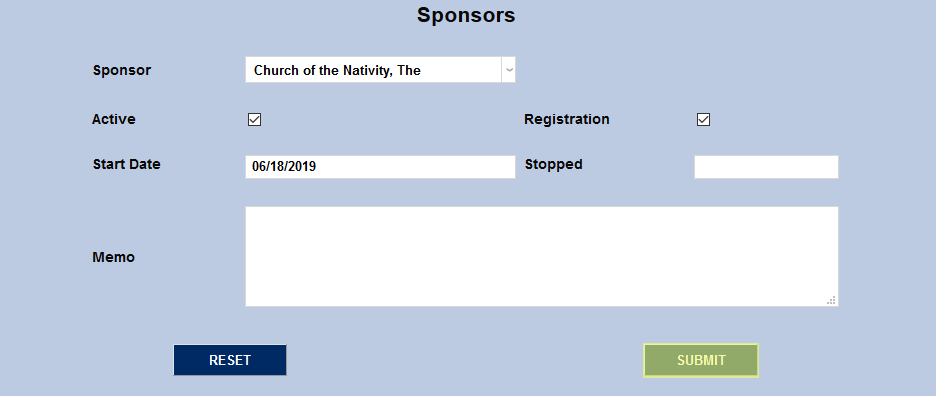
Edit the Start Date if needed and/or add an optional Memo for other administrators who view this page in the future. Click the Submit button to save all changes and to assign the sponsor.
Sponsor Portal Access
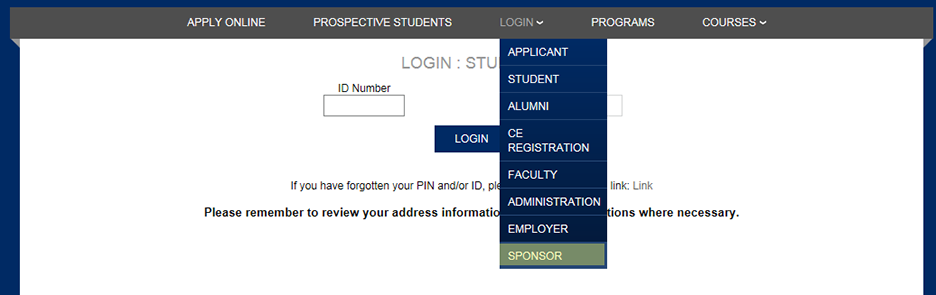
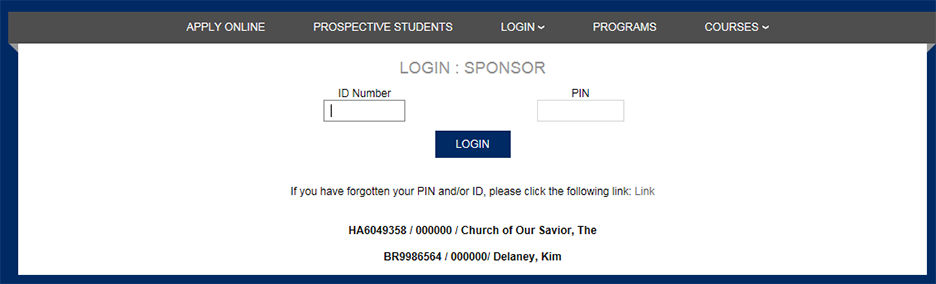
Once logged in, the Sponsor has access to those items set up by administration.
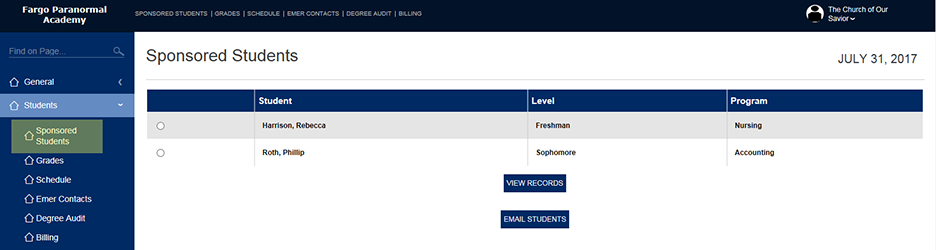
The sponsor must select a single student from their list of their sponsored students by clicking on Students/Sponsored Students, clicking on a radio button and then clicking on "View Records".
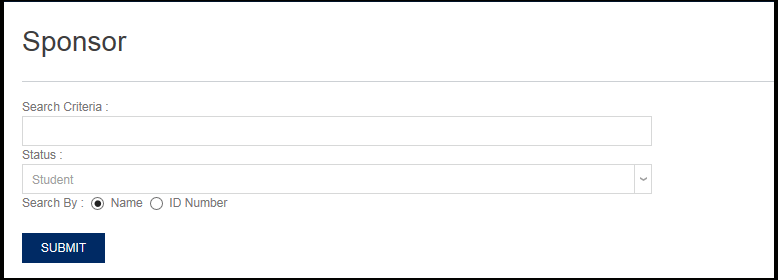
If a sponsor attempts to go to another link without first selecting a sponsored student, they will be expected to search for a sponsored student.
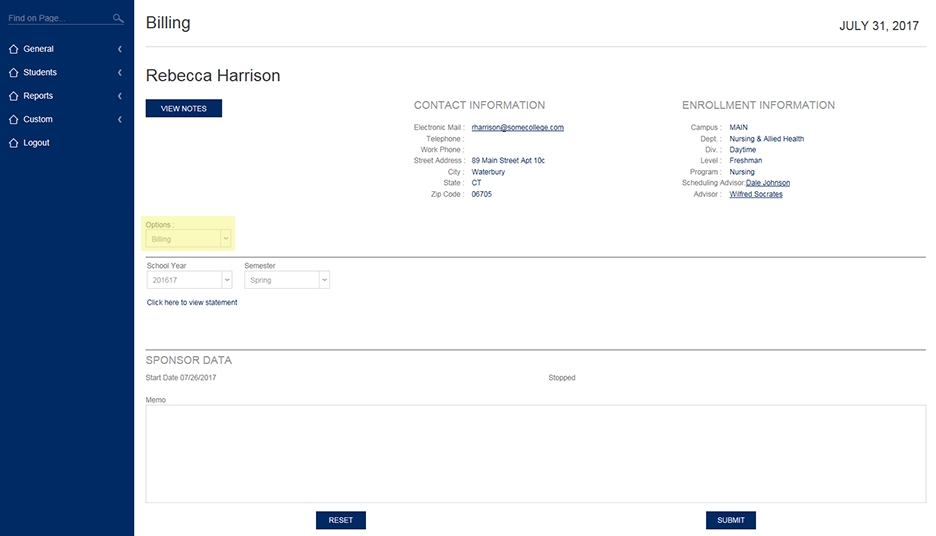
The screenshot below shows what a sponsor will see in terms of a student's Billing information when the OPTION "Billing" is selected.
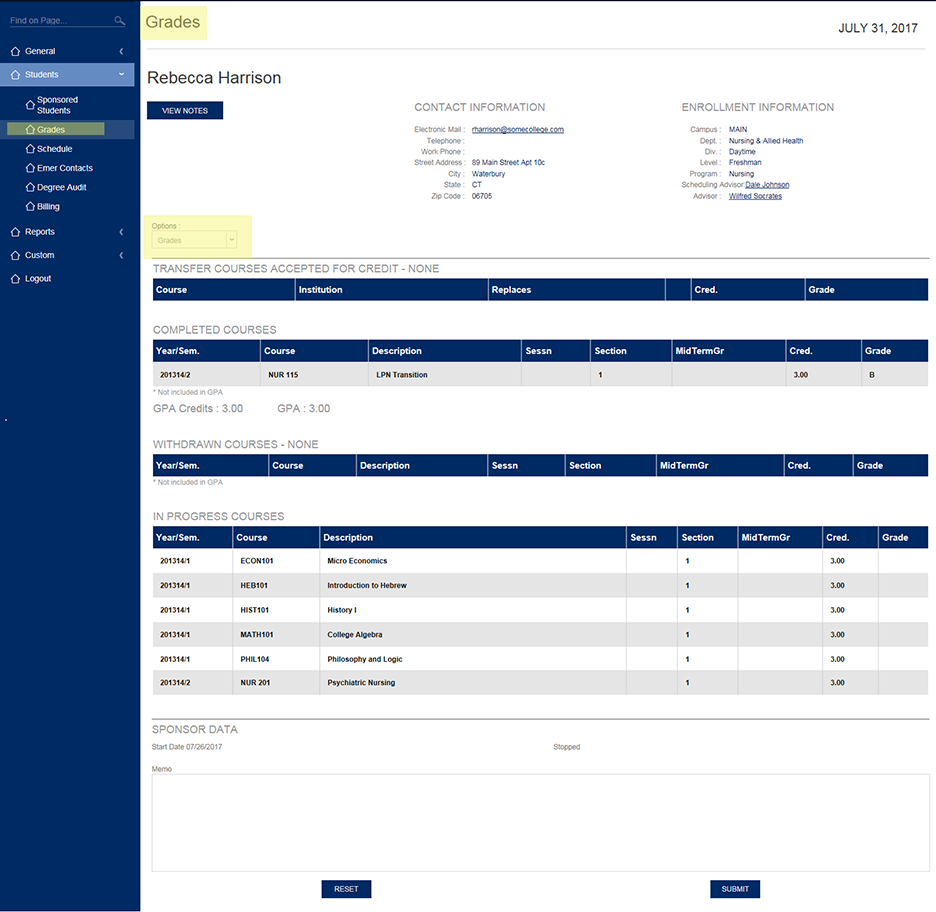
The screenshot below shows what a sponsor will see in terms of a student's Grades when the OPTION "Grades" is selected.