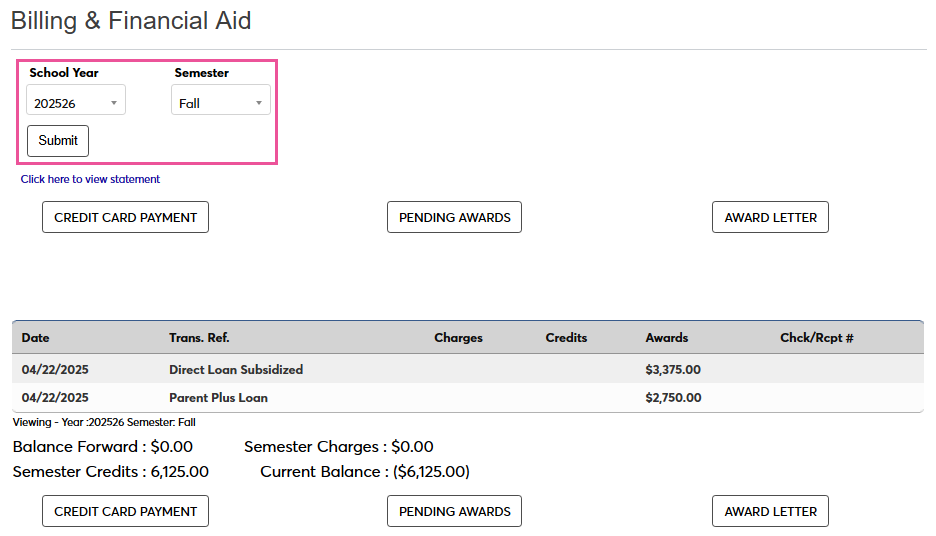
Billing & Financial Aid
Overview
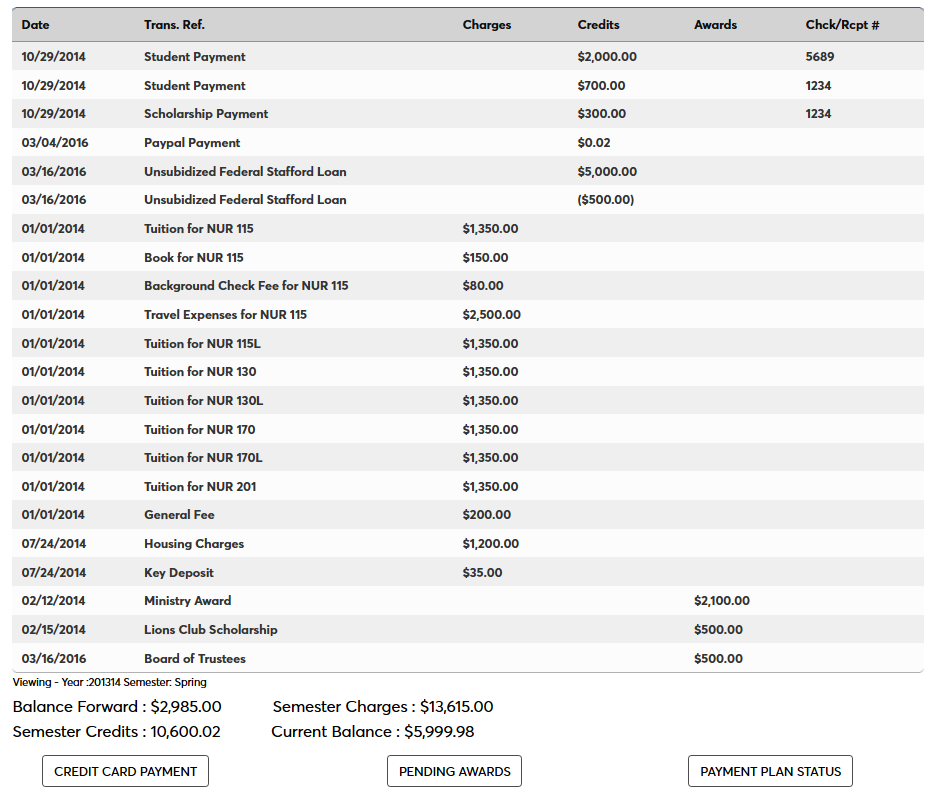
This Billing & Financial Aid page allows students to access to various financial functions. From this page, you can view your past and current billing information and balances, make a credit card payment, and accept, reject, or modify pending awards. You can also access the Award Letter associated with your financial aid if your school uses this fiction.
Once you've arrived on the page, you can use the School Year and Semester menus and the associated Submit button to change the semester you're viewing.
Note
The following documentation covers all of the possible buttons and features an individual might see. However, each button appears only if there is data of that type and your school uses this function. For example, the Pending Awards button only appears when you have pending awards.
Credit Card Payments
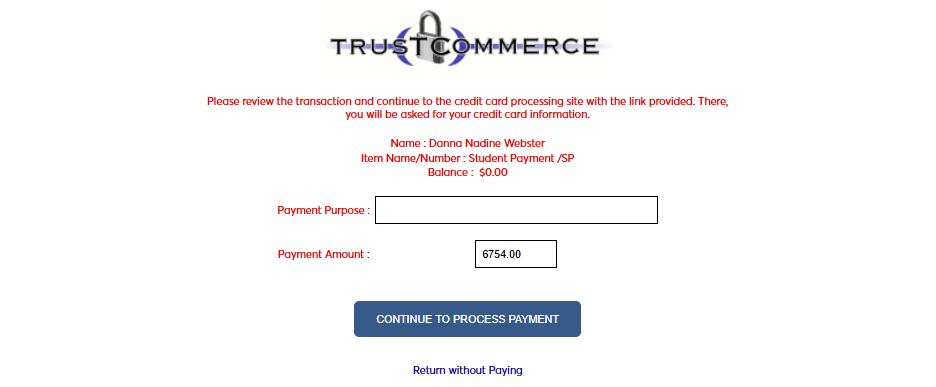
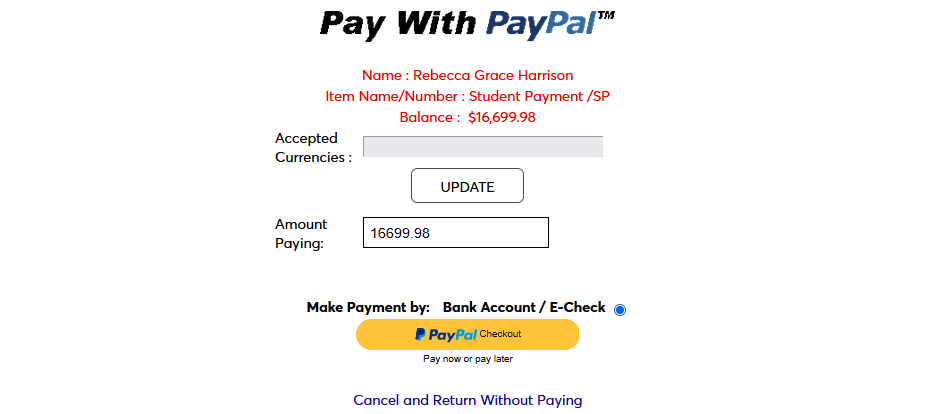
This button takes the individual to the online payment source contracted by the school. You can see two examples of what that might look like below, with two different payment gateways. The amount defaults to your total balance due, but can be changed to accommodate partial payments.
Note
Some payment systems may require you to establish an account before making a payment. Contact your school for troubleshooting if your payment will not go through and you're not sure why.
Pending Awards
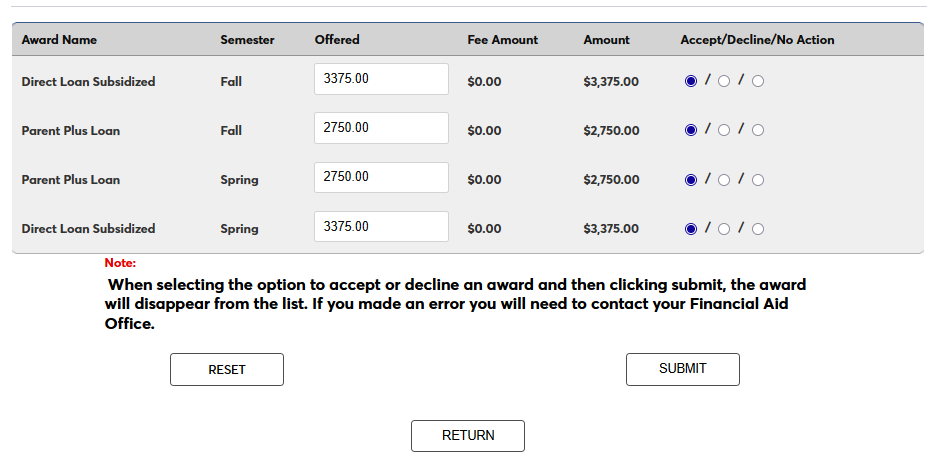
This button takes you to a page that lists the loans, scholarships, and grants that you have been offered. You can choose to Accept an award, Reject an award, or save the page while taking No Action.
If your award is a Subsidized Direct Loan, an Unsubsidized Direct Loan, a Parent PLUS Loan, or a Graduate PLUS loan, you can edit the total listed in the Offered field to accept a lesser amount.
Click Submit to save the changes once you've made them.
Warning
Once you've accepted or declined an award, it will no longer be listed as pending and will disappear from this page. Contact your Financial Aid office if you need to correct an error.
Payment Plan Status
If you are enrolled in a payment plan, the details of that payment plan will display at the bottom of the page. You can click the Payment Plan Status button to see where you currently stand.
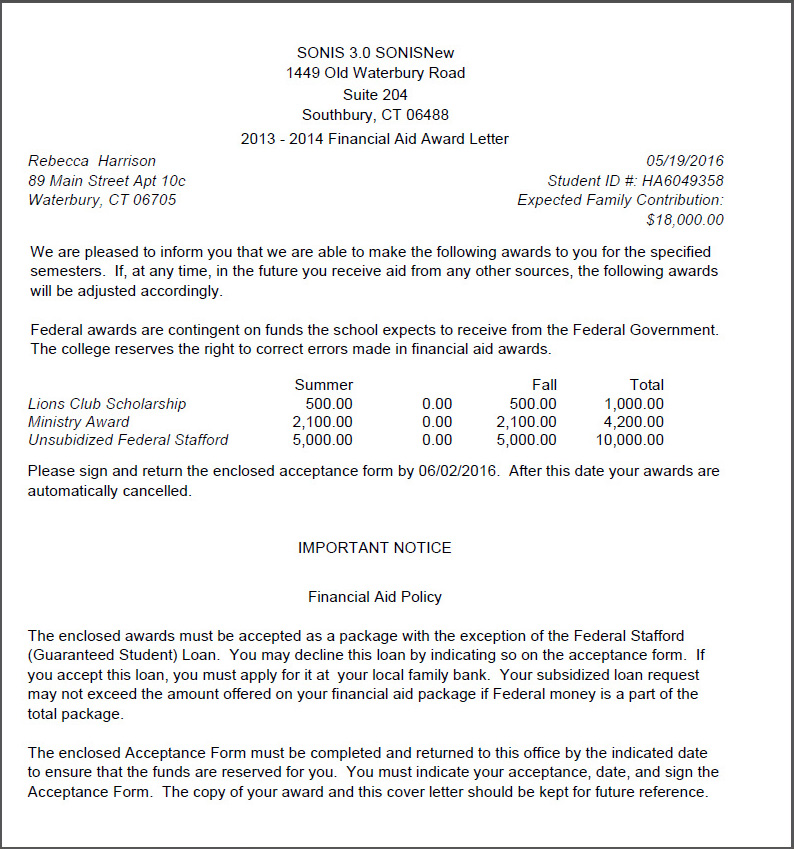
Award Letter
If an individual has received awards for the chosen school year/semester, they will be able to see them itemized in the "Award Letter" accessible from the appropriate button.