Restricted by Program Course Section Override
Overview
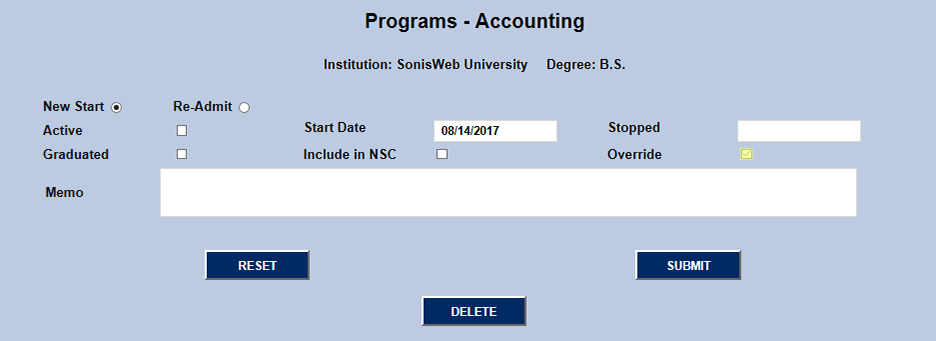
Courses in Jenzabar SONIS can be restricted to certain groups of students, including students enrolled in the Program that the course falls under. Normally, a student must have the course's program as their active program. This can cause problems, however, for students who have double majors or are seeking more than one degree concurrently. The solution is to check the Override box on the inactive program. When the Override box is checked on the inactive, or second, program, enrollment in program-specific courses will be attributed to the inactive education record and towards earning that credential. This allows the student to complete one program while beginning to pursue another, or to complete multiple programs at once.
Setup
To give a student program override privileges, first navigate to their Program page after selecting them under the Users hub. The page will display the student's programs with a column showing which one is active.
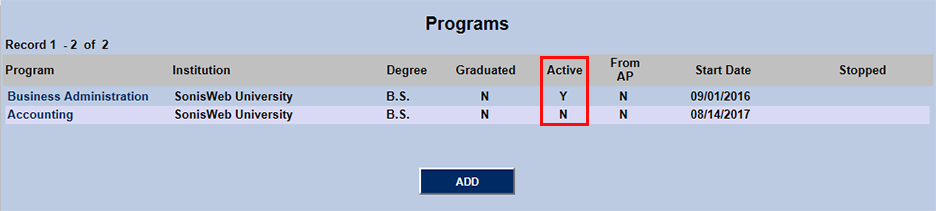
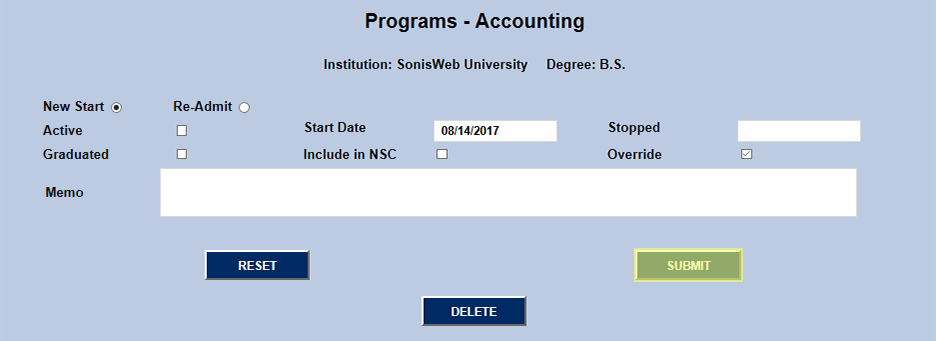
Click on the inactive program and check the Override box in the second line. Submit to save the changes and the student will now have access to register for classes restricted to their inactive program. The process can be repeated for any addition inactive program or programs with remaining course requirements to complete.