Majors
Overview
Major, minors, and concentrations are ways to identify a student's course of study. Typically, a major is a student's primary academic goal while their minor is a secondary goal, generally requiring less intense coursework. Concentrations are a focus area within the major. Most institutions set up their majors so that each major falls under a particular program and require that students be enrolled in the program that matches their major and vice versa, but SONIS does not require any direct linkage between programs and majors. This provides SONIS member schools more flexibility and allows for students to have multiple majors and/or minors without a system conflict.
Unlike programs, there is no default way to designate a set number of hours required to complete a major or minor within the Jenzabar SONIS system. However, institutions who wish to create specific requirements tied to their majors can create a Curriculum for each major and assign that curriculum to any student who enrolls in the major. A student's major and minor are directly linked the student's active Education record at the time when they were assigned. Majors and minors are stored in the same table. By default, all majors can be used as minors as well, but this feature can be turned off for any individual major per institutional preferences.
Majors, minors, and concentrations are created and maintained through the Major Functions utility under the Systems hub.
Assign Majors, Minors, & Concentrations
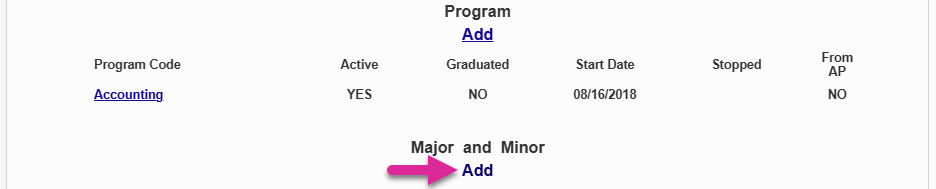
To assign a major, minor, or concentration to a student, navigate to the Majors page under the Users hub. Or navigate to the student's Education page and select the active education record. Click Add under the Major and Minor heading at the bottom of the page.

On the Majors page, select a major from the Major dropdown menu and a minor from the Minor menu, if applicable.
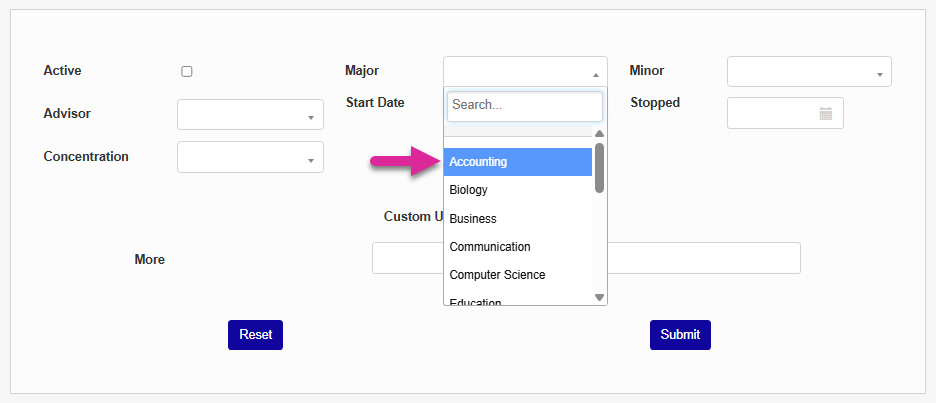
Some schools may offer a major advisor that's separate from the student's primary academic advisor stored in their Advisors record. To set a major specific advisor, select an advisor from the Advisor dropdown menu. Alternately, schools can choose to select the same academic advisor already assigned to the student so it will display on this page as well. The field is optional.
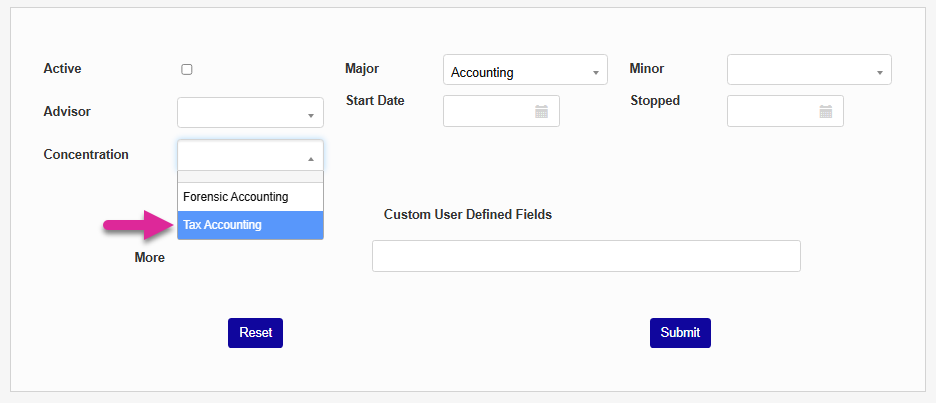
When you select a major, the Concentration drop-down menu will populate with any concentrations linked to the major. Select a concentration, if applicable.
Select a Start Date for the major and set the major as Active.
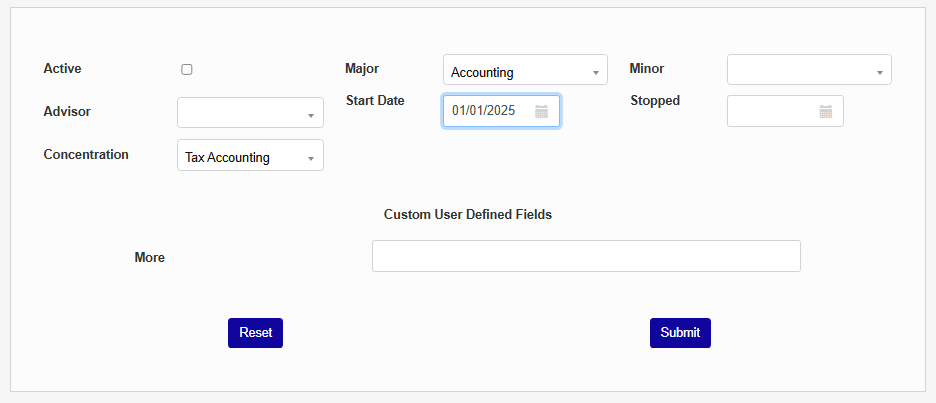
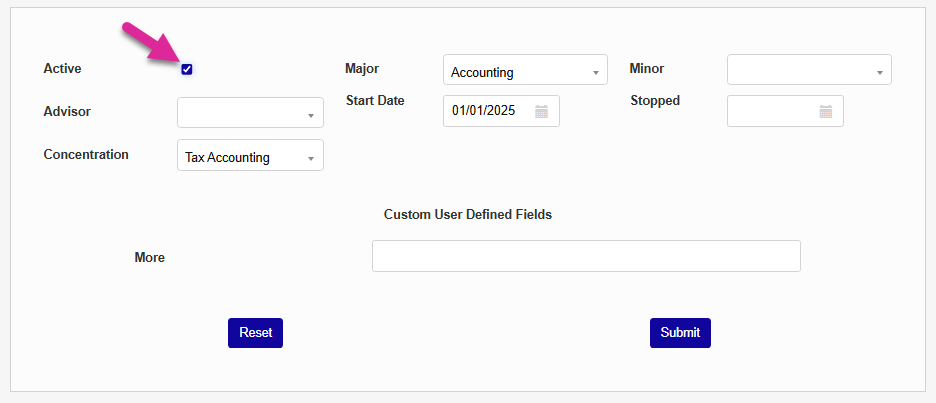
If the major record is no longer active, select a Stopped date and ensure that the Active box is not checked. Click the Submit button to assign the major, minor, and/or concentration.