HubSpot Import Utility
Overview
HubSpot is a popular marketing and customer relations management tool. For Jenzabar SONIS clients, HubSpot can be a valuable tool to manage prospective students. Prospects can be imported from HubSpot to SONIS using the the HubSpot Import Utility.
Import File
The following fields are included in the HubSpot file. Click here here to download a sample file.
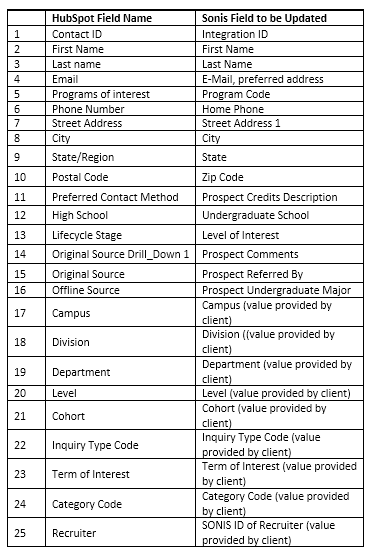
The fields marked "value provided by client" are not included in HubSpot and must be added manually by the client. All other fields in the Prospect Inquiry Details record will be set to their default value.
Import
To import a HubSpot file, navigate to the HubSpot Import Utility in the Systems hub. Click Browse and locate the file to be uploaded.

Once the correct file has been selected, click Submit to continue.

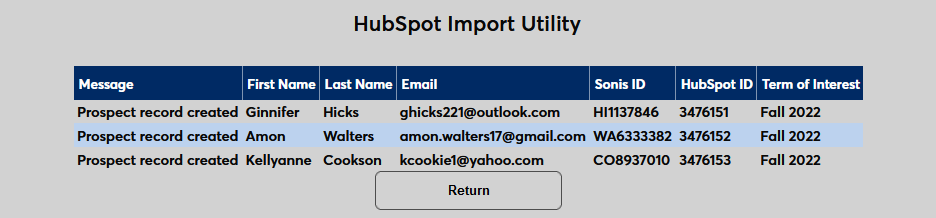
The results of the import will appear on the following page.