Bulk Inactive Applicants
Overview
This function gives administrators the ability to change Applicants and Online Applicants to a module status of Inactive. Applicants who haven't done anything to change their status (usually by becoming a student) in quite some time, are best changed to Inactive.
Setup
Make sure that there are Inactive options available under both Disposition and Academic Status.
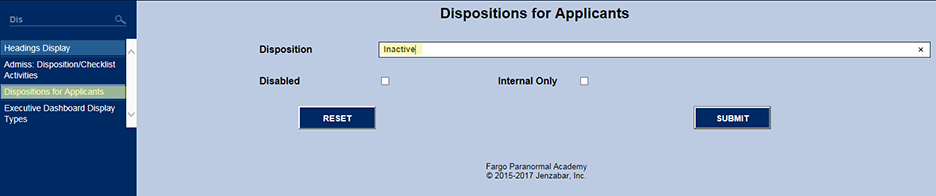

Selection
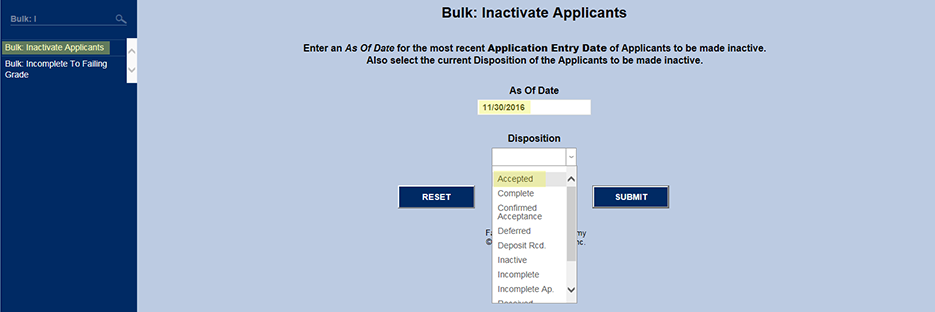
First an As of Date is entered. The function defaults to the current date but is typically changed to an earlier date. Applicants and Online Applicants are then selected if their application entry dates are on or before the As of Date.
Next, a Disposition is selected and then submitted.
Based on those two filters, checkboxes appear in front of the name of each matching Applicants or "Online Applicants. The Disposition and Academic Status drops are there so that an administrator has the opportunity to change those two values to something more in line with the new module status of Inactive being assigned to those in the list that are checked.
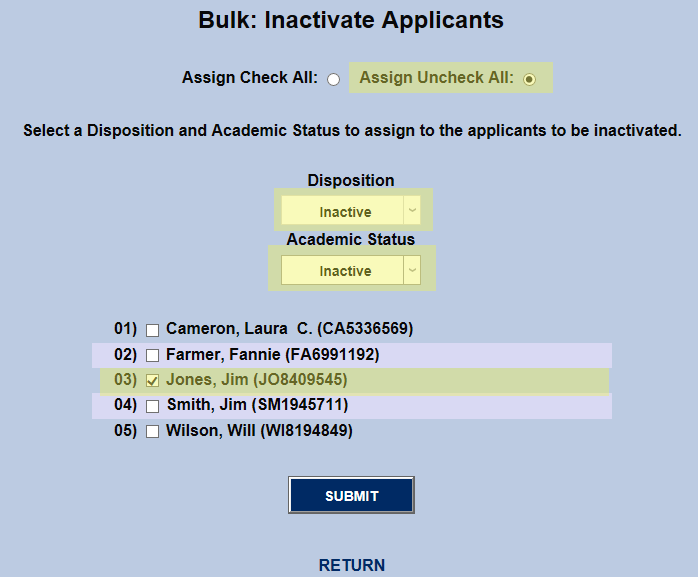
The image below shows how Jim Jones is an Online Applicant before the above deactivation is submitted

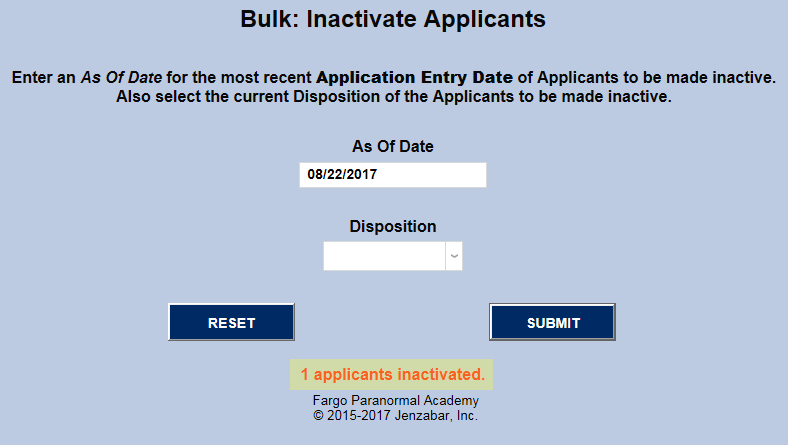
After deactivation has been submitted, Bulk: Inactivate Applicants returns to the beginning with a message as to how many applicants were deactivated.
NOTE: If you have name searched\" an applicant (AP or OA) and they remain in the Status Bar, if they are deactivated with this function, that individual no longer will have the applicant (AP or OA) status, so the Status Bar can no longer find someone with the old status for that ID. Therefore, the status remains but no name/ID is is associated with it.
This does not hurt anything in the database. It is best to clear the Status Bar prior to running Bulk: Inactivate Applicants by clicking on the X in the top toolbar. Doing this will save later confusion or alarm.

Resulting Changes
Biographic
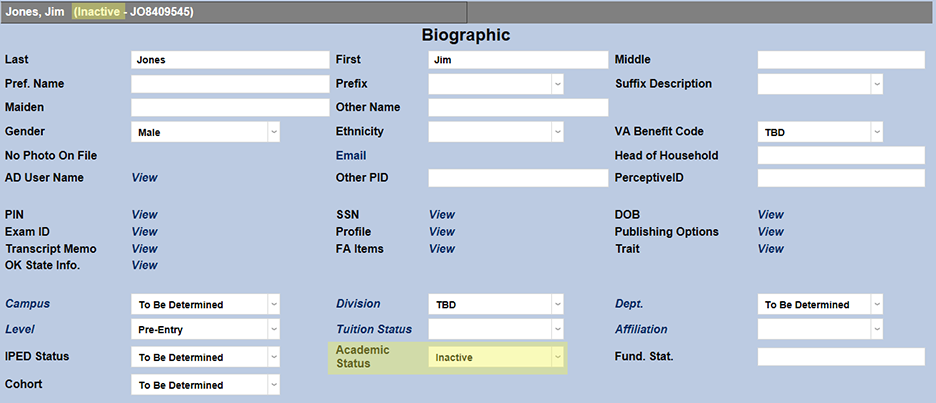
If an administrator then name searches Jim Jones and goes to his Biographic page, the administrator will notice the following:
First, his Module Status has changed from Online Applicant to Inactive. Additionally, his Academic Status has changed from Accepted to Inactive.
Disposition
Next, if the administrator looks at Jim Jones' Disposition record, the administrator will see the following changes:
First, the Disposition for the associated program on the user's Education is now Inactive. Additionally, his Disposition Date has changed to the current date Also, the Current Disposition has changed to the new Inactive disposition.

Program
If the administrator goes to the associated program in the user's Education record, the administrator will notice that the Program is no longer active and the stopped date is set to the current date.

Education
An Active home institution Education record is required. So while the Education record below is still active, the individual with the new Inactive Module Status has their Program associated with the deactivated Disposition changed to Inactive as well. The screenshots that follow show the details of this process.
If the administrator goes to the individual's Education record, the administrator will notice that the "To" of the active home institution record has been changed to the current date. This indicates that the previously active Program associated with this Education record was deactivated on the "To" date.

If the administrator drills down on the individual's Education record, the administrator will notice that Active is marked as "No" and the Stopped has been changed to the current date.
