Student Success
Tip
Only releases with enhancements or resolved issues for this module have content below.
2026.2.2
Student Success in now available in Jenzabar One Web. It brings the functionality of the JICS Retention product alongside your other J1 Web modules. Student Success is integrated with J1 Web Communication Management, so your team gets the information they need to provide timely support for students on their path to success.
Note
The Student Success module requires the Student Success license.
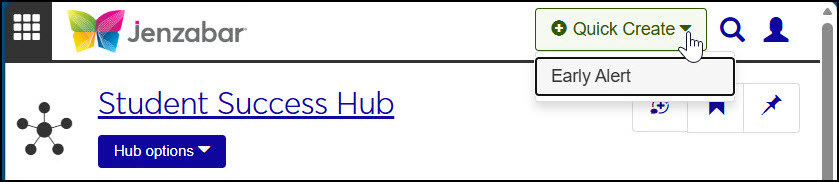
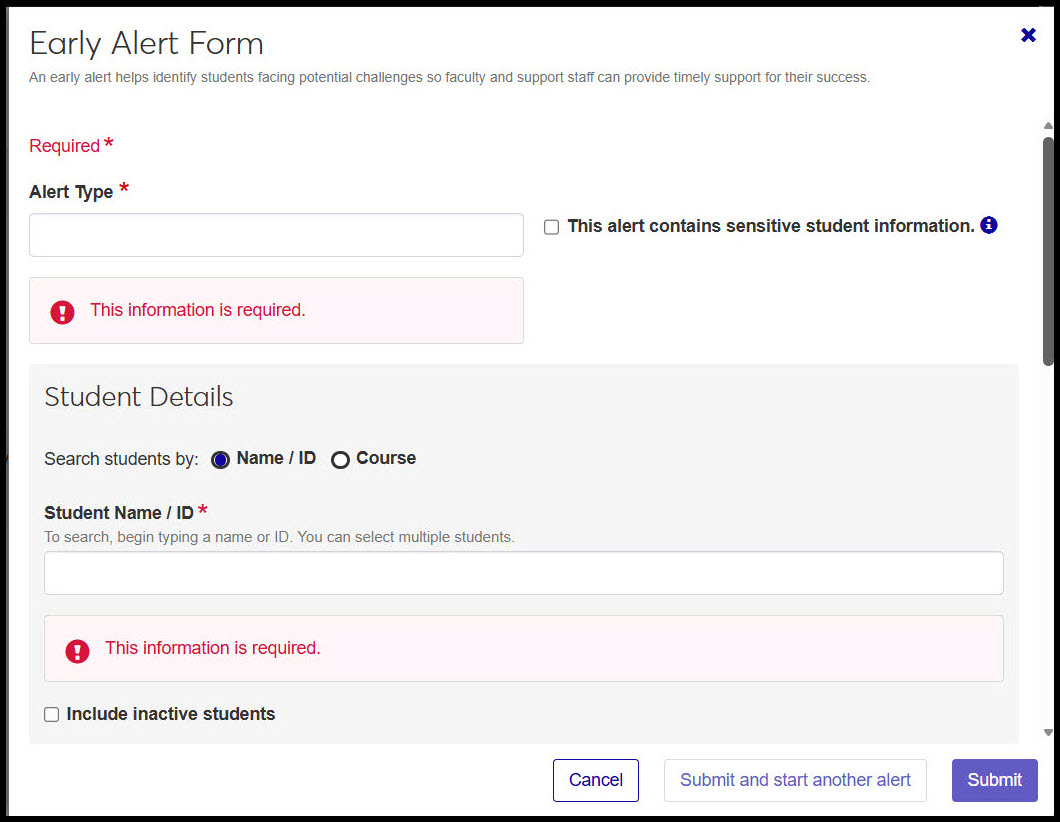
Users at schools with the Student Success license can submit an early alert from any page in J1 Web.
 |
 |
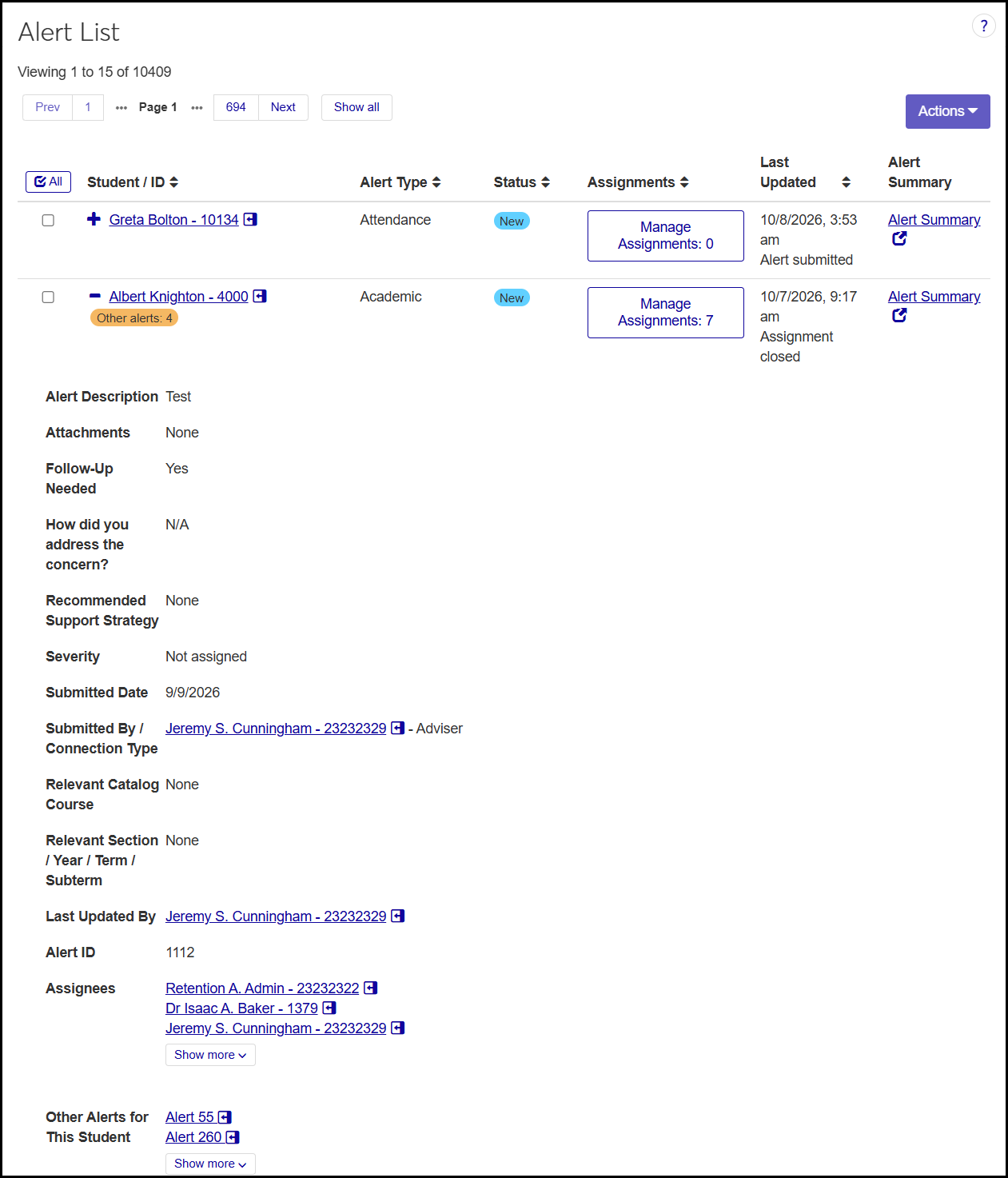
The Alert Tracking page is an administrator's starting place for managing alerts. See all alerts or filter for the ones you need. Create alerts, check statuses, manage assignments, and jump to an alert's Summary page.
 |
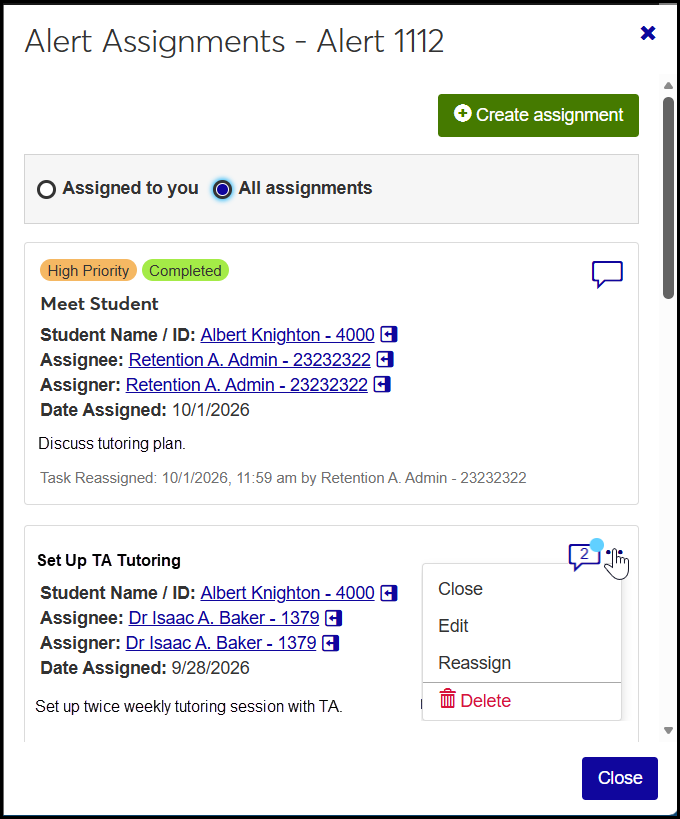
You can create, edit, reassign, comment on, and delete staff assignments for an alert.
 |
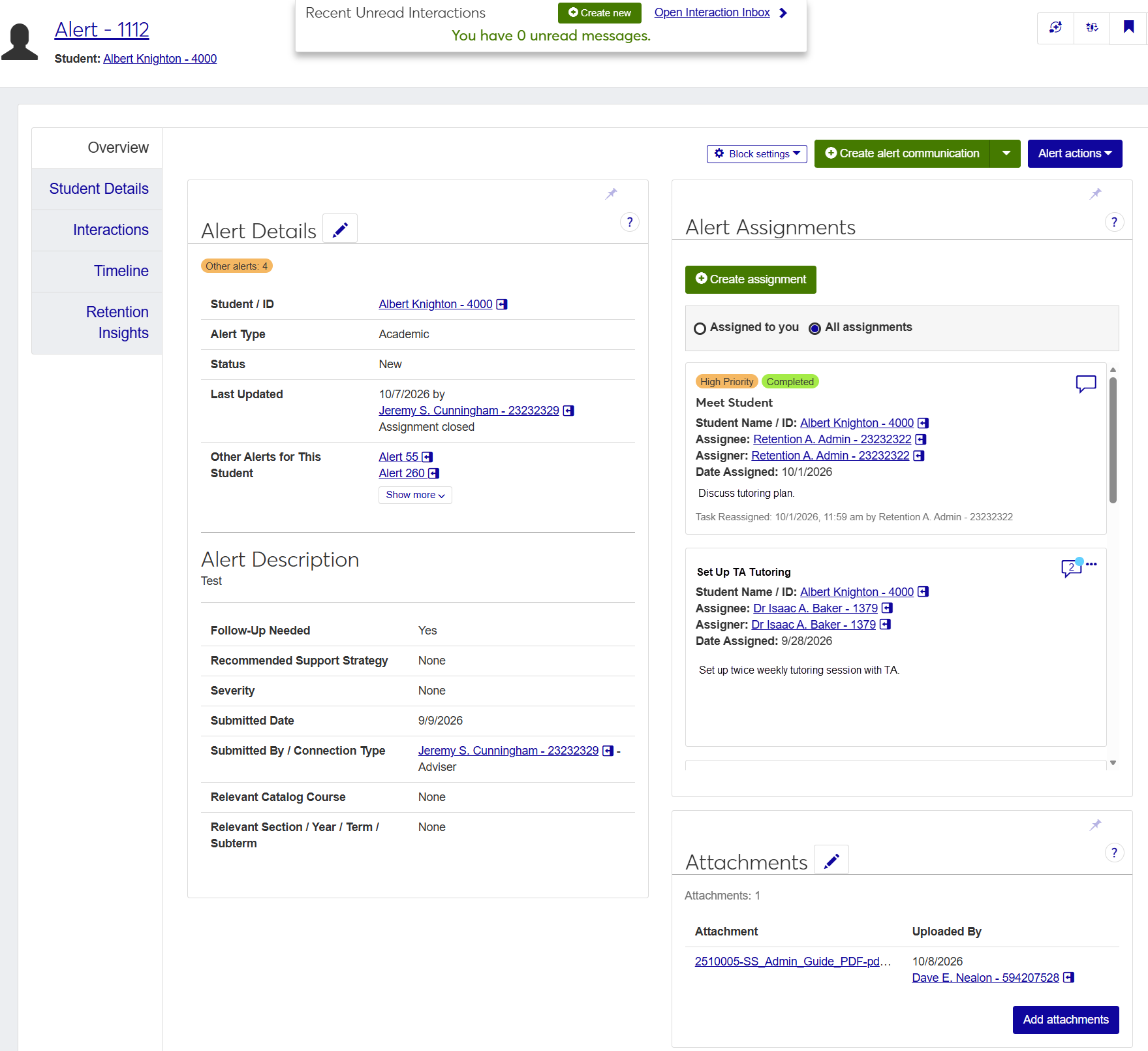
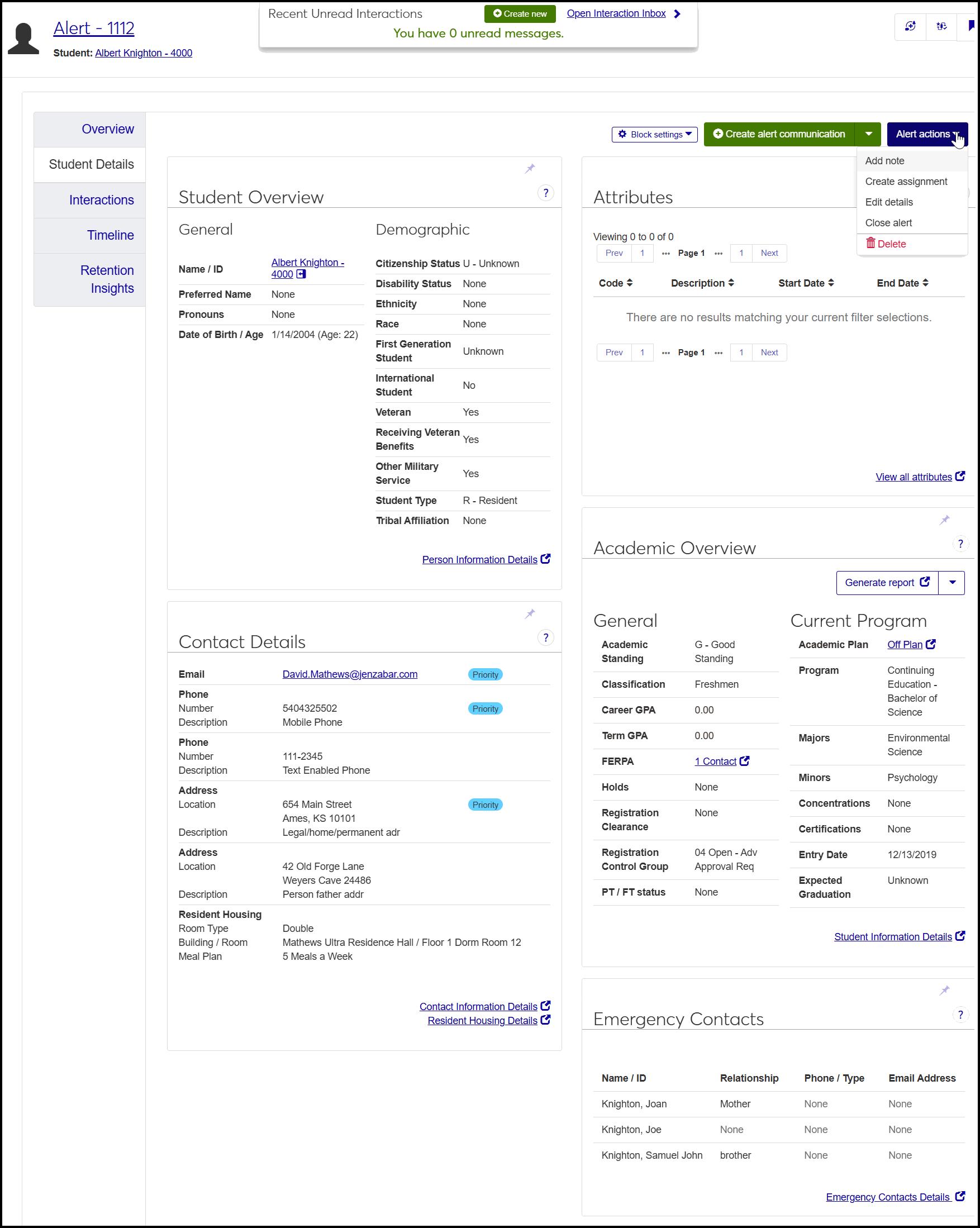
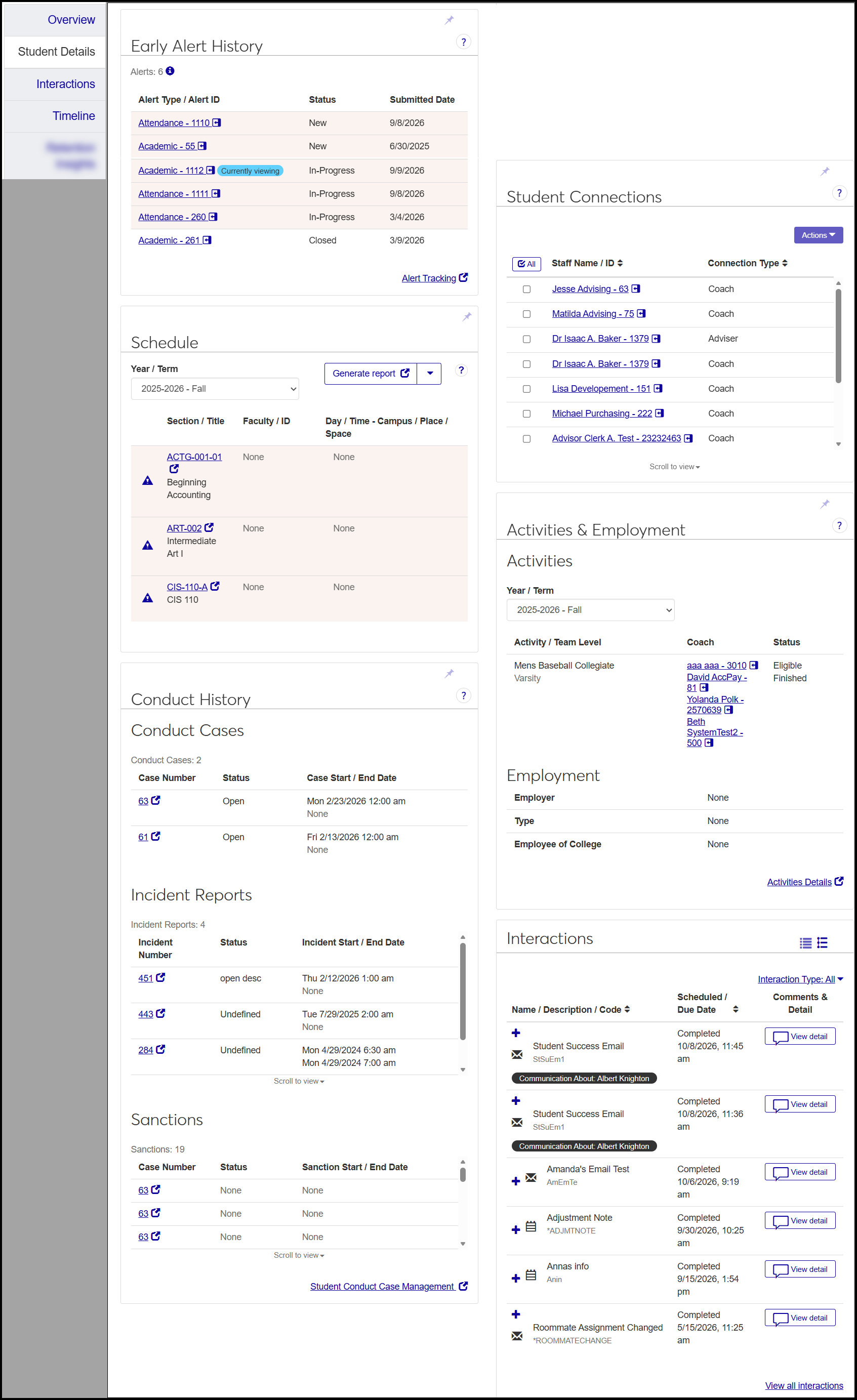
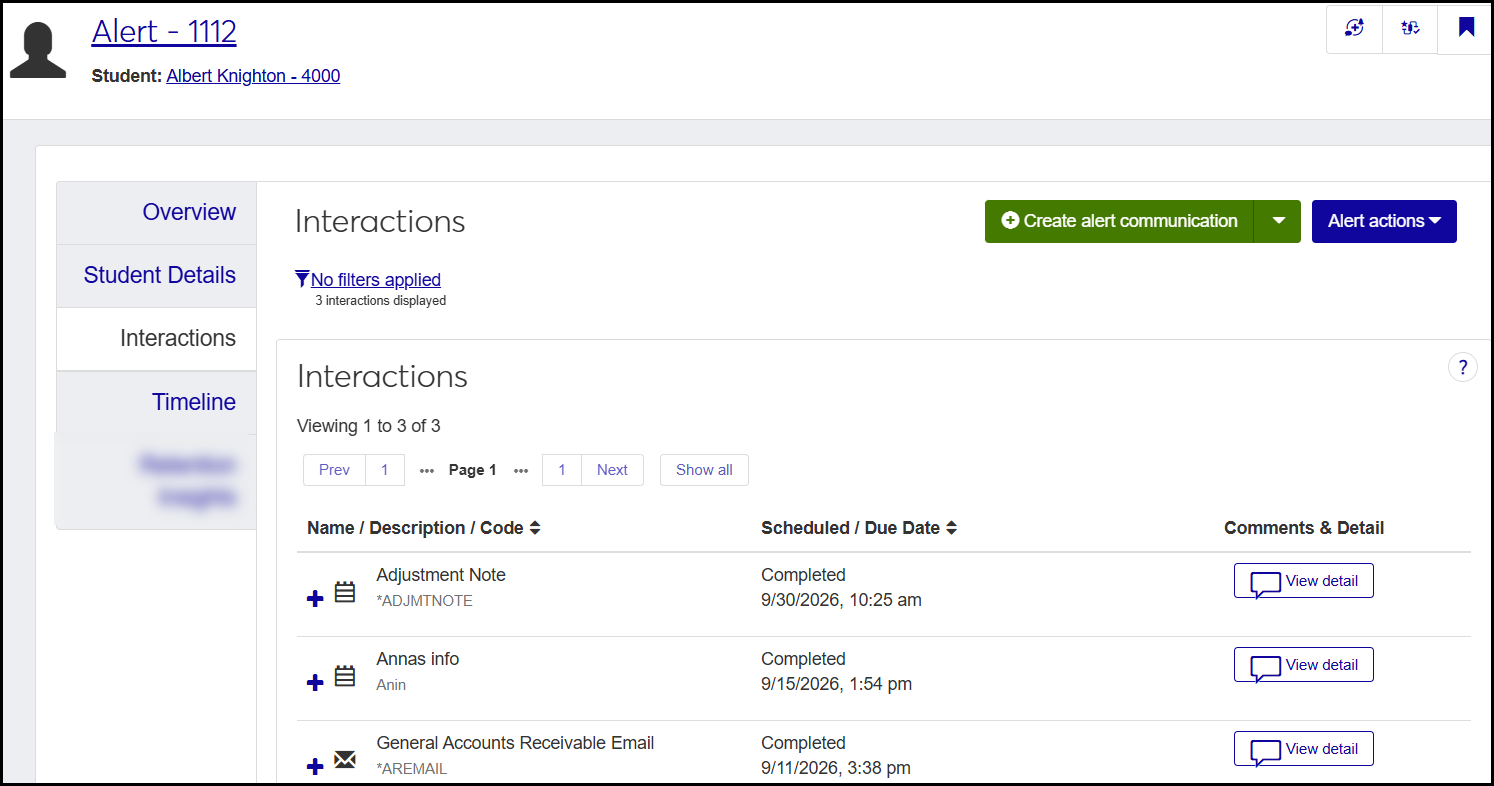
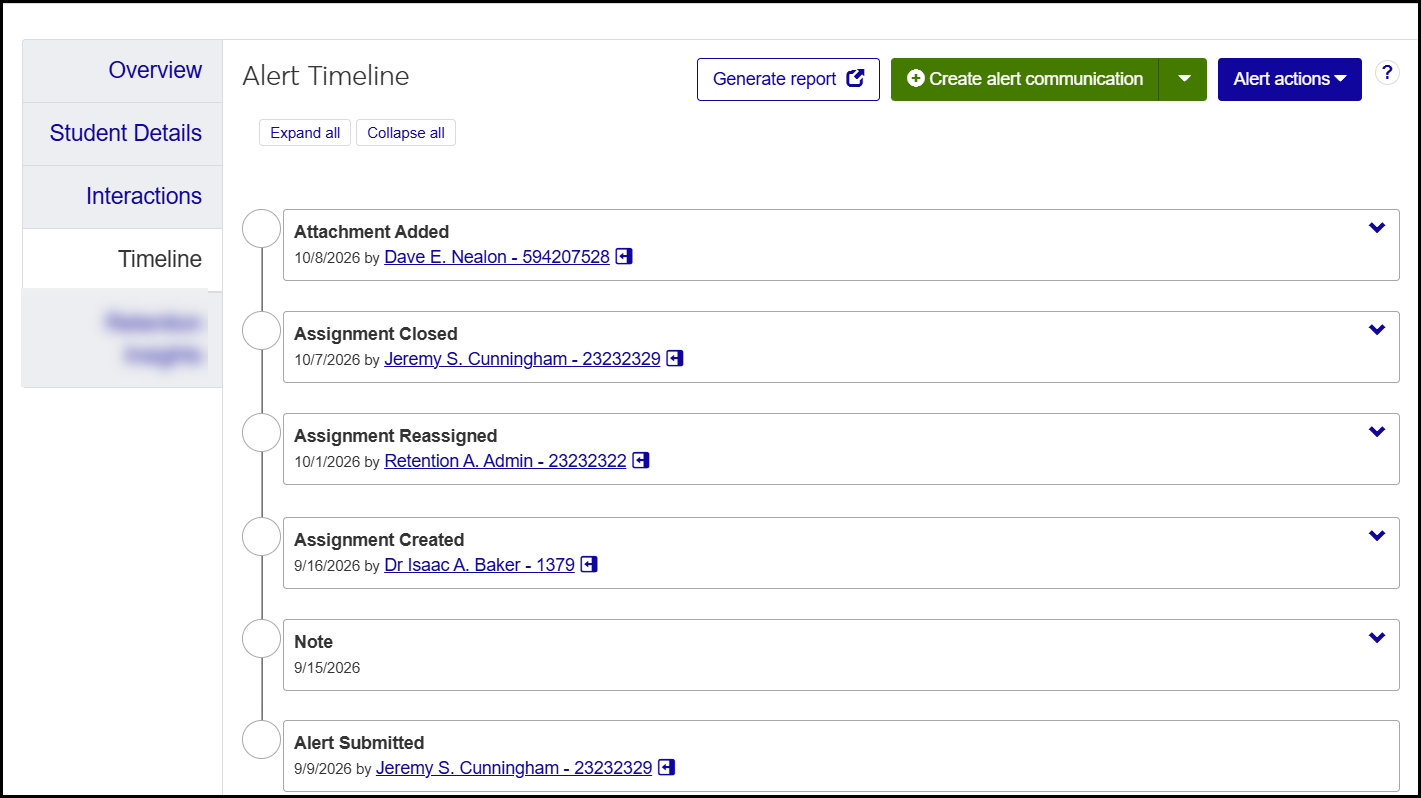
Each alert's Summary page is rich with details, links, and opportunities for communication. The features are distributed in several tabs.
 |
 |
 |
 |
 |
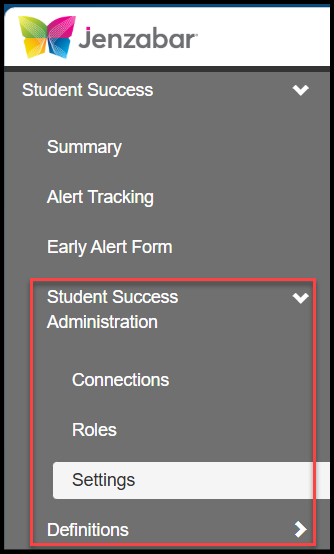
Configuring Student Success involves roles, settings, connections, and definitions.
 |
Roles
Use these roles to give and restrict access to alerts and their information.
Access by Connection: Gives users access to alerts of students according to how they're connected to the students: as instructor, advisor, coach, Student Success administrator, and so on.
Tip
You can customize copies of the Access by Connection role to give users access to only particular alert types and connection types.
Alert Assignee: Automatically assigned to a user when they are assigned to an alert. It gives access to the alerts they're assigned to.
Alert Submitter: Automatically assigned to a user when they submit an alert. It gives access to the alert they submitted.
Student Success Administrator: Allows a user to manage student success features and roles.
Settings
The Student Success Settings page has settings for the following categories:
Early Alert Form: Customize the form's title and description to guide alert submitters. Allow submitters to designate some alerts as confidential (requiring separate permission to view) and to submit the form as another user (such as a teaching assistant submitting in the instructor's name).
Alert Management: Allows alerts to be closed automatically when no follow-up is needed, and allow closed alerts to be reopened.
Student Details Tab: Let the system automatically highlight information on an alert's Student Details tab that indicates the student may be at risk.
Summary Page: Designate the number of days since activity on an alert that's considered recent activity.
Connections
Connections are relationships that students have with staff members, such as instructors, coaches, advisors, residence staff, and student success administrators. You can customize roles to give access only to alerts only pertaining to students they have a particular connection with—such as instructor, coach, or advisor, for example. The various kinds of connections (instructor, coach, etc.) are Connection Types.
Note
Relationships are defined on the Relationship Type Definitions page on the Campus-wide Definitions hub. On the Student Success hub, you can designate particular Relationship Types to use in Student Success. In Student Success, they're called Connection Types.
Tip
You can customize copies of the Access by Connection role to give users access to only particular connection types.
Definitions
Define the items you need to manage alerts and their resolutions.
Alert Types: Jenzabar-provided types include Academic, Attendance, Behavioral, Personal/Social, and Financial/Housing. You can create and edit types, too.
Tip
You can customize copies of the Access by Connection role to give users access to only particular alert types.
Alert Outcomes: Resolutions to alerts. The user selects one when closing an alert. Jenzabar provides several, and you can create and edit outcomes, too.
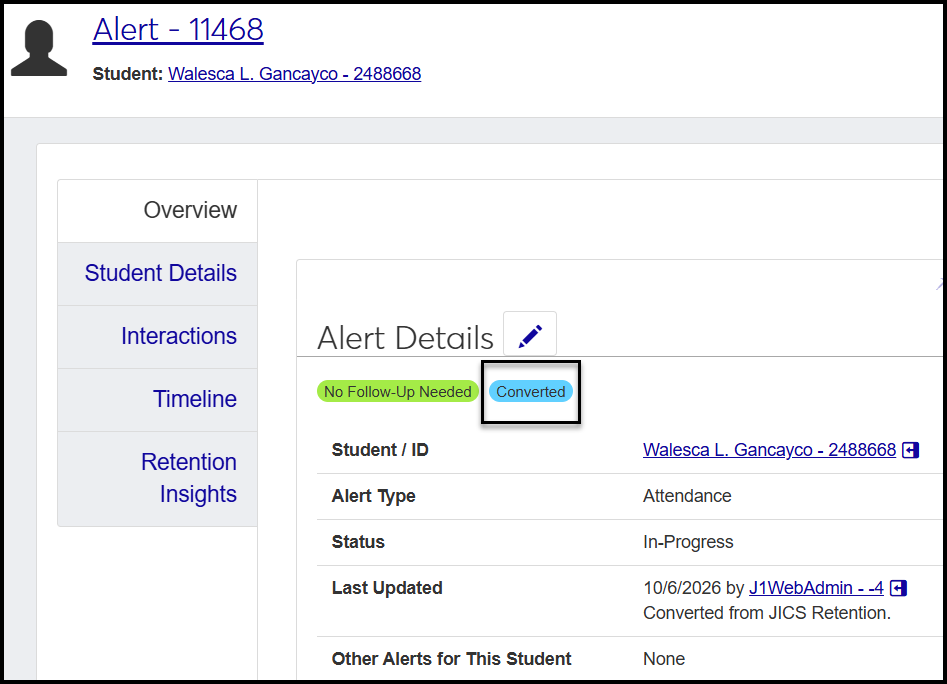
When your school gets the Student Success license, we convert your JICS Retention data to work in J1 Web Student Success. Converted alerts show a Converted badge on their Summary page, Overview tab, Alert Details block.
 |