Budget Details
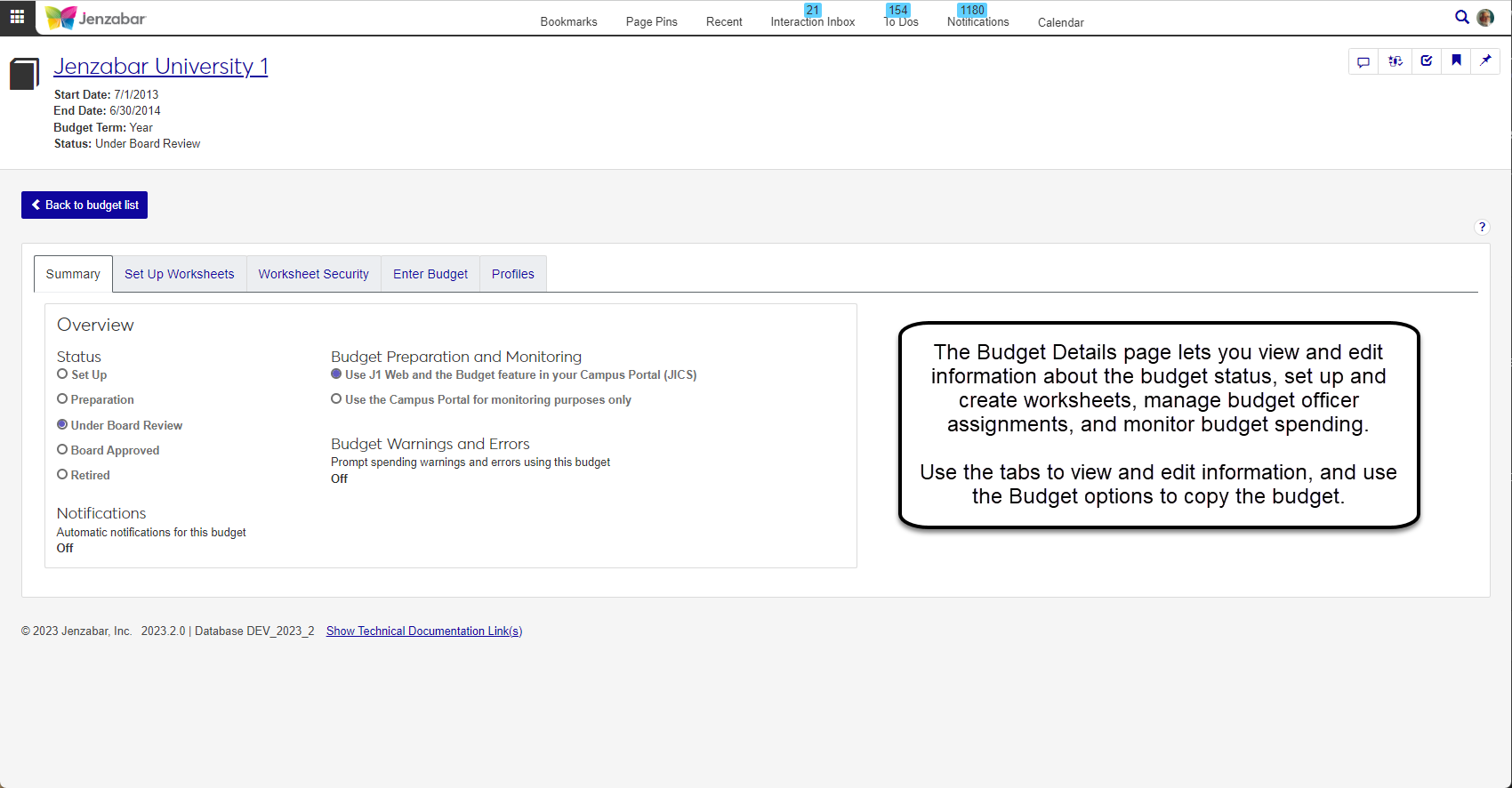
The Budget Details page lets you view and edit information about the budget status, set up and create worksheets, manage budget officer assignments, and monitor budget spending. Use the tabs to view and edit information, and use the Budget options to copy the budget. To open a budget details page, go to the Budgets page and then click on the name of the budget you want to open. You can also open multiple budgets by selecting the checkboxes next to all the budgets you want to view, then clicking on More, and Open. When you open more than one budget, you will see a selector option at the top of the page where you can navigate between the selected budgets.
Detail Tabs
From the budget details page, you can use the tabs to access budget information. There are several tabs for each budget, but information and options will vary based on user access and the budget status.
Tip
Depending on your permissions and the status of the budget you're reviewing, you may not see all of the tabs listed below.
Summary allows the administrator to determine settings, change the budget status, and turn notifications on or off.
Set Up Worksheets allows the administrator to set up budget worksheets creating line items and associating them to GL accounts that can be distributed.
Worksheet Security allows the administrator to review, assign, remove, and change budget officers assigned to budget worksheet roles which determine user responsibilities and permissions.
Enter Budget allows the administrator to start a budget worksheet. This tab will appear when the selected budget does not have an existing worksheet. Once you add details on this tab, the next time you enter you will see Monitor Budget.
Monitor Budget allows the administrator to view the status of budget worksheets, review and provide feedback, and access the worksheet to make any necessary updates. As the budget is being prepared, this tab allows you to see the overall picture of where worksheets stand and allows administrators to direct the budget being built.
Profiles allows the administrator to view any profiles associated with the selected budget, as well as search profile details, view actuals, adjustments, and variance.