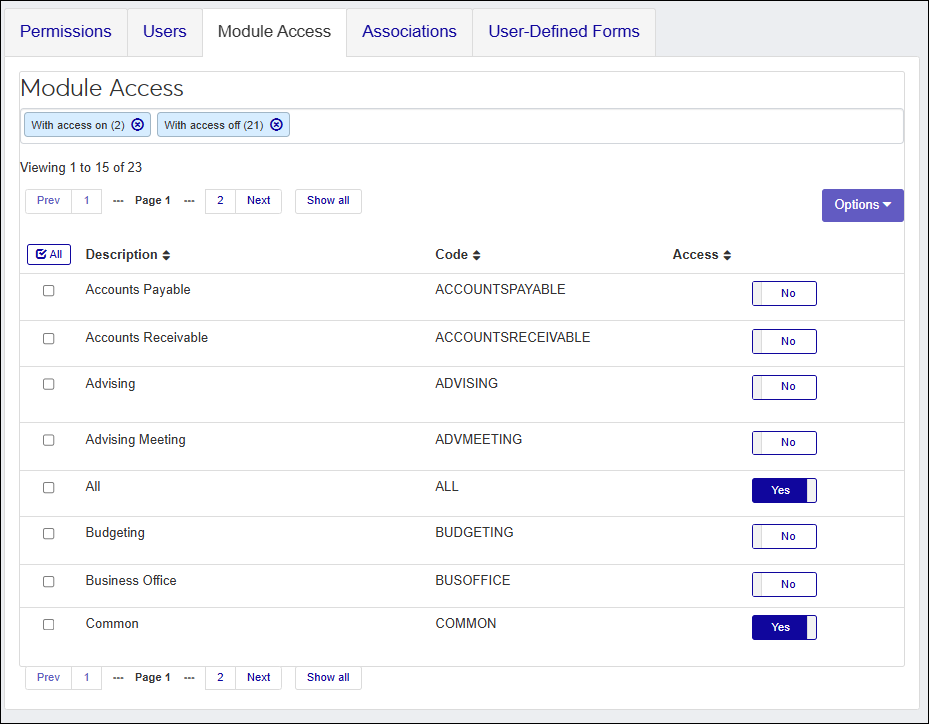
Module Access Codes
Important
Information and features vary according to the roles to which you belong and the permissions associated with those roles. For more information, contact your module manager or your campus support team.
Module Access codes are loosely based on Desktop's Module Code Stamp and control who can work with different interactions based on the roles they belong to. Module Access codes are associated with J1 Web roles, and roles can have multiple access codes enabled. Adding a user to different roles grants them access to any interactions associated with the codes accessible to those roles.

Jenzabar provides these codes based on Jenzabar modules and you can create custom ones from the Access Codes page. Users assigned to multiple roles can access interactions and data sets associated with those codes. If a user belongs to more than one role, they’ll have access to the interaction codes available with each.
 |
When an interaction is defined or created, it is associated with the Module Access code. Users in roles with permissions to those module codes can view/work with the interaction.

Tip
Jenzabar provides access codes based on Jenzabar modules; custom codes can be created on the Access Codes page.
Access the System Roles page.
Find the appropriate role. You can use filter and sort options to help.
From the Options menu, select Edit. The Edit Role page appears.
Select the Module Access tab.
From the Access column, click the OFF or ON option to enable or disable access to the appropriate module access codes. These access codes are associated with items and information throughout the system and users with the code enabled will have immediate access to it. If a user belongs to multiple roles, they’ll have access to the items available with each.