Forms Item: Definition Options
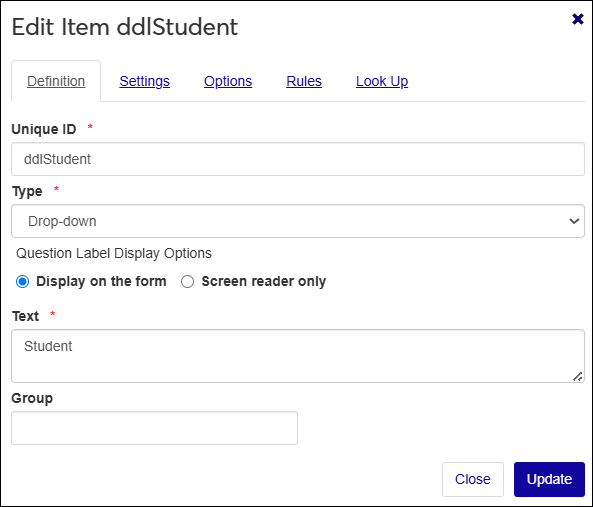
Definition Type | Description |
|---|---|
Unique ID | Creates a unique and internal identifier for the item that can be tracked and referenced for mapping and rules within the form itself. This is not visible to form completers. This setting is Required. For example, your form might ask for the completer's first name and their emergency contact's first name. This field distinguishes between them. |
Type | Determines what kind of information you want to collect. Available settings and configurations vary depending on the question type you select. This setting is Required. For more information, see Form Item/Field Types. |
Label Display Options | Chooses how the question label is presented:
|
Text | Specifies the label or instructions that tell form completers what information to enter. This is typically brief (e.g., Nickname), but can include basic HTML formatting such as <bold>, <center>, <italics>, and hyperlinks <ahref> when additional context is needed. |
Group | Categorizes related questions. Questions with the same group name can be acted on simultaneously through other configurations. For example, multiple questions grouped under 'Faculty' can be shown, hidden, or validated together. |
Note
The following options are only available in Campus Portal Forms:
Grid and Grid Function
Text Position