Registration Definitions
Definitions control many elements of registration features. Definition pages are lists with options to create, edit, and delete definitions, or download the list to an Excel spreadsheet.
The definitions are available from the navigation panel and from the Registration Administration hub options.
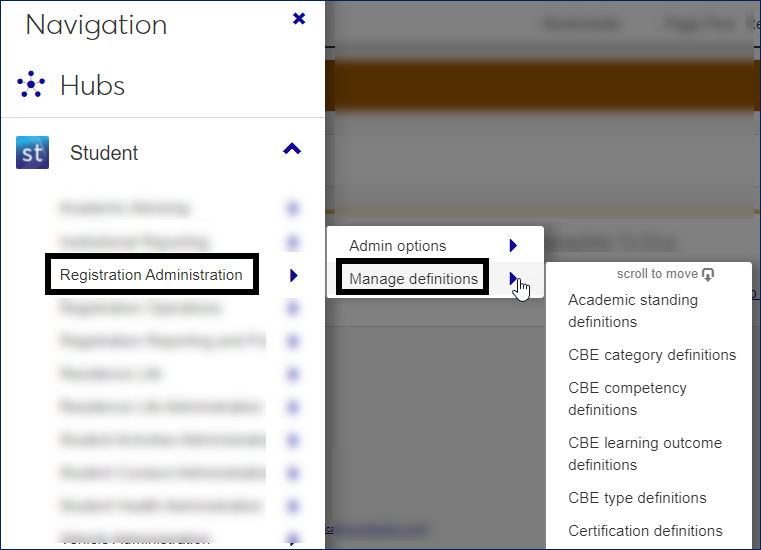 |
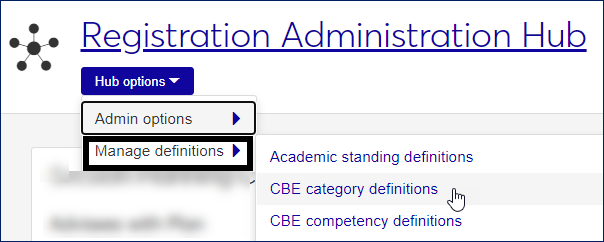 |
Tip
The list of definitions pages is quite long! You might find it easier to use the search as described below.
Click the Navigation icon
 .
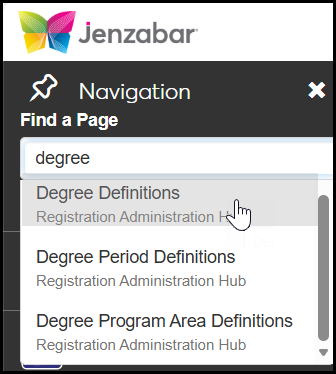
.In the Find a Page field, begin typing the name of the definitions page.
In the results, click the page you're looking for. The page opens.
Most definitions look similar to each other and are laid out as lists. A few are set up as spreadsheets. Most of them have the same operations; you can view and edit definitions, create new ones, delete definitions, or download the list to Microsoft Excel.
The instructions for viewing, editing, and creating can be unique enough for each definitions page that they're included with each definition topic in this guide.
Delete and Download Instructions Up Front
The instructions for deleting and downloading are usually the same for every definitions page, so they're included up front in this guide rather than repeated for every definitions page. If the instructions for a page are different, they're included with that page. How to Delete and Download Definitions