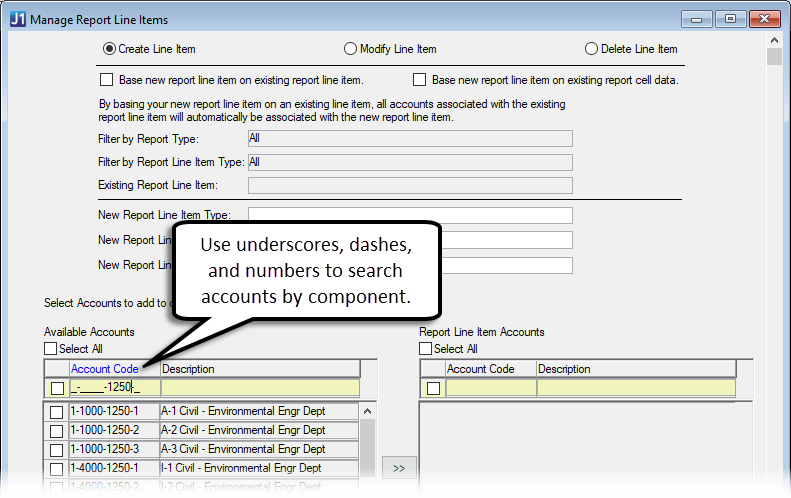
Use this window to create, update, or delete report line items.
|
Schools with the Arkansas State Reporting license can assign accounts to report line items that are used in the Arkansas Open Checkbook reports generated in the Campus Portal (JICS). See Setting Up Arkansas Open Checkbook Reports for additional information. |
The Create Line Item option allows you to:
· Create an entirely new report line item or one based on an existing report line item
· Add accounts to your new report line item
· Remove accounts associated with an existing report line item from your new report line item
|
Newly created report line items can be used throughout J1 Desktop. |
The Modify Line Item option allows you to:
· See which accounts are associated with report line items/reports
· See which report line items/reports are associated with a specific account
· Add and remove accounts to and from your report line items (in line item view or in account view)
|
Report line items associated with other reports cannot be deleted. |
|
When you delete a report line item, it is deleted entirely from J1 Desktop. |
The Delete Line Item option allows you to search for the report line item to be deleted and delete it.
Modify a Report Line Item in Line Item View
Modify a Report Line Item in Account View