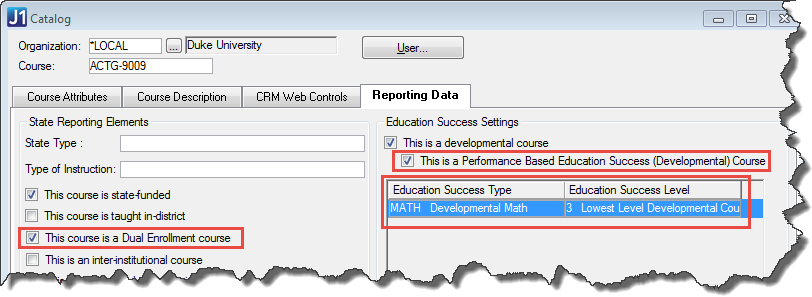
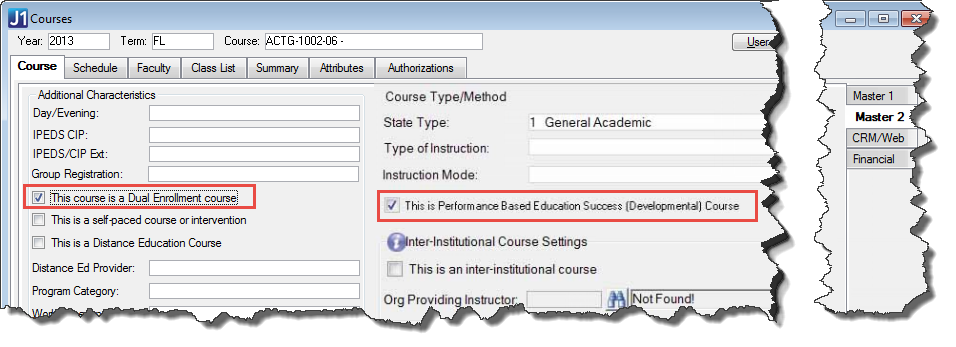
Dual enrollment courses require a numeric grade—a percentage such as 76 or 94. For courses flagged as dual enrollment, a numeric grade column appears in addition to the standard grade column.
Performance-based courses require the success level achieved. A success level column appears for courses flagged as performance based.
Both J1 Desktop and campus portal (JICS) allow you to enter numeric grades and to enter the success level achieved.
Numeric grades and education success levels are available to schools with a Texas state reporting license.
In J1 Desktop, if you flag courses as dual enrollment, the numeric grade column becomes available. If you flag courses as performance based, the success level column becomes available.
You can flag courses as Dual Enrollment and as Performance Based Education Success (Development) in these windows:
· Catalog
· Courses
· Courses (Non-Traditional)
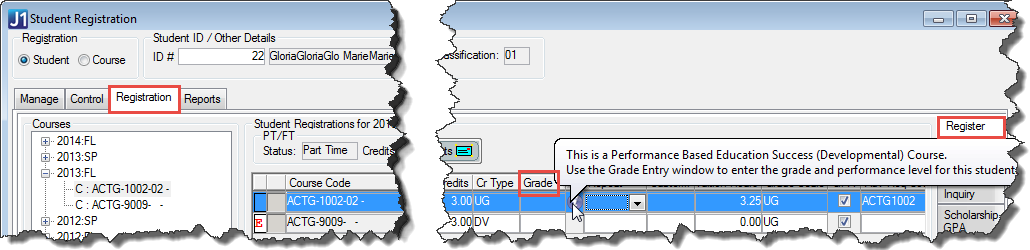
On the Student Registration window | Registration tab | Register subtab, a tooltip tells you when a course is a Performance Based Education Success (Developmental) Course. If it is, you use the Grade Entry window to enter the grade and performance level.
Use the Grade Entry window to enter numeric grades and success levels. Select the Numeric Grade and the Performance Education Success Level that the student has achieved. This may be different from the Education Success Level assigned to the course in the Catalog window.
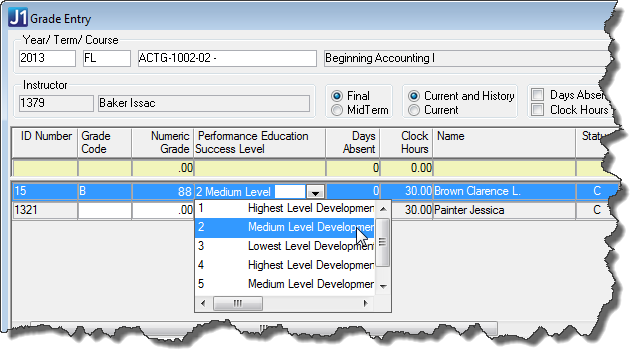
Numeric Grade and Performance Education Success Level also appear on the Grade Change History window under the right circumstances.
In campus portal (JICS), you can enter numeric grades and the success levels that students have achieved.
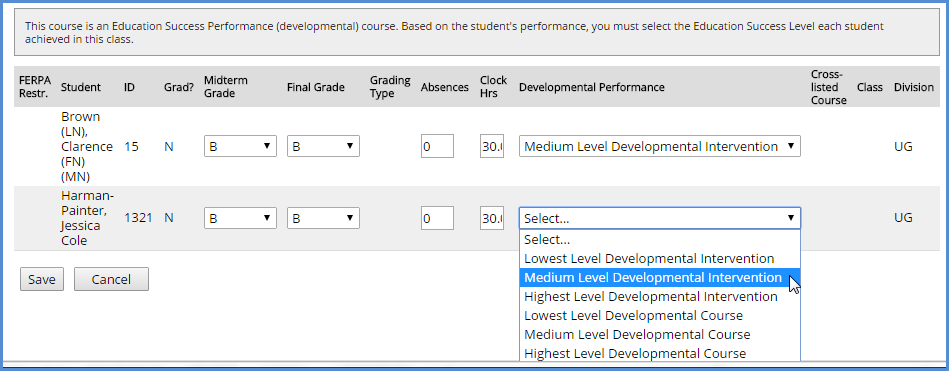
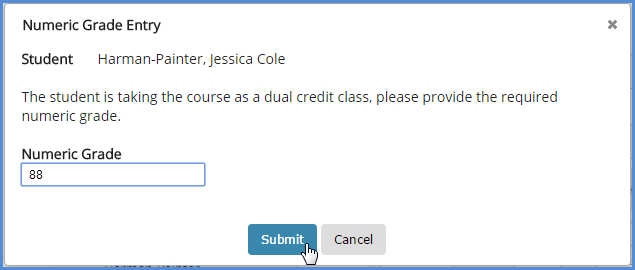
On the Grade Entry portlet, you enter letter grades. However, if a numeric grade is also required, the Numeric Grade Entry prompt pops up. Enter the numeric grade and click Submit.
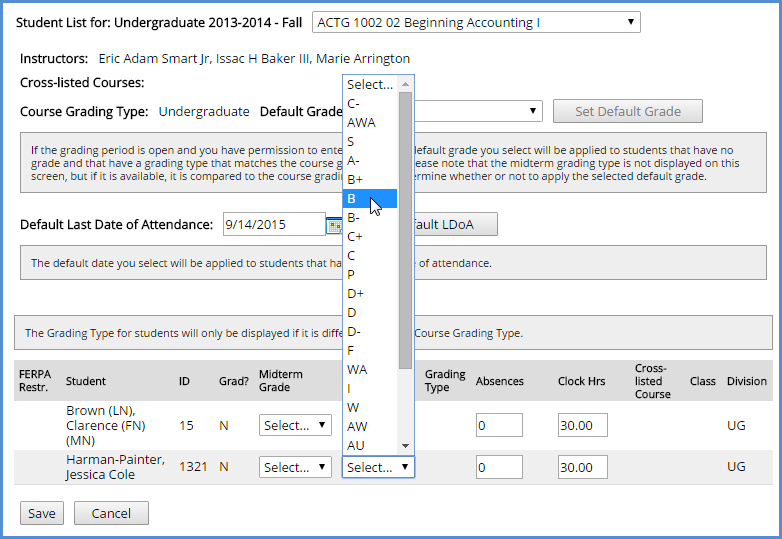
On the Grade Entry portlet, if the course is a Performance Based Education Success (Developmental) Course, select a value in the Developmental Performance drop-down list.