This window is accessed a link at the top of the Generate 1098-T window.
|
This window is accessed a link at the top of the Generate 1098-T window. |
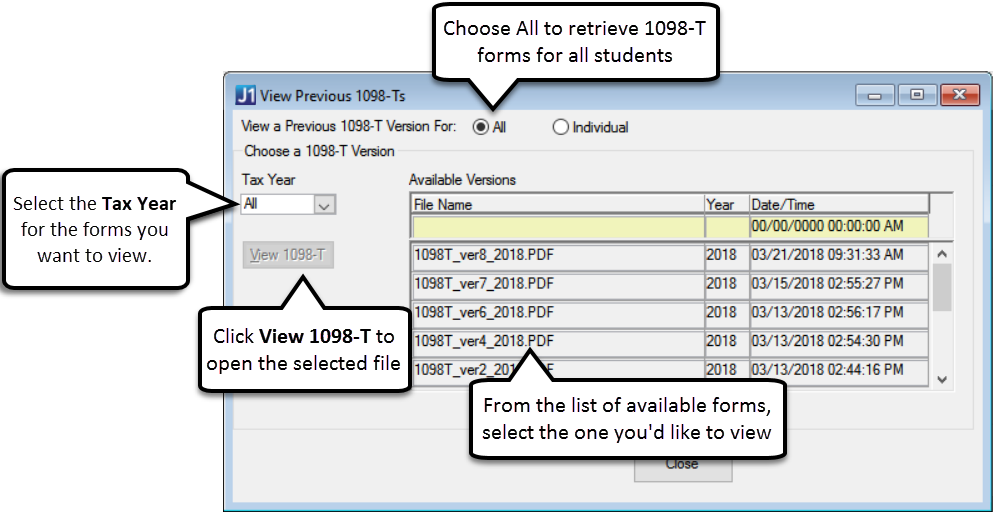
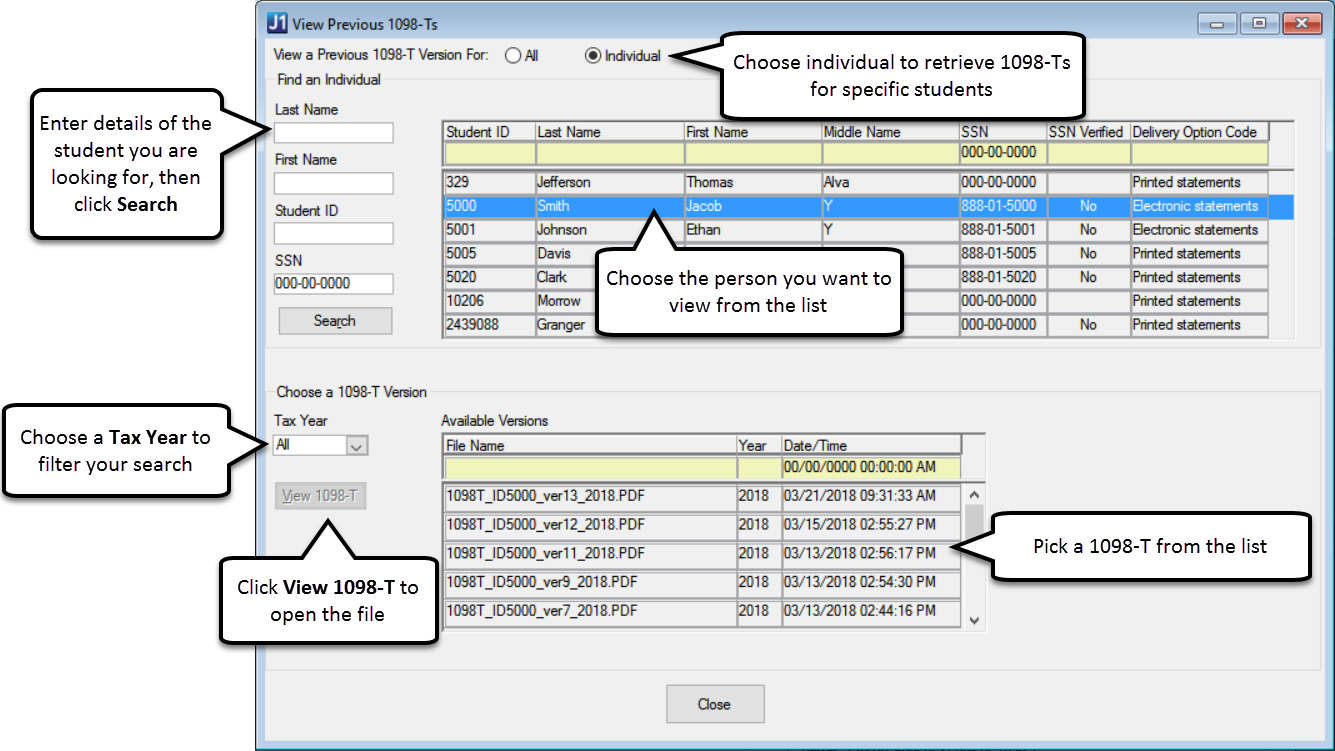
Use this window to view any 1098-T forms you have already processed and published to students. You can choose to view All or Individual students using the radio button options at the top of the window.
To view previously published 1098-Ts for all students that have consented to electronic 1098-T statements, select the tax year and search the results for the form you want to see. The PDF files merge all 1098-T forms for eligible students into one file with students listed in alphabetical order. These files can be printed or saved for record keeping. Example
To view previously published 1098-Ts for a specific student, use the criteria in the Find an Individual section to search. From the results, click the student's name, and select a tax year from the drop-down. Any available forms will appear and you can select from the list. Example